Battery-less Asset Tagging Demo#
This demo showcases a battery-less asset tracking system based on the principle of energy harvesting. The hardware does not require an external power source. Instead, it autonomously generates power using a connected shield equipped with an Indoor Photovoltaic Cell and a capacitor for energy storage.
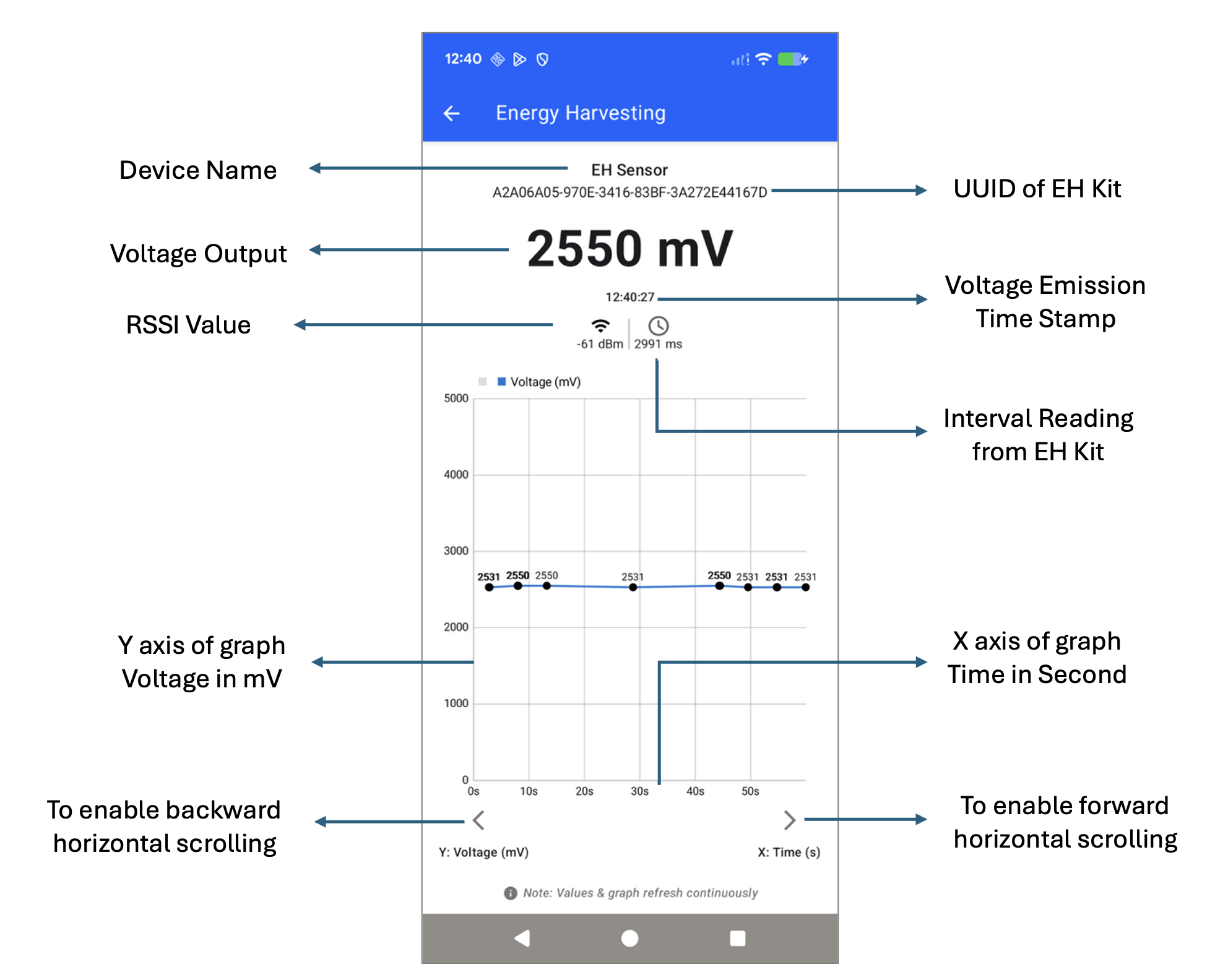
Capacitor voltage (in millivolts).
RSSI (Received Signal Strength Indicator).
Timestamp of the transmission.
The Simplicity Connect mobile application, available on both Android and iOS, is responsible for scanning and capturing these advertisement packets. It visualizes the voltage data on a time vs. mV graph, allowing users to monitor the energy harvesting performance and capacitor charge levels over time.
Hardware setup#
Go to Bluetooth - SoC Energy Harvesting Sensor for procedures to set up your hardware.
Supported Boards#
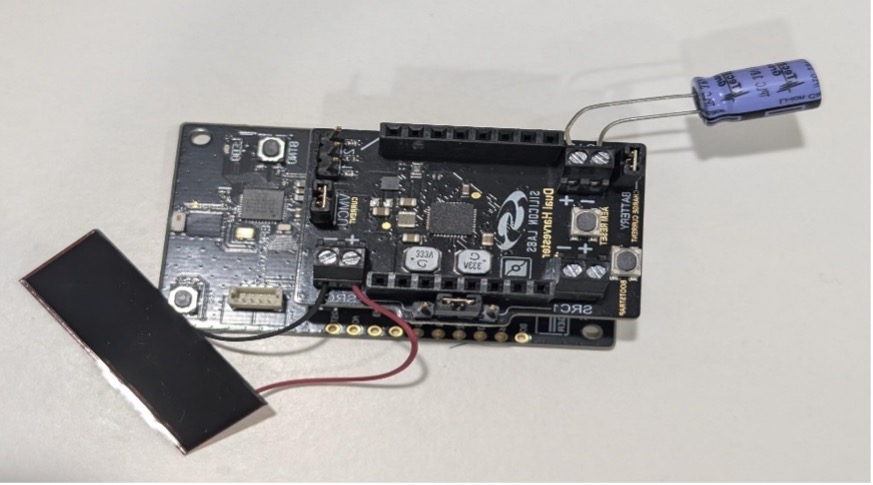
BRD2710A and BRD8201A (Dual Harvester Shield), below, with a capacitor and an Indoor Photovoltaic Cell:
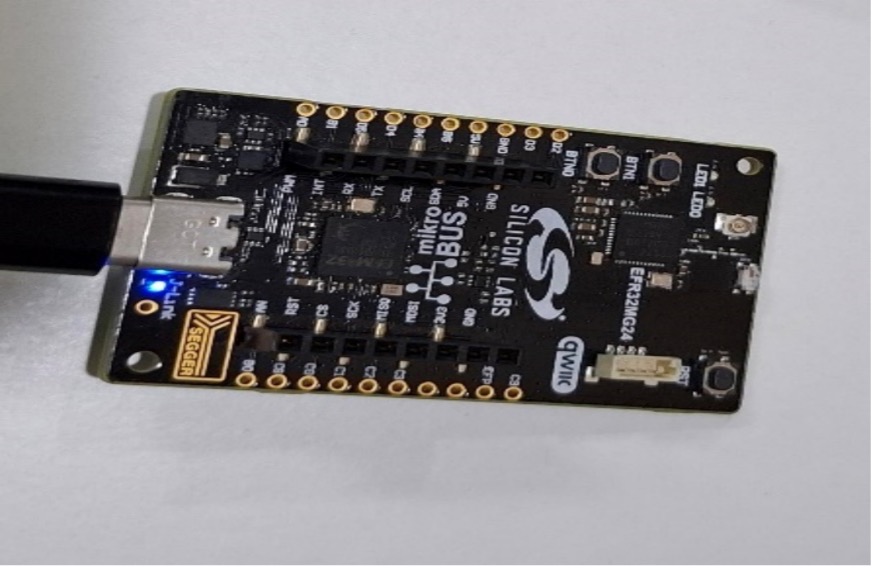
The BRD2703A board, below, acts as an observer and must be connected to a Windows/MAC system to monitor emitted voltage data through UART logs:
App Setup and Use#
Steps to Run the demo#
Launch Simplicity Studio and connect the required hardware as shown in the energy hardware demo setup: Bluetooth - SoC Energy Harvesting Sensor.
Search for the project Bluetooth – SoC Energy Harvesting Sensor in Simplicity Studio, referencing the screenshots below.
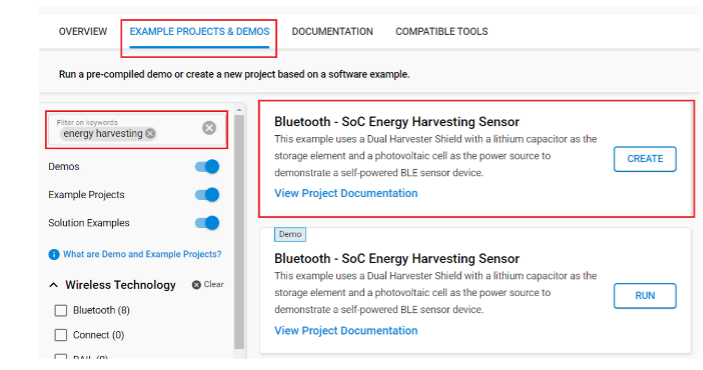
Create the project, then build and flash it onto the target device.
Open the Simplicity Connect mobile application on either Android or iOS.
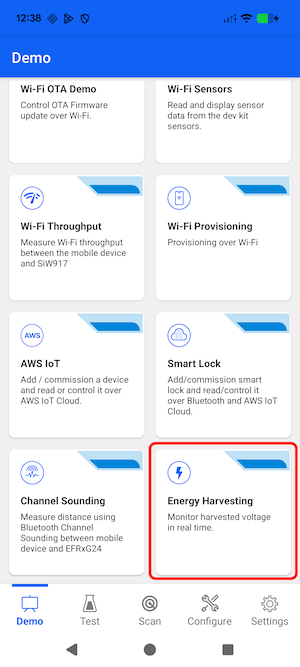
Navigate to the Demo tab and select the Energy Harvesting demo.
Once the demo is launched, the app will begin scanning for BLE advertisement packets.
Upon detecting a valid advertisement packet, the app will display the received data in the form of a graph between the voltage in mV and time as explained below in Energy Harvesting screen.
Application Work-Flow Screen Shots#
Open the Simplicity Connect mobile application on either Android or iOS and click on Energy Harvesting Demo tile.
Energy Harvesting Screen