


Restricted Access#
Some Silicon Labs SDKs, tools, and other packages have restricted access. To install a restricted-access package, you must sign in to your Silicon Labs account and have permission to access that specific package. Not all packages are available to every account.
Check Whether You Have Access#
SLT-CLI identifies restricted packages when you try to install them. The message indicates whether you need to sign in or your account needs permission to access the package:
If you are not signed in, SLT-CLI reports that the package is restricted and instructs you to run
slt auth login.If you are signed in but the account does not have permission, SLT-CLI reports that the package is restricted and directs you to contact Sales.
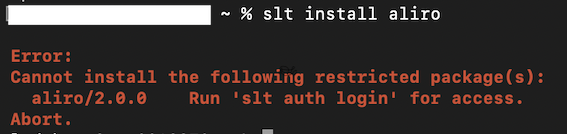
For example, if you try to install aliro without signing in, SLT-CLI might display the following message:
Sign in to SLT-CLI#
Run the following command:
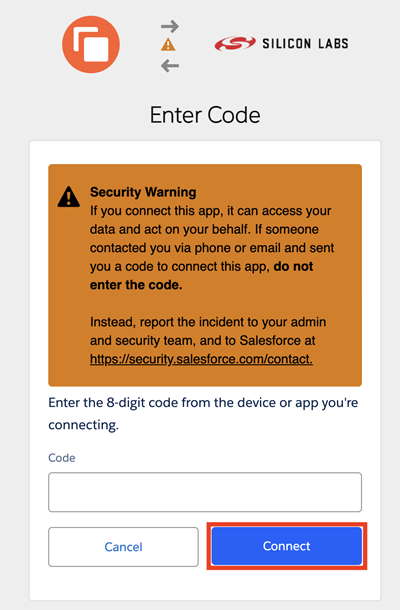
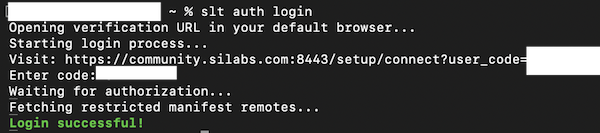
slt auth loginSLT-CLI opens a verification page in your default browser and automatically displays a temporary code in the text box:
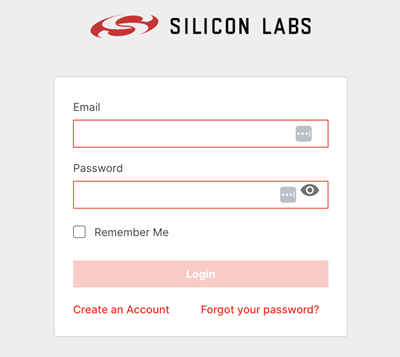
Sign in with the Silicon Labs account you want to use to access the package, and authorize SLT-CLI to use your account:
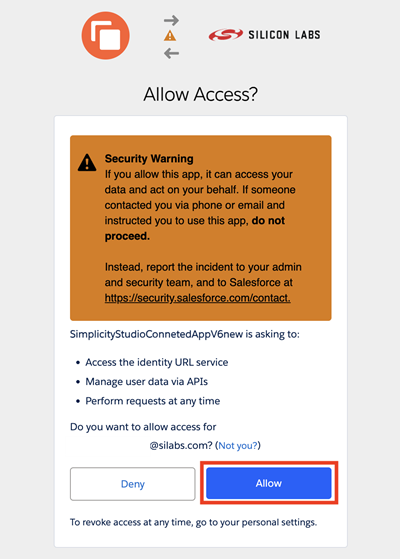
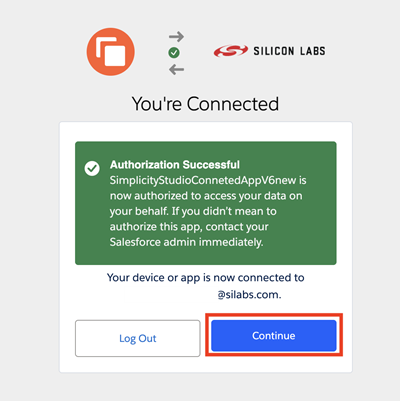
Verify that the browser displays a message confirming successful authorization:
Return to SLT-CLI and verify that the sign-in was successful:
Try installing the package again.
Note: Signing in to SLT-CLI does not automatically grant access to restricted packages. If the installation still reports that the package is restricted and directs you to contact Sales, your account needs permission to access that package.
Request or Resolve Access#
If you are signed in but still cannot access a restricted package, follow these steps:
Verify that you signed in with the Silicon Labs account associated with your access request.
Contact your Silicon Labs sales contact or use the Contact Sales page to request access to the specific package for your account.
After access is granted, retry the
slt installcommand.
If your account does not have permission to access the package, SLT-CLI might display the following error:

If you still receive the error after access is granted, verify that you are signed in with the correct account. If the issue persists, contact your Silicon Labs sales representative and provide the package name and SLT-CLI error message.