Z-Wave Device Configuration Basics#
NOTE: This section replaces APL13298: Z-Wave Device Configuration Basics. Further updates to this application note will be provided here.
Best practice guidelines for supporting configuration parameters.
Z-Wave enables a variety of monitoring and control applications such as sensors can send data to a gateway and Wall controllers reporting button presses to a scene controller.
There may be certain needs in a specific customer deployment which necessitates configuration of parameters, e.g. how often a sensor sends updated information.
It is a firm requirement that any device operates in a meaningful way in its factory default state. For interoperability purposes it is further a requirement that all functionality that can be controlled via standardized Z-Wave application command classes also support such command classes.
The Configuration Command Class, version 3 (and later) allows an installer tool to request relevant information for configuration parameters of a given device.
A device may advertise the complete list of supported configuration parameters and for each parameter, it is possible to advertise:
Parameter name (Configuration Name Report)
Intended use (Configuration Info Report)
Parameter type (Configuration Properties Report)
Parameter ranges (Configuration Properties Report)
The information allows a device to provide information electronically which would otherwise only be available in the product documentation.
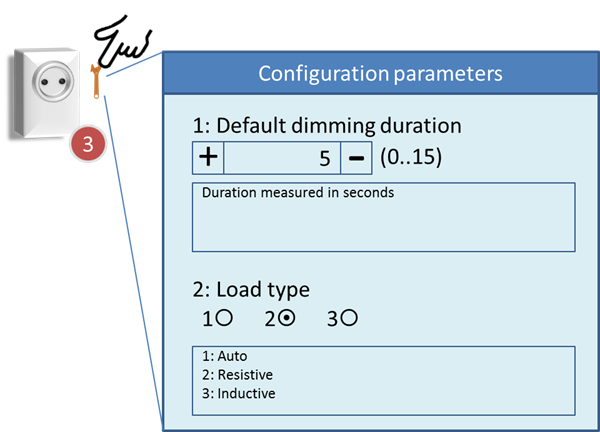
This example shows how the gateway may show configuration parameters in the properties page for a light dimmer.
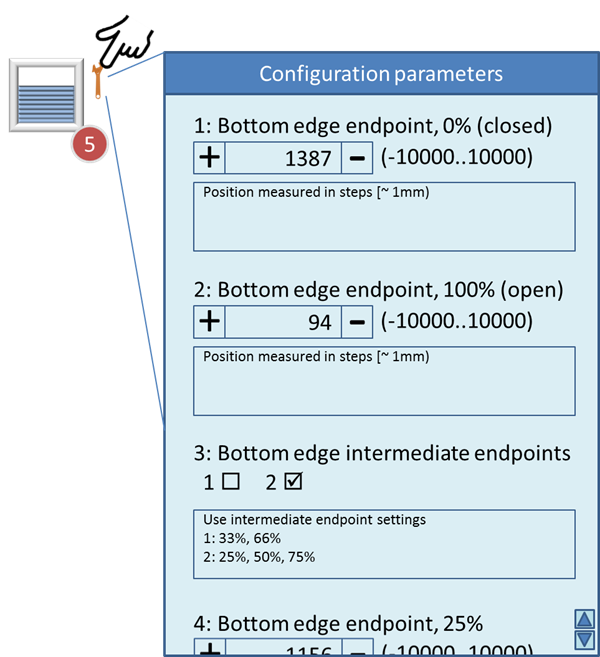
This example shows how the gateway may show configuration parameters in the properties page for a window covering device.
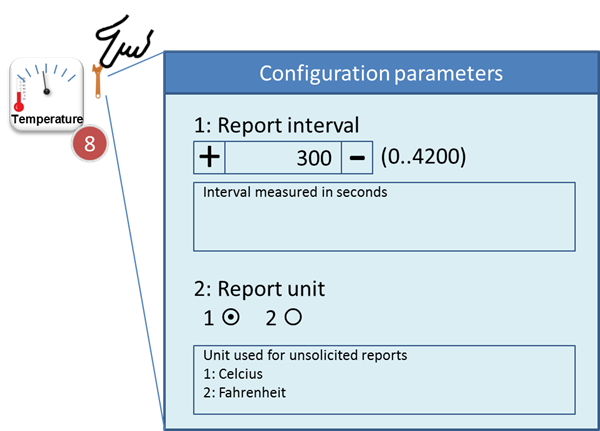
This example shows how the gateway may show configuration parameters in the properties page for a temperature sensor.