


Connection Subrating#
Introduction#
Connection subrating is a means of quickly modifying the effective connection interval of an existing LE ACL connection. It is accomplished by the Central and Peripheral skipping most of the underlying connection events; for example, if the subrating factor is set to 7, then only every 7th connection event is used.
When connection subrating is applied to an existing connection, the active duty cycle may be quickly reduced, saving power, but the original connection interval can be quickly restored for improved throughput when needed. Subrated connections rely on an underlying connection interval which is understood by both Central and Peripheral and, in so doing, allow reliable and immediate reductions and changes to the connection interval, without waiting for connection updates, which rely on an instant several connection events in the future. Devices that have subrated their default LE ACL logical transports may use the absent periods to engage in activity on another logical transport, or to enter reduced power mode. An LE subrated connection interval only affects the specified LE ACL logical transport and does not apply to any associated LE CIS logical transports that may be active.
Modifying the Subrate of a Connection#
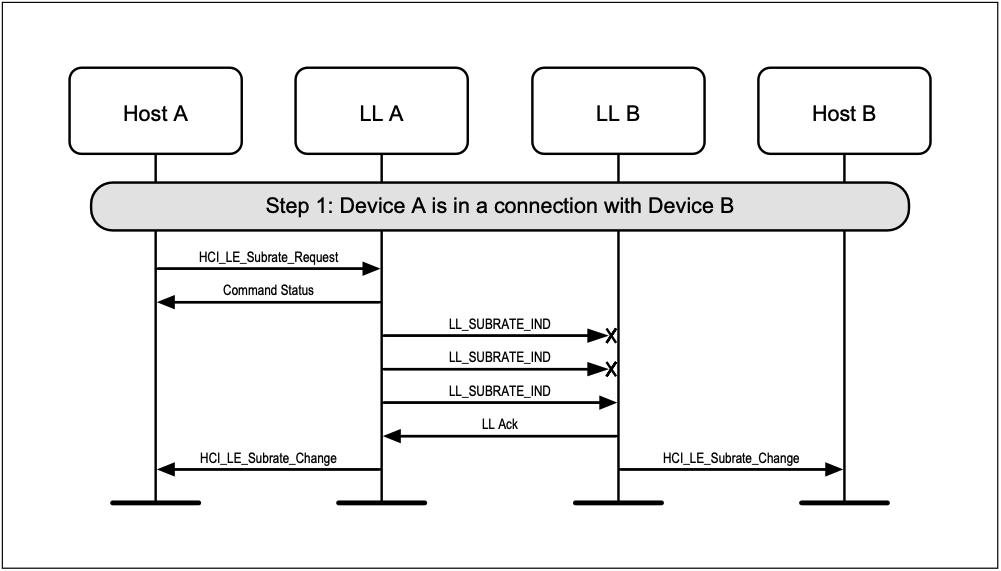
The Central (Device A) is able to freely modify the subrate of a connection (first two requests are missed):
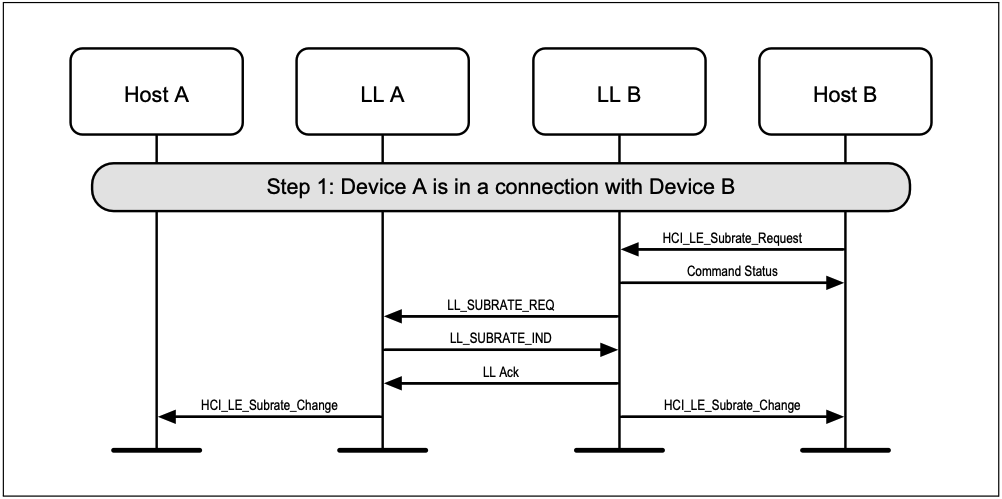
While the Peripheral (Device B) can requests its modification from the Central:
Using Connection Subrating#
To add the connection subrating feature to your application, follow the instructions below. For details about command parameters, see the Bluetooth Software API Reference Manual.
Adding the Feature#
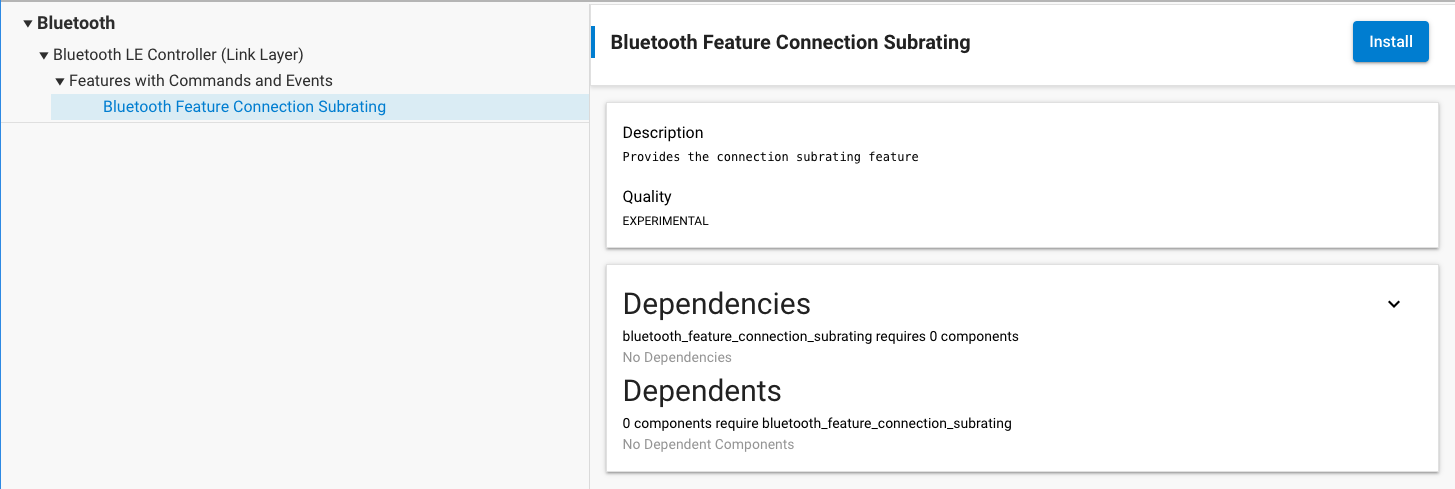
By default, this feature is not included in the stack and the Bluetooth Feature Connection Subrating (bluetooth_feature_connection_subrating) software component must be installed to get it work:
Utilizing Connection Subrating Component#
Set the default acceptable parameters for subrating requests made by the peripheral on future ACL connections where this device is the central. When a connection is established, central will store these values to determine if future subrate requests from the peripheral are acceptable. Peripheral may store it's own set of parameters independently, but they will not be used in that role. Running this command has no effect on connections that are already active, instead to change the stored acceptable values, use the command sl_bt_connection_request_subrate on the central device.
sl_status_t sl_bt_connection_set_default_acceptable_subrate(uint16_t min_subrate,
uint16_t max_subrate,
uint16_t max_latency,
uint16_t continuation_number,
uint16_t max_timeout);Request a change to the subrating factor and other parameters applied to an existing connection. If the local device is in the central role on this connection, this command overrides the default acceptable subrating parameters set by sl_bt_connection_set_default_acceptable_subrate and uses the specified subrate parameters for this connection. If the local device is in the peripheral role on this connection, this command requests a change to the parameters but they may not be accepted by the peer central device.
sl_status_t sl_bt_connection_request_subrate(uint8_t connection,
uint16_t min_subrate,
uint16_t max_subrate,
uint16_t max_latency,
uint16_t continuation_number,
uint16_t timeout);Detecting the Changes#
This event is triggered when the procedure started by sl_bt_connection_request_subrate has completed successfully or when the subrate parameters have changed due to a peer request.
#define sl_bt_evt_connection_subrate_changed_id 0x0e0600a0This event is triggered when the command sl_bt_connection_request_subrate has failed and returns the error code for that failure.
#define sl_bt_evt_connection_request_subrate_failed_id 0x0d0600a0