Getting Started with Simplicity Studio 6 and the Simplicity SDK#
Simplicity Studio 6 (SSv6) is a free development environment and a collection of value-add tools provided by Silicon Labs. You can use SSv6 with VS Code to develop, debug, and analyze their Silicon Labs SiSDK-based applications. Its main goal is to reduce development time so that you can focus on your application instead of researching the hardware reference manuals.
The online Simplicity Studio 6 User’s Guide provides an overview of SSv6 functions, instructions for using SSv6 with SiSDK, and detailed references to the various SSv6 tools and perspectives.
This guide assumes that you have downloaded SSv6, VS Code, and the SiSDK and are familiar with the features of the SSv6 Launcher perspective.
Make sure your mainboard is connected.
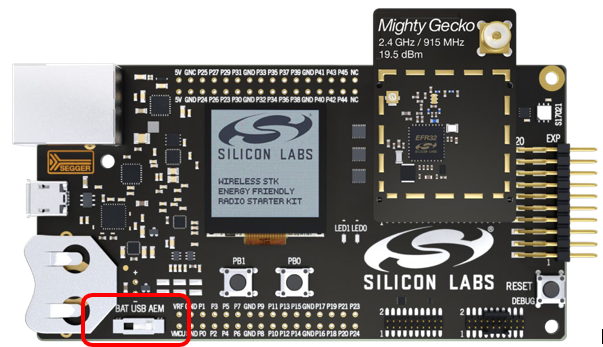
Note: For best performance in Simplicity Studio 6, make sure the power switch on your mainboard is in the Advanced Energy Monitoring (AEM) position, as shown in the following figure.