


Configure 802.15.4 PHYs in RAIL#
This section describes how to configure EFR32 radios using an IEEE 802.15.4–compatible PHY. Most of these PHYs have limited configurability because they are designed to comply with the standard.
The channel numbering for standard PHYs follows the IEEE 802.15.4 specification. As a result, most PHYs do not use channel 0 as the first valid channel. Check the GUI or refer to the standard to see the available channels for each PHY.
For the available PHYs and 802.15.4 specific RAIL features on the selected radio platform generation, see:
the device’s datasheet
the Radio Configuration GUI
the RAIL documentation
After you select any of these PHYs, load it by using sl_rail_ieee802154_config_channels(). You can also use sl_rail_config_channels(), but the ieee802154 API provides additional initialization. It configures PTI and enables CRC and whitening based on the PHR for SUN-FSK (and similar) PHYs. If the device is a module that supports only signed PHYs, this method also unlocks the module.
Some PHYs - mainly 2.4 GHz PHYs - also have dedicated APIs, such as sl_rail_ieee802154_config_2p4_ghz_radio().. These APIs load pre-generated versions of the PHYs listed below. They are provided for compatibility and might be deprecated in the future.
2.4 GHz 250 kbps O-QPSK PHYs#
The 2.4 GHz 250 kbps O-QPSK PHY is the most commonly used instance of the IEEE 802.15.4 PHYs. Zigbee and Thread applications (indoor PAN network protocols) also configure this PHY when initializing the stack.
Find this PHY in the Radio Configurator under IEEE802154OQPSK Profile:
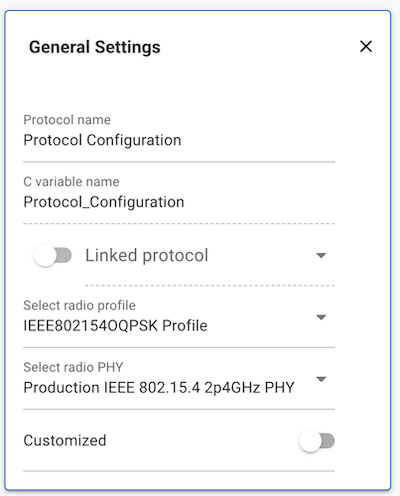
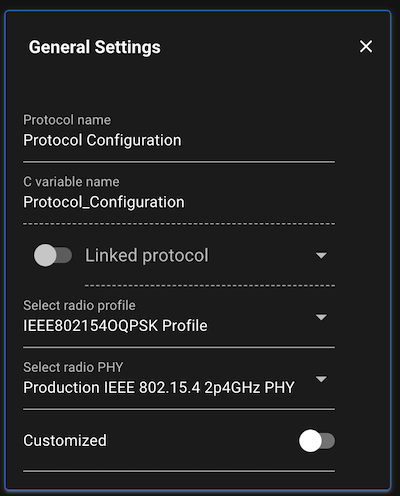
The Radio Configurator supports this PHY along with some variations:
Antenna Diversity
External LNA (FEM - front-end module)
Concurrent
Note: Do not confuse this PHY with the SUN O-QPSK (or MR-OQPSK) PHY. SubGHz O-QPSK PHYs are described in a later section.
Connect 2.4 GHz O-QPSK PHYs#
The Radio Configurator provides the Connect 2.4GHz OQPSK 2Mcps 250kbps PHY in the Connect Profile:
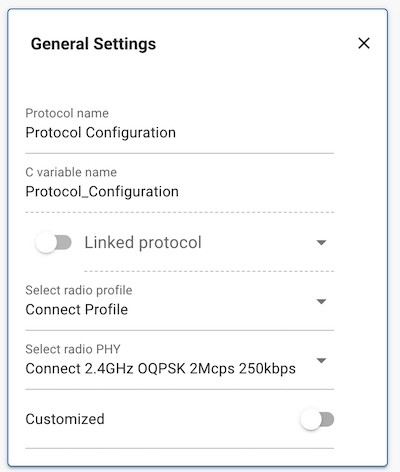
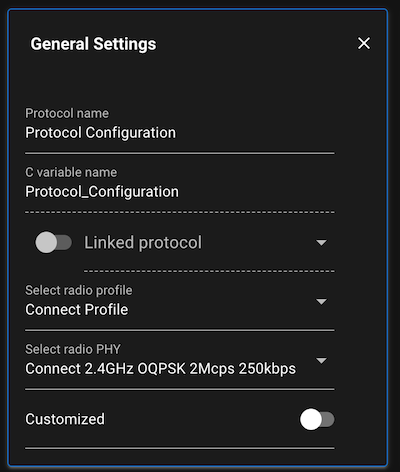
This PHY is mostly compatible with IEEE 802.15.4 but might not meet all requirements or regulatory standards (such as FCC). It also delivers lower RF performance on most EFR32 radio generations than the PHYs described in the previous section.
However, as this PHY is not intended to comply with the standard, allows more customization (DSSS configuration, custom datarate, different sync word, preamble configuration, channel number, and frequency assignment, etc.).
For more information, see Using Silicon Labs Connect v3.x with IEEE 802.15.4.
SubGHz BPSK PHYs#
The 20 kbps and 40 kbps BPSK PHYs (for the 868 MHz and 915 MHz ISM bands, respectively) are available in the Radio Configurator under the IEEE802154 BPSK Profile:
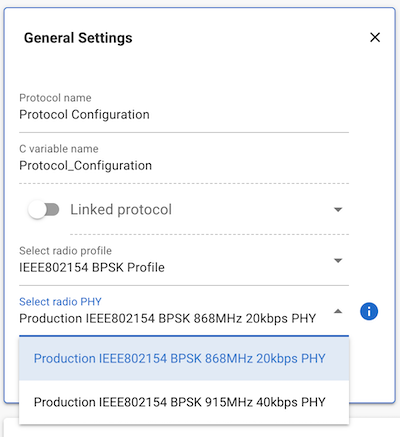
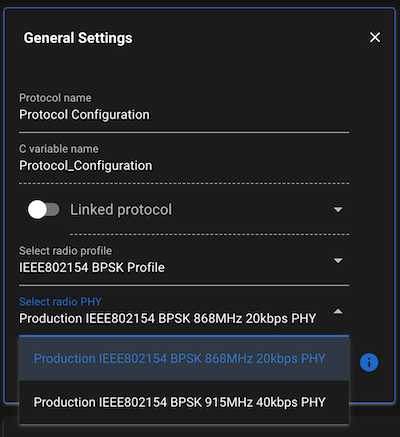
UK metering PHYs#
The following PHYs are being used most commonly in UK metering standards, using Zigbee. These are under the IEEE802154 Profile:
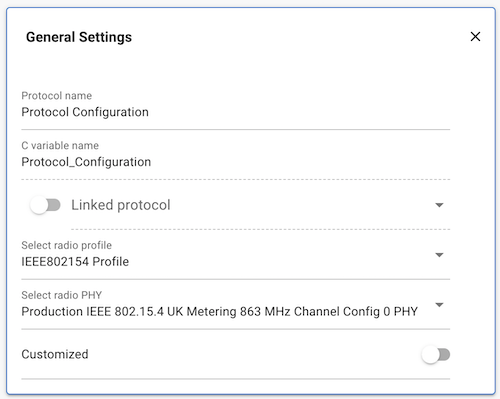
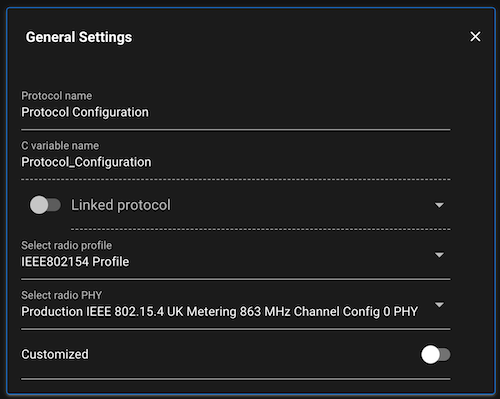
These PHYs provide a quasi–SUN-FSK configuration and use a 2-byte PHR. However, they are not fully compliant with the IEEE 802.15.4 standard. For example, limitations in PHY header construction restrict the maximum payload length to 127 bytes.
Wi-SUN and SUN PHYs#
Wi-SUN PHYs#
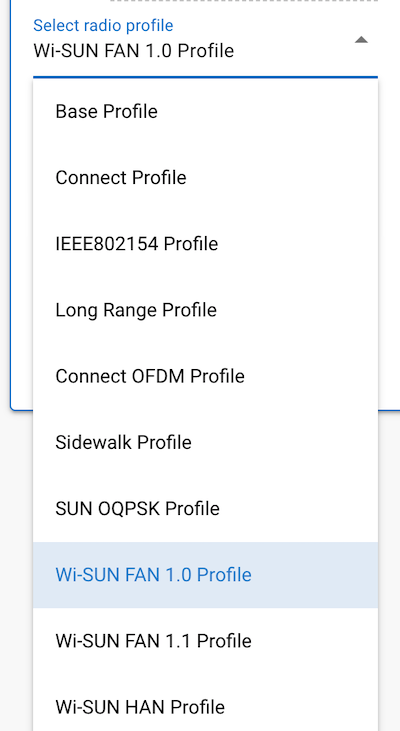
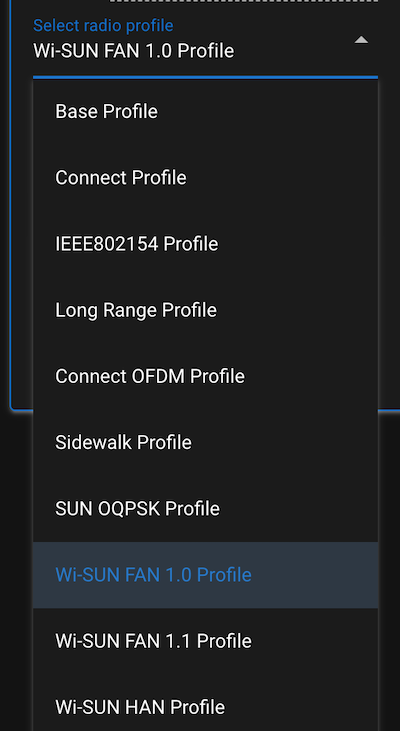
If a SUN PHY is part of the Wi-SUN standard, it appears in the Wi-SUN FAN 1.0, Wi-SUN FAN 1.1 or Wi-SUN HAN profiles. These profiles include both SUN-FSK and SUN-OFDM PHYs.
SUN FSK#
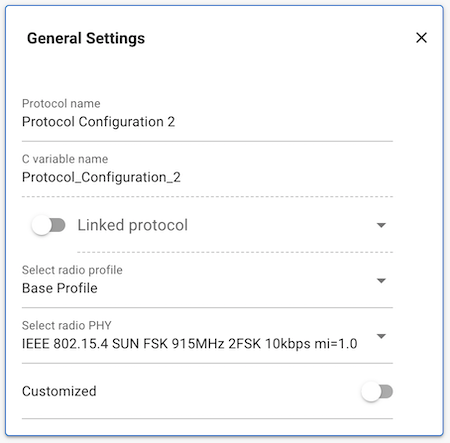
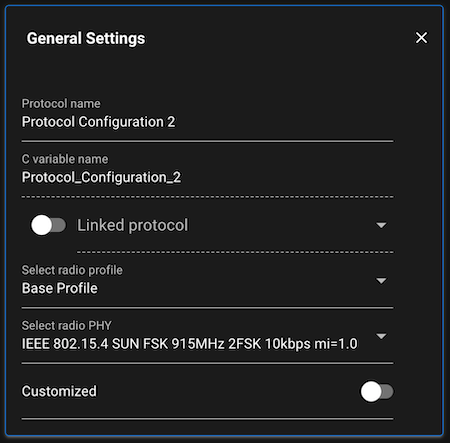
Find these PHYs under the Base profile -> IEEE 802.15.4 SUN FSK <specs>. PHYs under this profile are supported, but not part of the Wi-SUN specification.
SUN O-QPSK#
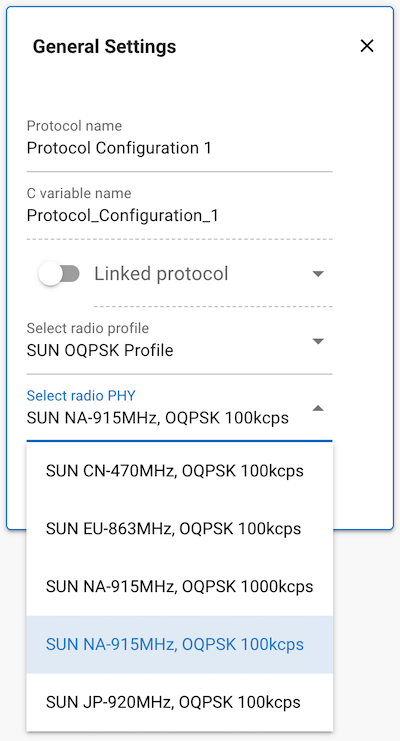
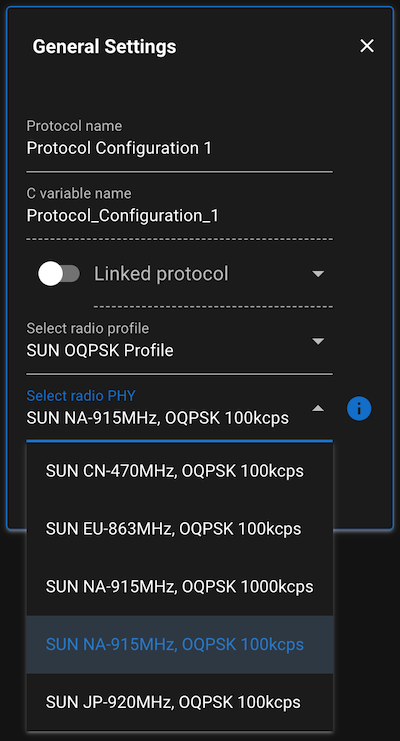
These PHYs can be found under the SUN OQPSK Profile:
Connect OFDM#
Connect OFDM PHYs are fully compatible with the OFDM PHYs under Wi-SUN FAN 1.1. They are provided here for easier configurability in proprietary applications, Connect compatibility, and allowing some limited configurability, namely, the channel map.
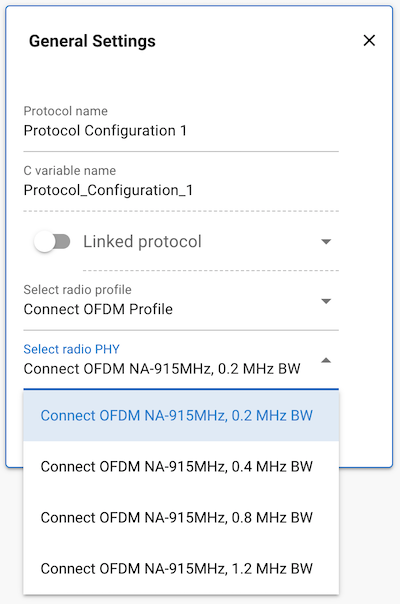
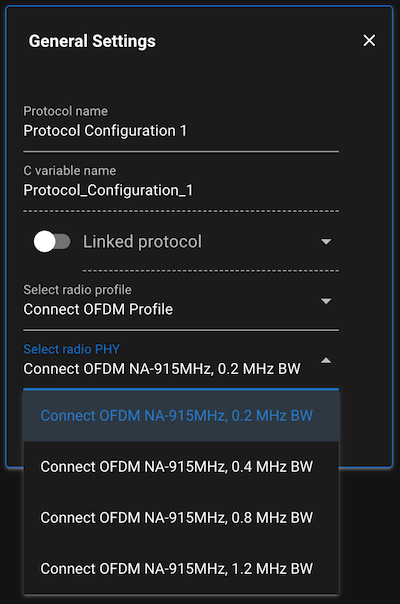
The four Connect OFDM PHYs are defined according to the 4 OFDM options defined by the IEEE 802.15.4 standard. The parameters of these options are listed below:
OPT1 | OPT2 | OPT3 | OPT4 | |
|---|---|---|---|---|
Channel spacing (kHz) | 1200 | 800 | 400 | 200 |
DFT size | 128 | 64 | 32 | 16 |
Number of sub-carriers | 104 | 52 | 26 | 14 |
Channel width (kHz) | 1094 | 552 | 281 | 156 |
MCS0 (kbps) | 100 | 50 | 25 | 12.5 |
MCS1 (kbps) | 200 | 100 | 50 | 25 |
MCS2 (kbps) | 400 | 200 | 100 | 50 |
MCS3 (kbps) | 800 | 400 | 200 | 100 |
MCS4 (kbps) | 1200 | 600 | 300 | 150 |
MCS5 (kbps) | 1600 | 800 | 400 | 200 |
MCS6 (kbps) | 2400 | 1200 | 600 | 300 |
MCS7 (kbps) | 3600 | 1800 | 900 | 450 |
Note: The high bitrate is only achievable on the payload, the training sequence and PHR will be the same symbol rate within the same option.
For more information on using these PHYs in Connect, see PHY Limitations and Timing Optimization.
PHYs with IEEE 802.15.4 Frame Format#
Using the PHYs described in the following section, the radio might not be fully IEEE 802.15.4 compatible and could fail on regulatory and/or protocol certification. The IEEE 802.15.4 frame format is a well-known and common specification. Using such a radio configuration might accelerate the product development cycle, and it makes available the IEEE 802.15.4 specific RAIL APIs.
If the PHY you want to use is supported by RAIL, Silicon Labs recommends using it from there, as these are validated and fine-tuned through config options that might not be available on the Radio Configurator.
If you select any PHY from the Connect Profile and Long Range Profile in the
Radio Configurator, most of the payload-related customization becomes
unavailable because these PHYs ensure IEEE 802.15.4 frame format compatibility,
but overall, these PHYs are not fully compatible with the standard.
However, in cases where you need more customization options available in the Radio Configurator, you might have set up IEEE 802.15.4 frame format compatibility as it is discussed in the following section.
Build Custom PHYs in the Radio Configurator#
If you need full control over the PHY customization, you need to set it up directly in the Radio Configurator. Note that you can only set up OQPSK (not SUN-OQPSK) and SUN-FSK PHYs. SUN-OFDM, SUN-OQPSK and BPSK PHYs are only available as pre-configured PHY.
To set up the base of the config, follow these steps:
Disable all
Advancedoptions.Set up modulation and frequencies as per the requirements of the standard.
Configure channel spacing and channel numbering according to the standard.
Preamble and sync word (SFD) depends on the PHY format; set it up accordingly.
Use LSB first everywhere unless stated otherwise. (*)
(*) SUN-FSK is an exception, which defines the length field MSB first. The length can be handled by the hardware, but you must keep in mind that you have to reverse the endianness of these bytes for both Rx and Tx in the application. See the next section for details
Variable Length Setup for 1-byte PHR with 7-bit Length#
On 2.4 GHz O-QPSK, this is covered by the embedded config. Otherwise:
Check Header Enable
Set Header Size to
1Set Frame Length Encoding to
VARIABLE_LENGTHSet Frame Bit Endian to
LSB_FIRSTCheck Length Includes CRC Bytes
Set Minimum Length to
0Set Maximum Length to
127Set Variable Length Bit Size to
7Set Variable Frame Length Adjust to
0Set Variable Length Bit Endian to
LSB_FIRSTSet Variable Length Bit Location to
0
Variable Length Setup for 2-byte PHR and 11-bit Length (SUN FSK)#
Check Header Enable
Set Header Size to
2Set Frame Length Encoding to
VARIABLE_LENGTHSet Frame Bit Endian to
LSB_FIRSTCheck Length Includes CRC Bytes
Set Minimum Length to
0Set Maximum Length to
2048Set Variable Length Bit Size to
11Set Variable Frame Length Adjust to
0Set Variable Length Bit Endian to
MSB_FIRSTSet Variable Length Byte Endian to
MSB_FIRSTSet Variable Length Bit Location to
0
To use RAIL's capability of selecting CRC and whitening based on the PHR, configure for 4-byte CRC and enabled whitening as described below.
Note: The default Rx FIFO size is 512 bytes. Increase it by using sl_rail_set_rx_fifo() or use FIFO mode to download the packet in chunks.
CRC Configuration#
2-byte (CCITT-16)#
Set CRC Input Bit Endian to
LSB_FIRSTUncheck CRC Input Padding
Set CRC Polynomial to
CCITT_16Set CRC Seed to
00Set CRC Output Bit Endian to
MSB_FIRSTSet CRC Byte Endian to
MSB_FIRSTUncheck CRC Invert
Uncheck CRC Header
4-byte (ANSI X3.66-1979)#
Set CRC Input Bit Endian to
LSB_FIRSTCheck CRC Input Padding
Set CRC Polynomial to
ANSIX366_1979Set CRC Seed to
0xFFFFFFFFSet CRC Output Bit Endian to
MSB_FIRSTSet CRC Byte Endian to
MSB_FIRSTCheck CRC Invert
Uncheck CRC Header
Whitening Configuration (2-byte PHR only)#
Set Whitening Output Bit to
0Set Whitening Seed to
0x01F0Set Whitening Polynomial to
PN9Uncheck Whiten Header