


Configure Wi-Fi Settings#
Overview#
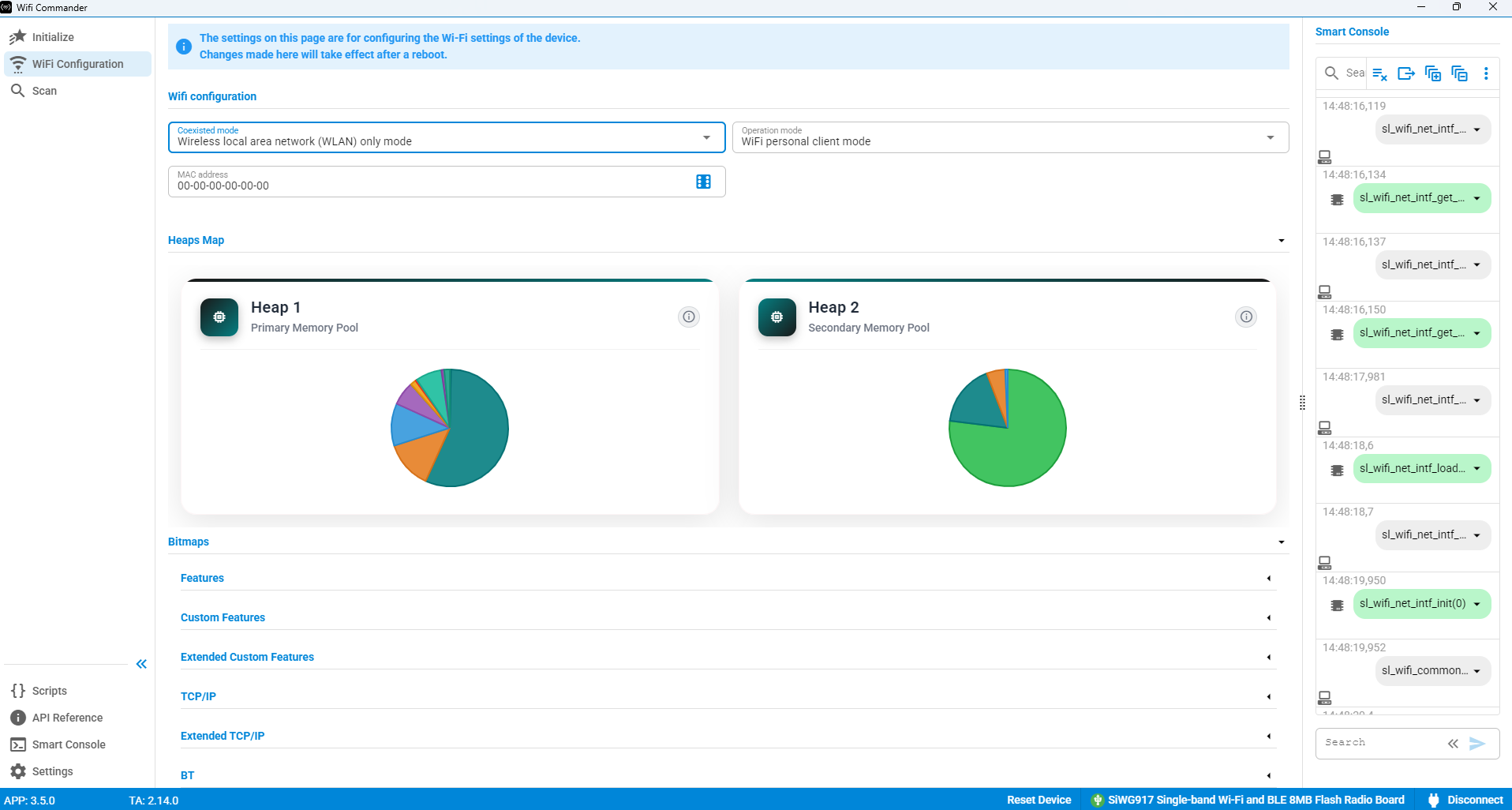
The following options are available on the Wi-Fi Configuration page:
Wi-Fi Configuration
Heap Maps
Bitmaps
Wi-Fi Configuration#
The following settings can be configured:
Coexisted Mode
Operation Mode
MAC Address
Coexisted Mode#
Currently, only WLAN mode is supported.
Support for WLAN + Bluetooth Low Energy (BLE) mode will be added in a future release.
Operation Mode#
This setting is used by the Initialize page to determine the device operating mode.
The following modes are supported:
Wi-Fi Access Point Mode
Wi-Fi Personal Client Mode
MAC Address#
You can enter a Media Access Control (MAC) address manually or use Commander to generate a random MAC address.
Heap Maps#
The heap maps provide information about memory usage.
Heap 1 represents the Cortex-M4 application processor heap usage.
Heap 2 represents the Network Wireless Processor (NWP) heap usage.
Hover over a chart to view usage percentages and the exact amount of allocated memory.
Bitmaps#
The following bitmap categories are available. For more information, see the linked documentation: