


Build and Flash Example#
This page walks through creating, building, and flashing Aliro example applications on a supported EFR32MG24 or EFR32MG26 board. Templates are available for system-on-chip (SoC), Near Field Communication (NFC), and Bluetooth Low Energy (BLE) builds.
Available Example Projects#
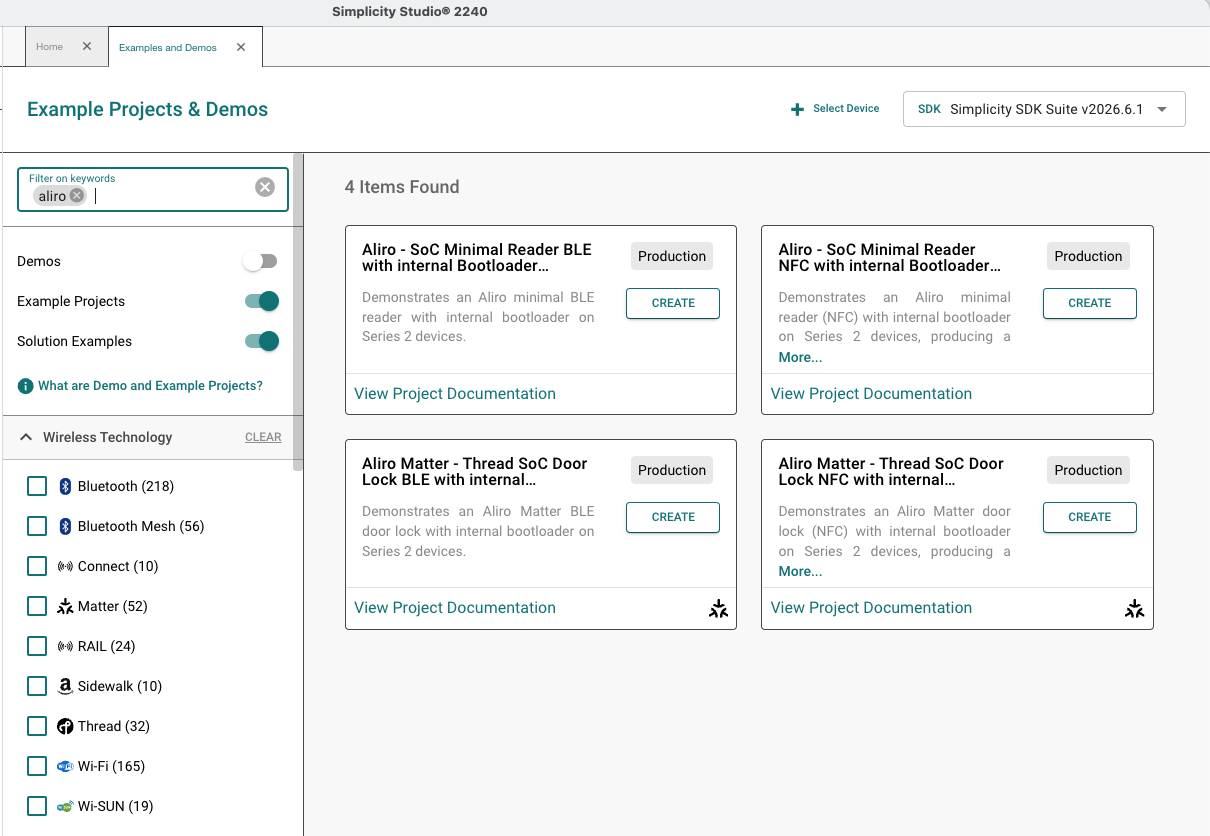
Create projects from Simplicity Studio Create New Project. Filter on keyword Aliro:
Aliro Minimal Reader#
Solution/Project | Transport |
|---|---|
Aliro - SoC Minimal Reader NFC with internal Bootloader FreeRTOS | NFC (solution) |
Aliro - SoC Minimal Reader BLE with internal Bootloader FreeRTOS | BLE (solution) |
AliroMatterLock#
Solution/Project | Transport |
|---|---|
Aliro Matter - Thread SoC Door Lock NFC with internal Bootloader FreeRTOS | NFC + Matter (solution) |
Aliro Matter - Thread SoC Door Lock BLE with internal Bootloader FreeRTOS | BLE + Matter (solution) |
Solution templates produce a combined application and bootloader flash image.
Create a Project#
In Simplicity Studio 6, open the Projects tab and select Create New Project.
In Filter on Keywords, type
Aliro.Select a template (for the Apple Home demo, use Aliro Matter - Thread SoC Door Lock NFC with internal Bootloader FreeRTOS).
Follow the prompts to create the project (solution).
Build the Project#
Projects created with Simplicity Studio 6 can be built from Simplicity Studio for VS Code:
In the Projects tab, select Open in VS Code.
In VS Code, select the project in the Explorer.
Select Build in the Simplicity Studio for VS Code extension panel.
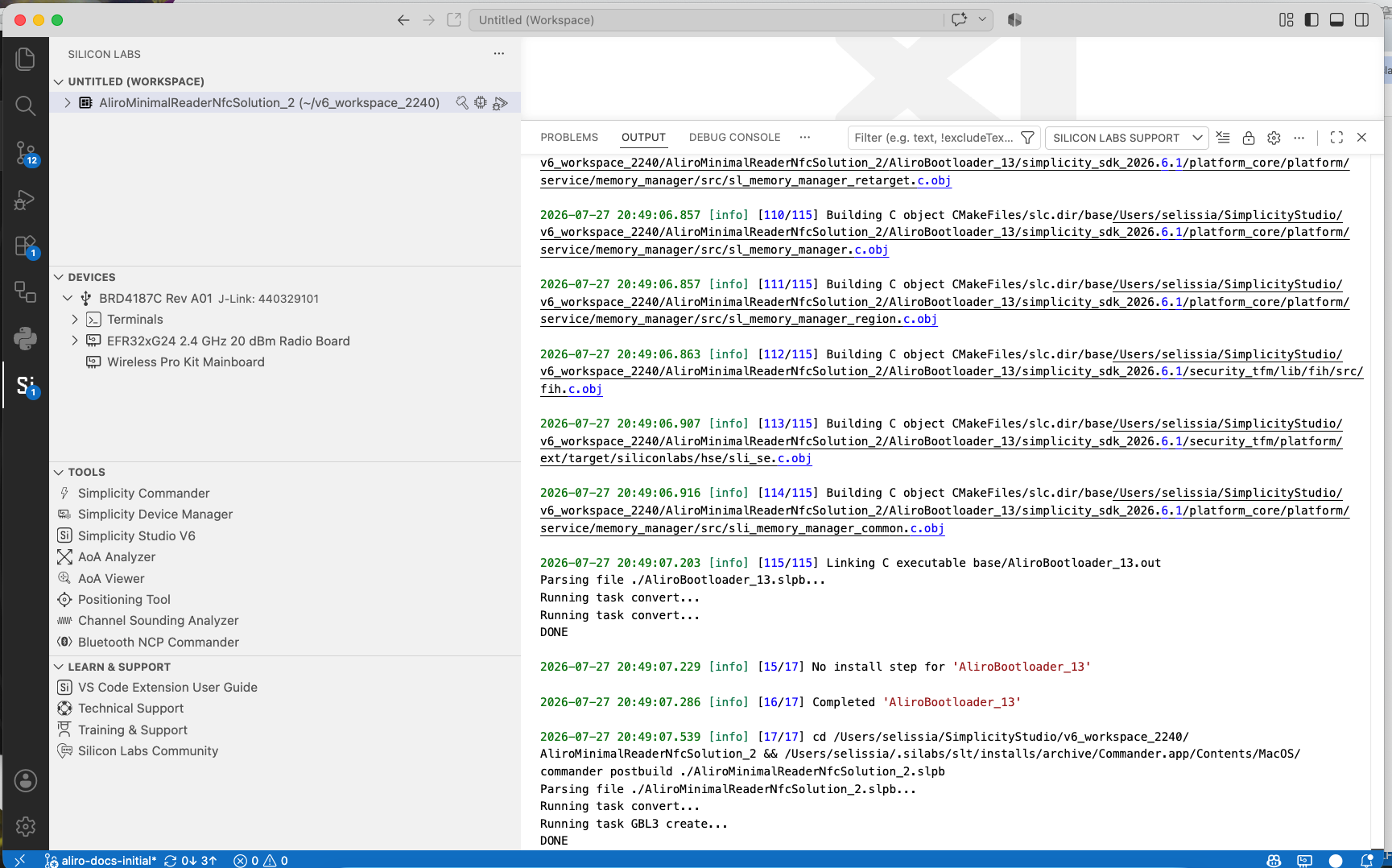
Alternatively, build from Simplicity Studio or your IDE toolchain directly.
Flash the Firmware#
After a successful build:
Connect a supported EFR32 board (and NFC expansion board for NFC builds).
Select Flash in the Simplicity Studio for VS Code extension.
For solution templates, flash the combined image that includes the bootloader slot.
Next Steps#
After flashing:
Apple Home Demo — Commission AliroMatterLock into Apple Home and exercise Wallet tap-to-unlock
Test Tool Demo — Validate Aliro Minimal Reader or AliroMatterLock against the Connectivity Standards Alliance (CSA) Aliro Test Tool
Troubleshooting#
Issue | Suggestion |
|---|---|
Project creation fails | Verify both |
NFC not detected | Check Serial Peripheral Interface (SPI) wiring and pin reroute; confirm |
Bootloader missing | Use a solution template or flash the Aliro bootloader first |
Related Topics
Hardware and Setup — Supported boards, wiring, and extension install
Apple Home Demo — Commission AliroMatterLock into Apple Home
Test Tool Demo — Validate reader flows with the CSA Aliro Test Tool
Developer's Guide — Customization, project configuration, and CLI
Aliro Fundamentals — Protocol concepts