Application Development Flow#
The following figure describes the high-level firmware structure. The developer creates an application on top of the stack, which Silicon Labs provides as a precompiled object-file, enabling the Bluetooth Mesh connectivity for the end-device. The application for Bluetooth Mesh has typically been running on bare metal, but starting from Simplicity SDK 2024.12 there has been OS support with selected RTOS examples for FreeRTOS and Micrium OS.
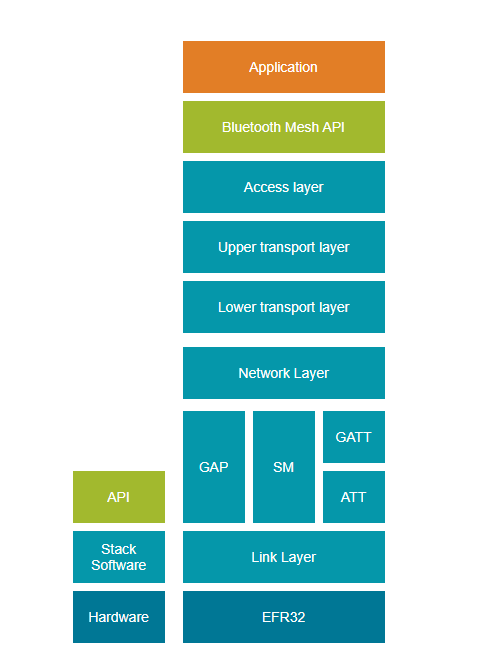
The Bluetooth Mesh stack contains the following blocks:
Bootloader: The Gecko Bootloader is not part of the stack but is provided with the Bluetooth SDK. For more information, see [UG266: Silicon Labs Gecko Bootloader User’s Guide for GSDK 3.2 and Lower](https://www.silabs.com/documents/public/user-guides/ug266-gecko-bootloader-user-guide.pdf), Silicon Labs Gecko Bootloader User’s Guide for GSDK 4.0 and Higher, or Silicon Labs Gecko Bootloader User’s Guide for Series 3 and Higher, and Using the Gecko Bootloader with Silicon Labs Bluetooth Applications. For information on bootloading in general, see Bootloader Fundamentals.
Bluetooth stack: Bluetooth functionality consisting of link layer, generic access profile, security manager, attribute protocol, and generic attribute profile.
Bluetooth AppLoader: An application that starts after the bootloader. It checks if the user application is valid and, if it is, starts the application. If the application image is not valid or DFU mode is requested, AppLoader starts the Bluetooth Low Energy OTA process to try to receive an application image. This requires using the Gecko Bootloader. AppLoader is not generally used with Mesh examples and only supported on Series 1 and 2 devices.
Bluetooth Mesh Stack: The Bluetooth Mesh functionality consisting of the network layer, lower and upper transport layer, and access layer. Models are also provided as part of the stack.
Application Build Flow#
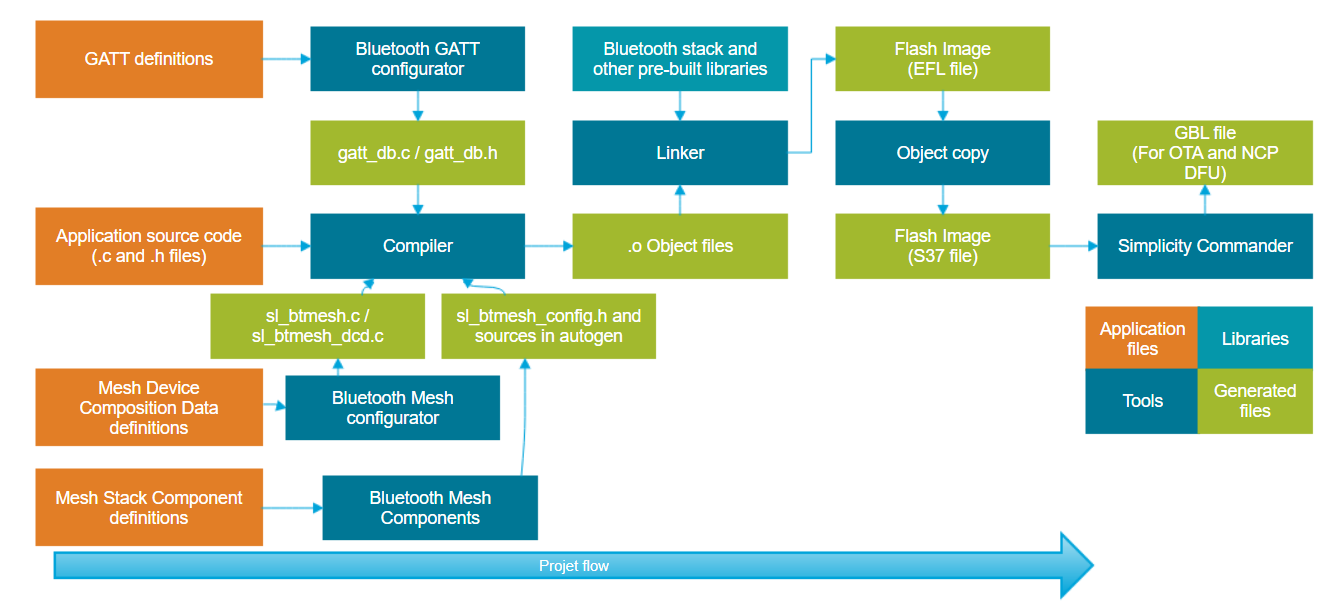
Building a Bluetooth Mesh project starts with selecting the right base project that is to be generated and adding any extra required components. Models and elements can be added to the project using the Bluetooth Mesh Configurator. If the GATT bearer is used, the Bluetooth Mesh services and characteristics can be viewed just like any other GATT services and characteristics in the Bluetooth GATT Configurator. For more information on the Bluetooth GATT Configurator and Bluetooth application development, see Getting Started with Silicon Labs Bluetooth LE Development.
Compiling the project generates an object file, which is then linked with the pre-compiled libraries provided in the SDK. The output of the linking is a flash image that can be programmed to the supported Wireless Gecko devices.
Bluetooth Mesh API documentation#
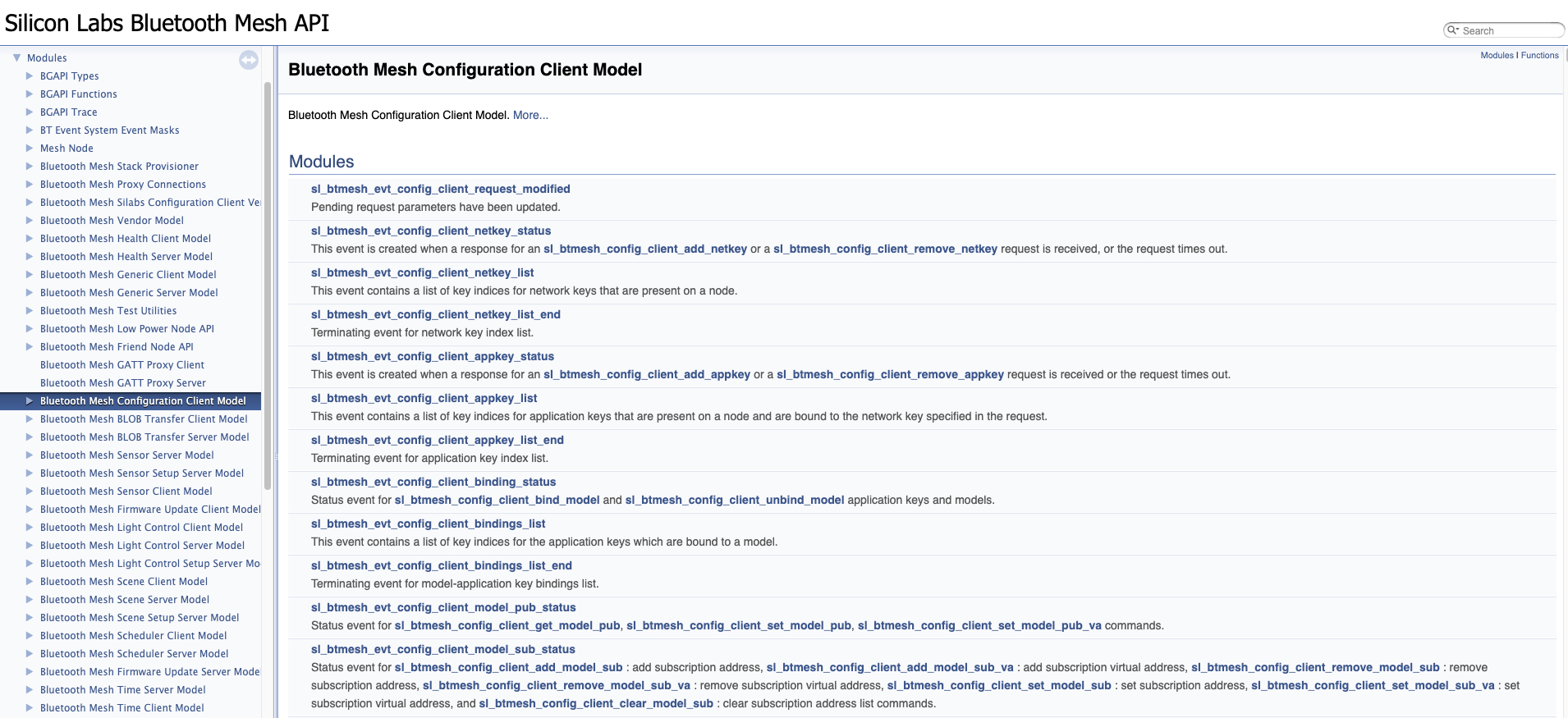
The Bluetooth Mesh API documentation can be found in HTML format along with all Application Notes and User Guide pdf files on the Simplicity Studio's DOCUMENTATION tab:
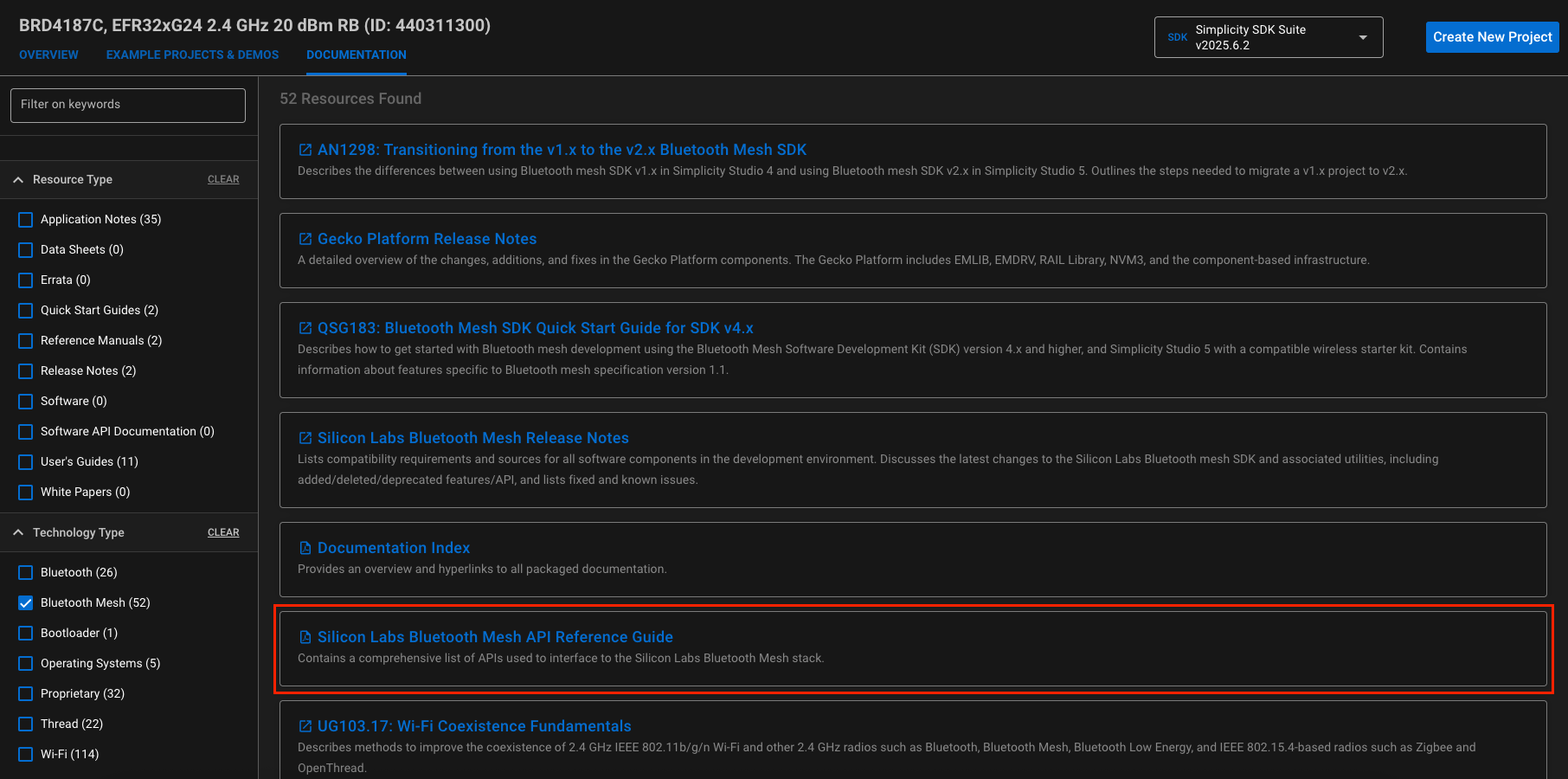
The API reference is under Silicon Labs Bluetooth Mesh API Reference Guide.
Bluetooth Mesh Application Build Flow#
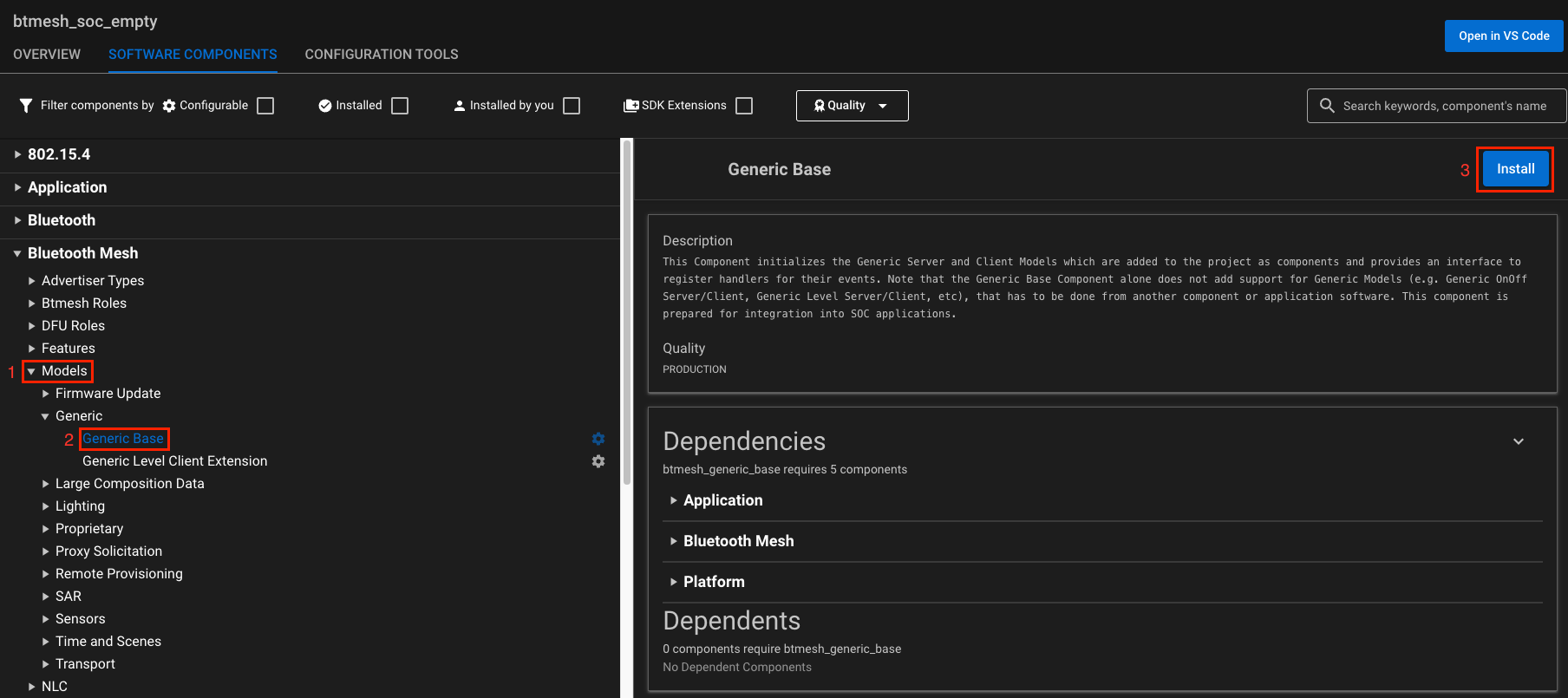
Following the Simplicity Studio v5 software approach, the Bluetooth Mesh stack is configured using components. Typically, items such as models, stack parameters, and features can be tuned through the SOFTWARE COMPONENTS menu. All component dependencies are handled internally by Simplicity Studio. Components and models can be configured, added, or removed.
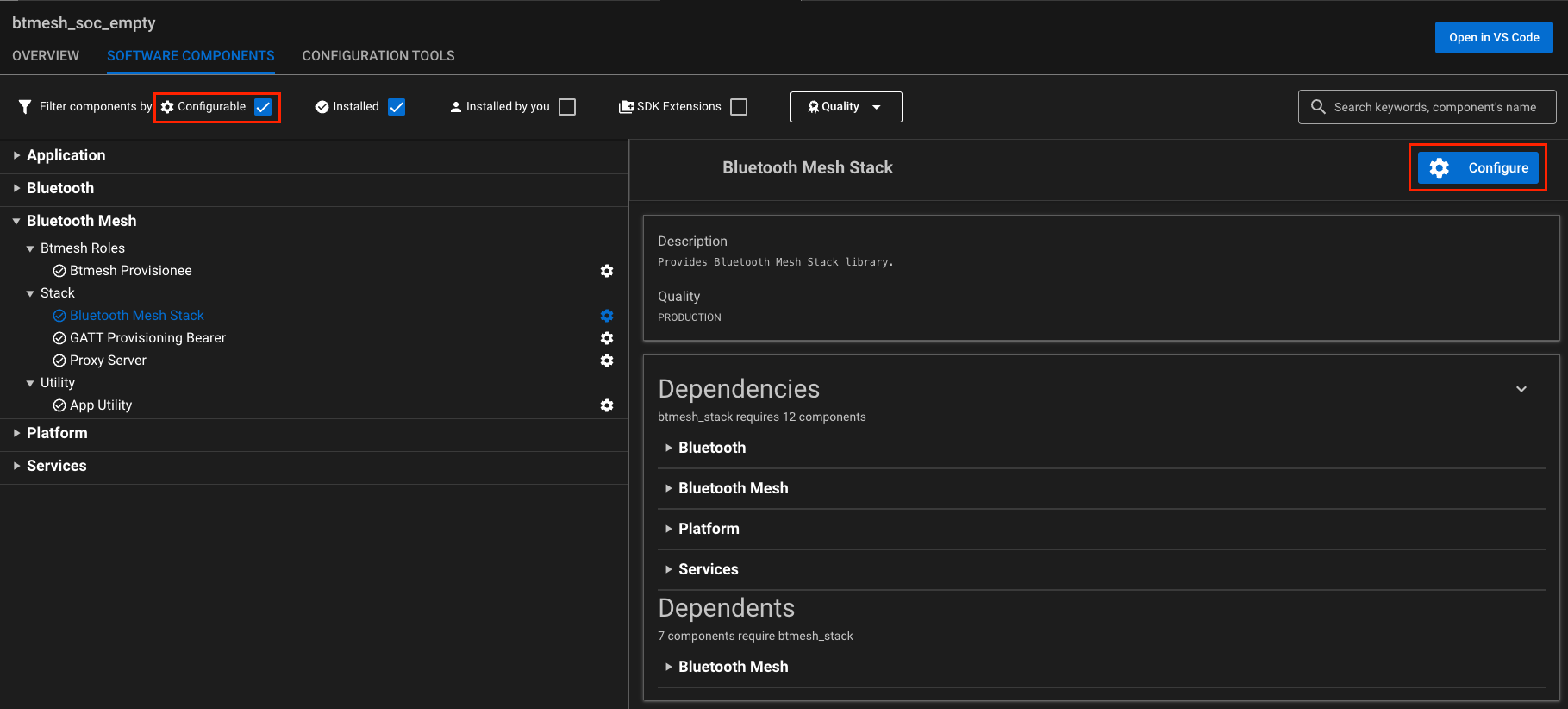
Installing a model is shown in the following figure.