


Configure the Simplicity Power Estimator Tool for BLE applications#
The Simplicity Power Estimator enables developers to simulate various operating scenarios by configuring parameters that reflect real-world application use cases. Based on the selected configuration, the tool calculates average current consumption and estimates battery life.
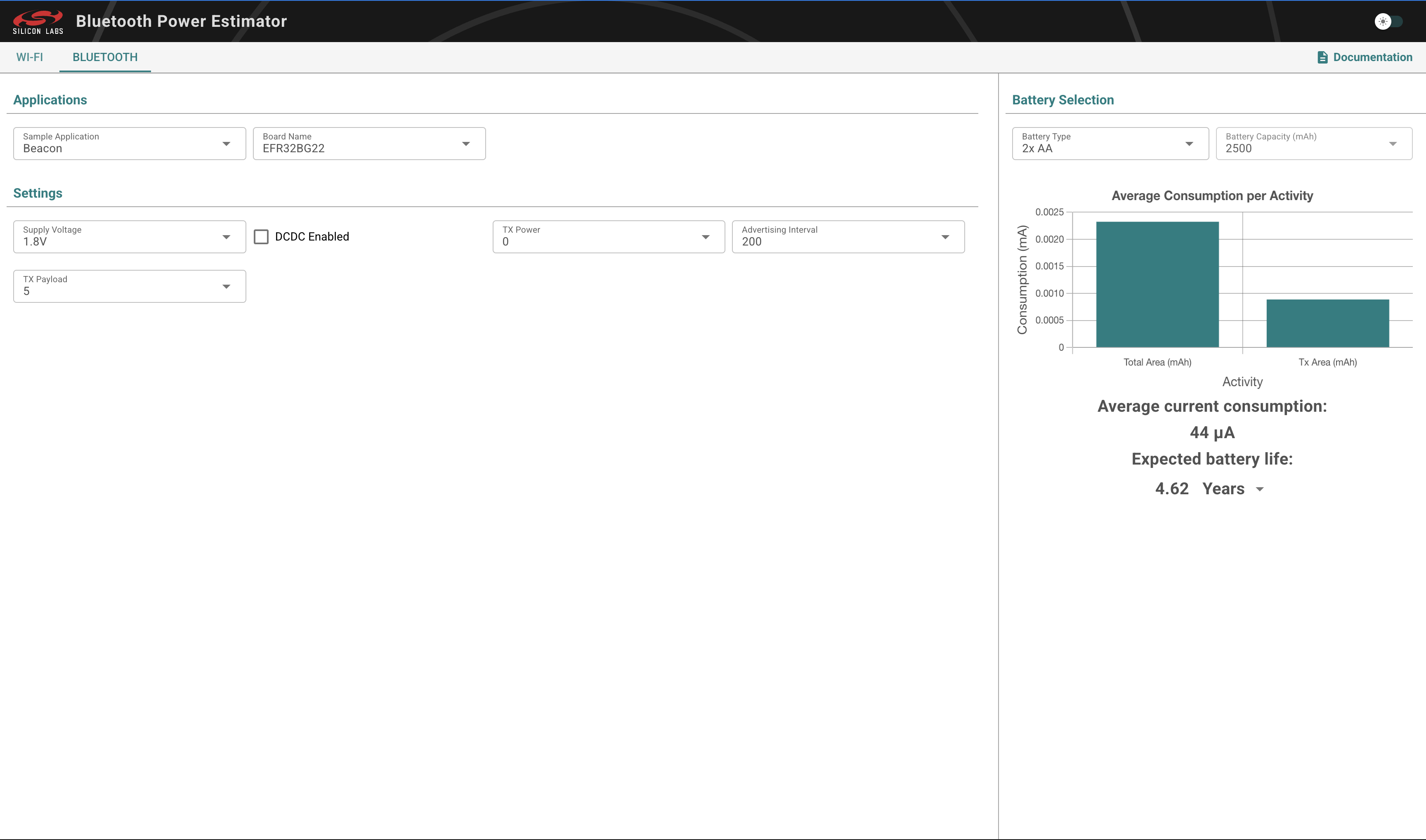
Step 1: Configure the Device#
Follow these steps to enter your device’s setup:
1. Choose a Battery Type#
Select a predefined battery profile, such as AA or coin cell.
To use a custom battery, select Custom... and enter the battery capacity in the Battery Capacity field.
2. Select an Application Type#
The estimator supports the following application types:
Beacon: Example of an iBeacon application.
Advertising: Base example that runs advertising.
Connection Peripheral: Example of an application that periodically initiates a connection and transmits a set amount of data before closing it.
3. Configure Application Settings#
The following settings are available for all application types:
Setting | Description |
|---|---|
Supply Voltage | Sets the supply voltage to 1.8 V or 3.0 V (using the DC-DC converter in the chip). |
DCDC Enabled | Enables the on-chip DC-DC converter to allow setting the Supply Voltage to 3.0 V. |
The following settings are available for Beacon and Advertising applications:
Setting | Description |
|---|---|
TX Power | Sets the intended transmit power for advertisements, in dBm. |
Advertising Interval | Sets the interval of advertisements in milliseconds. |
TX Payload | Sets the advertising payload size, in bytes. |
The following settings are available for Connection Peripheral applications:
Setting | Description |
|---|---|
Connection Interval | Sets the connection interval in milliseconds. |
TX Payload per Event | Sets the transmitted payload size for each connection event, in bytes. |
RX Payload per Event | Sets the received payload size for each connection event, in bytes. |
PHY | Selects either the 1 Mbps PHY or 2 Mbps PHY. |
Step 2: View the Results#
After you configure the application, the estimator calculates the following metrics:
Average Current Consumption – The estimated average current used by the device.
Estimated Battery Life – The projected operating lifetime based on the selected battery in the chosen metric.
Activity Breakdown – A diagram showing how much power each activity (such as sleep or data transfer) consumes.
Limitations#
Estimates are derived from measurement-based estimators.
Environmental influences and hardware variations (such as temperature or impedance mismatch) are not modeled.
The tool does not support runtime power profiling.