


Software and Hardware#
This section presents the hardware that comes as part of the development kit and the needed software to start developing Z-Wave devices. For a guide on how to set up and connect the hardware, refer to [10].
Hardware by 700 Series#
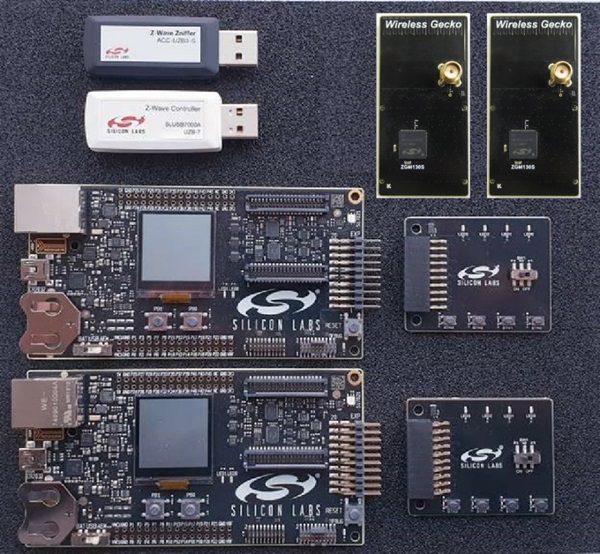
The Z-Wave development kit contains the following:
2 pcs. BRD4001A – Wireless Starter Kit Mainboard (WSTK).
2 pcs. BRD4207A – Z-Wave and Z-Wave Long Range ZGM130S Radio Board intended end device development.
2 pcs. BRD8029A – Buttons and LEDs Expansion Board.
1 pc. SLUSB001A – UZB7 – Controller USB stick.
1 pc. UZB-S – (ACC-UZB3-S) UZB-S USB stick network sniffer.
2 pcs. ANT-SS900 – 868-915 MHz Compressed Whip Antenna.
2 pcs. ENRM002 – 1m USB A<-> USB Mini B cable.
Main Development Board#
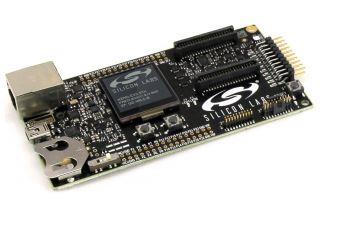
The Main Development Board connects to the PC using USB. It features a coin cell holder, supports Advanced Energy Monitor for battery measurements and energy profiling, as well as expansion headers for easy expansion. It has an on-board SEGGER J-Link for debugging, a low-power 128x128 pixel LCD, user LEDs / pushbuttons, and breakout pads for attaching the Z-Wave development board.
Z-Wave Development Radio Boards#
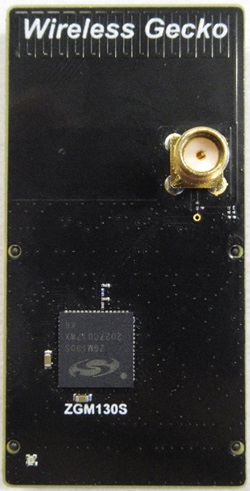
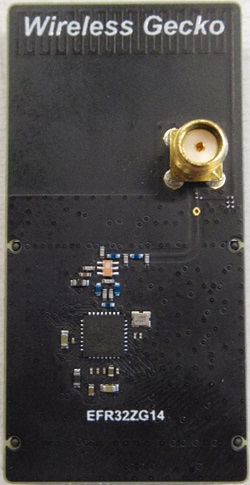
Two Z-Wave Development Radio Boards targeted for end device development are included in the kit. Another radio board targeted for controller development can be purchased as an add-on to the kit.
The possible options are:
BRD4207A Radio Board with ZGM130S used for Z-Wave and Z-Wave Long Range end device development (included). Added additional harmonics filtering compared to BRD4200A Radio Board.
BRD4206A Radio Board with EFR32ZG14 used for Z-Wave and Z-Wave Long Range controller development (add-on). Added additional harmonics filtering compared to BRD4201A Radio Board.
While BRD4207A boards are intended for end devices, they can also be used for Controller development. The difference is the BRD4207 comes as a SiP module, provides I/O, and as such, has a higher cost.
The boards include a Worldwide SAW filter configuration, so the same development boards can be used to test all regions.
Recommendation on SAW Filters#
For Z-Wave gateways (outside EU freq.) with LTE embedded, it is recommended that one analyze the specific need for a SAW filter in-depth. Optionally, a SAW filter bank can be added and controlled via the SAW0 and SAW1 output pins for operation in different regions. This means:
No SAW
End-devices and gateways without LTE modem embedded: no SAW filter is recommended.
Gateways on EU frequency with LTE modem embedded: no SAW filter is recommended.
SAW recommended
Gateways with LTE embedded on U and H related frequencies: using a SAW filter is recommended.
EXP Board#
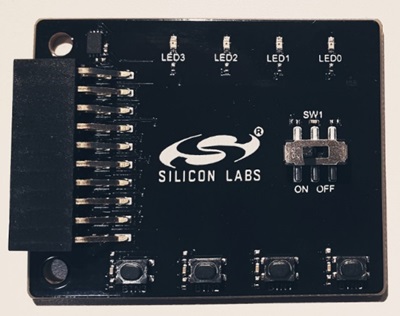
The EXP Board is an adapter to be connected to the EXP-header of the WSTK mainboard. The EXP Board is required by the platform to run the provided Z-Wave certified application by expanding the available buttons and LEDs. The EXP Board offers the following features:
4 push buttons
1 slide switch
4 LEDs
Hardware by 800 Series (Z-Wave 800 Pro Kit)#
The Z-Wave development kit contains the following:
2 pcs. BRD4002A – Wireless Starter Kit Mainboard (WSTK).
1 pcs. BRD4204D – Z-Wave and Z-Wave Long Range EFR32ZG23 868-915 MHz 14 dBm Radio Board.
1 pcs. BRD4205B – Z-Wave and Z-Wave Long Range ZGM230S Radio Board.
2 pcs. BRD8029A – Buttons and LEDs Expansion Board.
1 pc. SLUSB7000A – UZB7 – Controller USB stick.
2x ANT-SS900 868-915MHz Compressed Whip Antenna.
1x 10-pin 1.27 mm IDC debug cable.
Note: the UZB-S USB stick network sniffer is not part of the Z-Wave 800 Pro Kit. A second Kit can be configured for use as a Z-Wave network sniffer. For instructions, refer to Appendix B of [10].
Main Development Board#
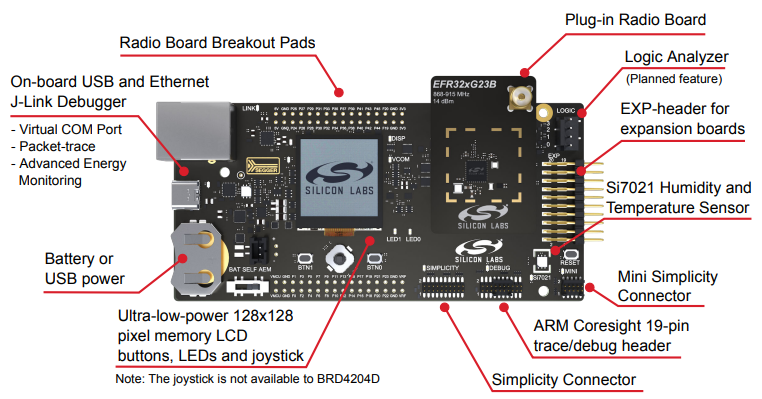
The Wireless Pro Kit Mainboard is the successor to the Wireless Starter Kit Mainboard, which comes with some improvements and added features including increased AEM measurement range and sample rate, variable VMCU voltage, joystick, and a Mini Simplicity Connector. Kit features, such as the Si7021 sensor and the EXP header, are available on the same EFR32ZG23 pins regardless of the mainboard being used, but the pinout to the breakout pads differs.
Z-Wave Development Radio Boards#
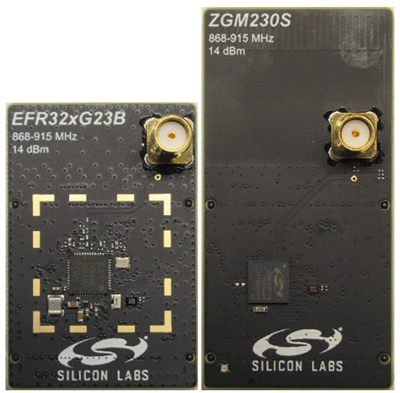
The EFR32ZG23 SoC and ZGM230S SiP module expose the Z-Wave serial API via UART and both can be used as a gateway, controller, or end-device application. The ZGM230S SiP module combines a general-purpose SoC, crystal, supply decoupling components, and RF matching components into a single small-footprint module requiring only one or two decoupling capacitors, depending on the level of GPIO activity in the application.
Recommendation on SAW Filters#
Silicon Labs recommends using a SAW filter in Z-Wave 800 gateway designs also containing GSM or LTE transceivers operating in the sub-GHz band. A SAW filter attenuates unwanted radio emissions and improves the receiver blocking performance. Three regions are defined to cover the global Z-Wave frequency range. Be aware of the user guide describing Z-Wave 800 Series Integration Guide 12.
EXP Board#
The EXP Board is an adapter to be connected to the EXP-header of the WSTK mainboard. The EXP Board is required by the platform to run the provided Z-Wave certified application by expanding the available buttons and LEDs. The EXP Board offers the following features:
4 push buttons
1 slide switch
4 LEDs
Software Needed#
All you need to start developing Z-Wave devices is Simplicity Studio.
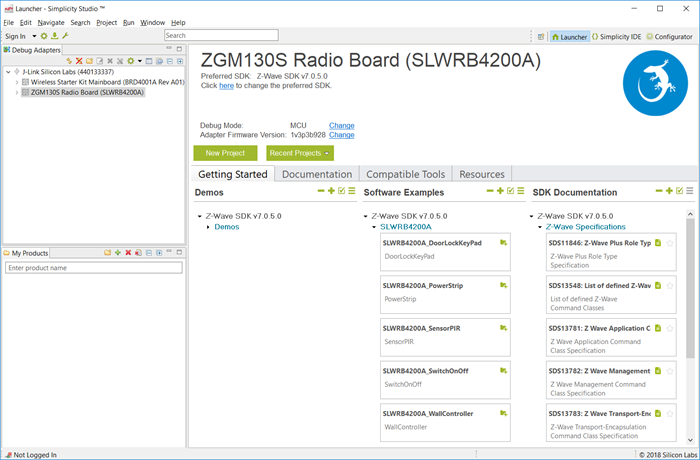
Download the installer from silabs.com, where you will also find additional training material for how to develop, compile, debug, and measure energy consumption.
When connecting the development board with the Z-Wave Radio Development Board attached, the IDE will auto-discover the hardware and show the available Z-Wave certified applications.