Manufacturer’s Extensions#
There are some standard profilers and clusters that can be used in Zigbee specification. This allows Zigbee devices in the market built by different manufactures to be compatible with one other. But manufacturers are free to extend the standard, so we will find how to extend it.
Types of Manufacturer Specific Extensions#
All communications regarding manufacturer specific extensions shall be transmitted with the manufacturer specific sub-field of the frame control field set to 1 and the manufacturer code included in the frame. This is because different manufactures may specify the same cluster.
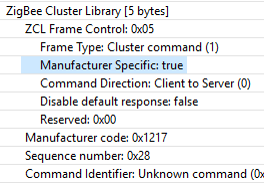
Usually, there are four ways to add manufacturer specific extensions within Zigbee.
Using the Private Profile
Zigbee devices must have the same profile ID in order to interact on the application layer with each other
Use a private Zigbee profile only if you are planning to build a completely closed system
The devices using private profile will not be interoperable with any other Zigbee devices using other profiles
Extending the Manufacturer Specific Clusters
Must use cluster ID range 0xfc00 – 0xffff
Must have an associated two-byte manufacturer code
All commands and attributes within a manufacturer-specific cluster are also considered manufacturer-specific
Extending the Manufacturer Specific Commands in Standard Zigbee Cluster
May use the entire command ID range 0x00 – 0xff
Must provide an associated two-byte manufacturer code
Extending the Manufacturer Specific Attributes in Standard Zigbee Cluster
May use the entire attribute address range 0x0000 – 0xffff
Must provide an associated two-byte manufacturer code
For reading a manufacturer-specific attribute you must use the following functions
emberAfReadManufacturerSpecificServerAttribute
emberAfReadManufacturerSpecificClientAttribute
There are manufacturer-specific attribute changed callbacks that are independent from the standard attribute callbacks
emberAfXXXXClusterServerManufacturerSpecificAttributeChangedCallback
Adding Manufacturer’s Extensions to Simplicity Studio#
There are only two steps to apply the manufacturer’s extensions to Simplicity Studio.
Create a custom xml and put it to stack directory
Example: app\zcl\custom-enhancements.xml
Add the custom xml to the zcl-config.zap tab under project.slcp > Configuration Tools > Zigbee Cluster Configurator
Click ZCL Extensions > Add Custom ZCL
Save and reopen the .slcp file
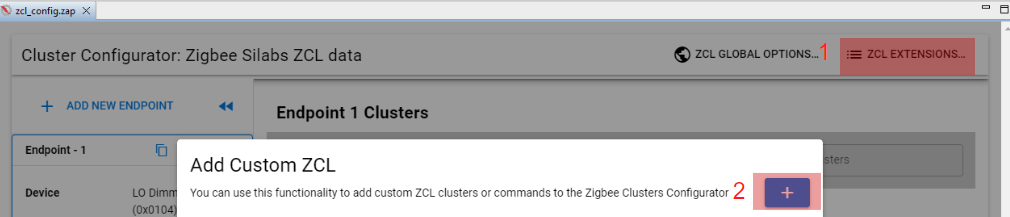
Note: This is used for EmberZnet 7.x
Custom Manufacturer Specific Clusters#
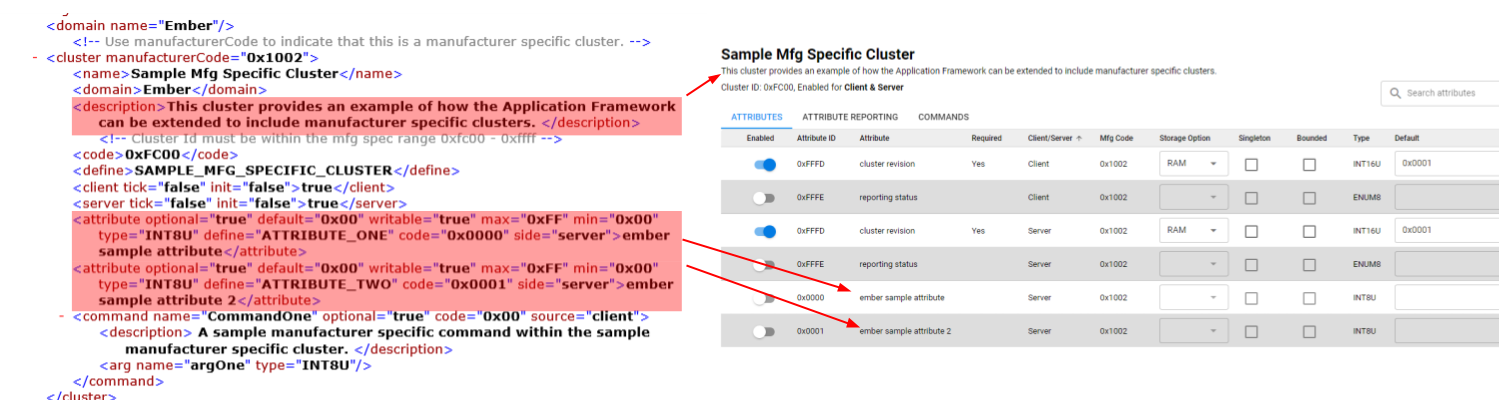
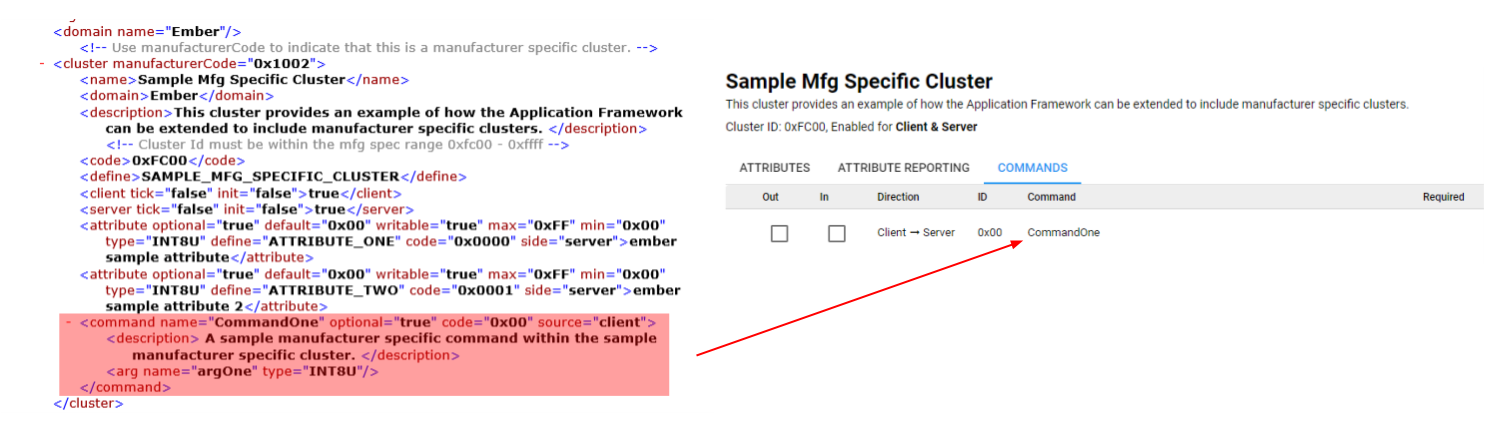
This is an example to introduce how to add a custom manufacturer specific clusters. We need prepare a xml file by ourselves firstly. Usually we should set the properties appropriately in the xml file. The properties includes configurator, cluster, name, domain, description, code, define, client, server, attribute, command. After the xml file is prepared, then put it to the correct directory and add it to Simplicity Studio.
You can see how these properties displayed in Simplicity Studio via below pictures
Properties: cluster, name, domain, code, client, server
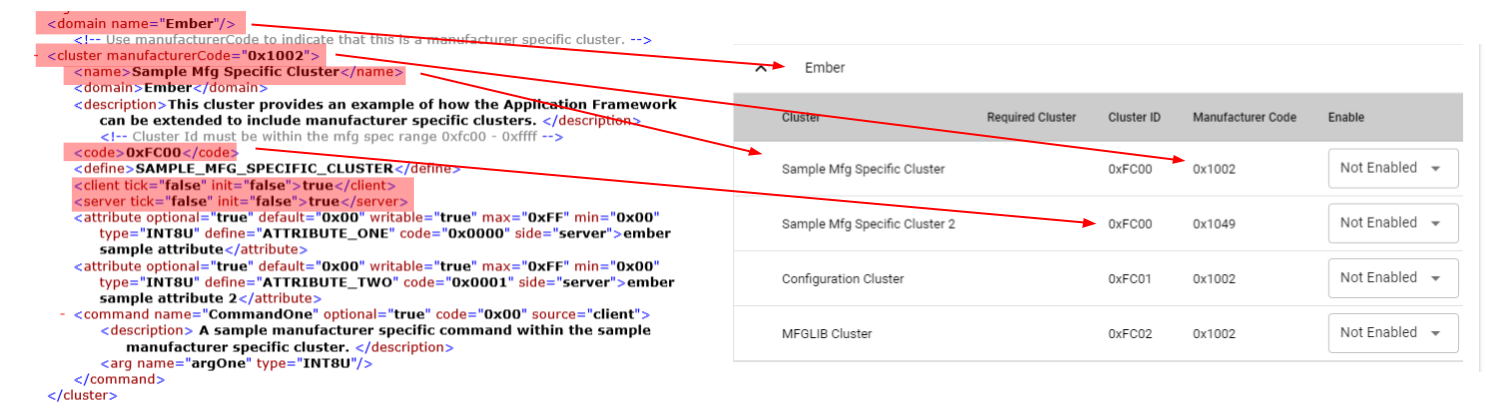
Properties: description, attribute
Properties: command
Custom Manufacturer Specific Attributes in On/Off Cluster#
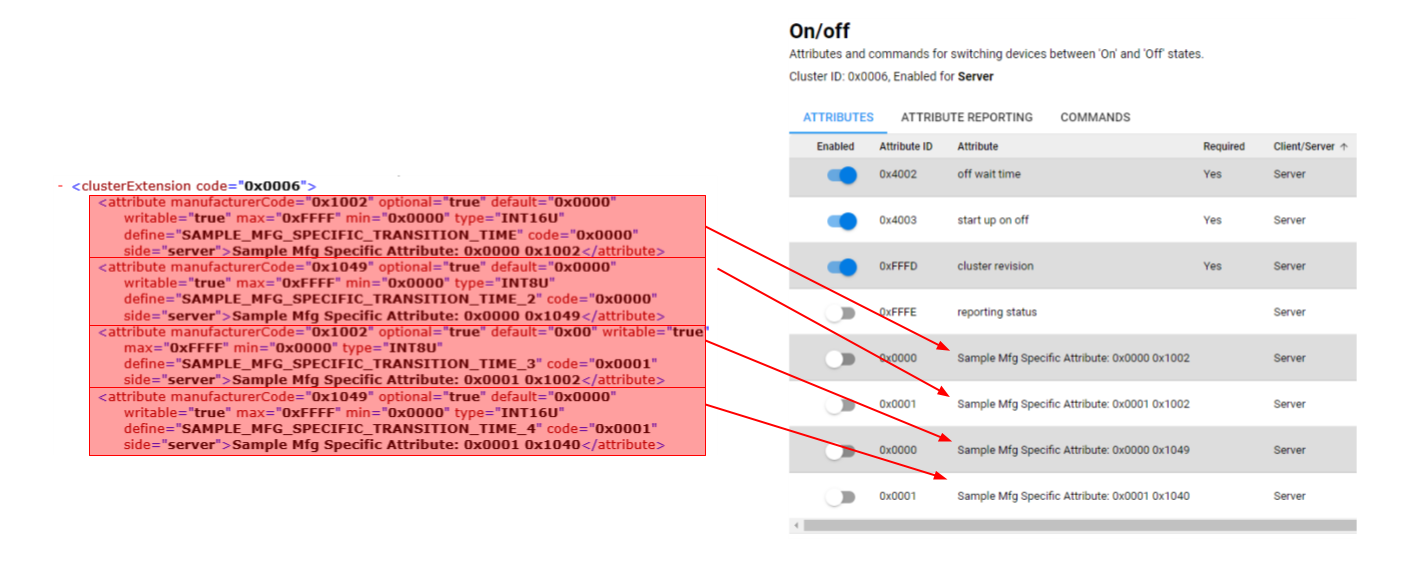
As we know, the On/Off cluster is a standard cluster which defined in Zigbee Cluster Library, it has some attributes like On/Off, Global Scene Control, On Time, Off Wait Time and so on. If we want to add some custom attributes to the cluster, we need prepare the xml file and set the properties appropriately. After install the custom xml to Simplicity Studio we will see the specific attributes in On/Off cluster.
Below is an example to introduce how to add custom manufacturer specific attributes in standard Zigbee On/Off cluster.
Custom Manufacturer Specific Commands in On/Off Cluster#
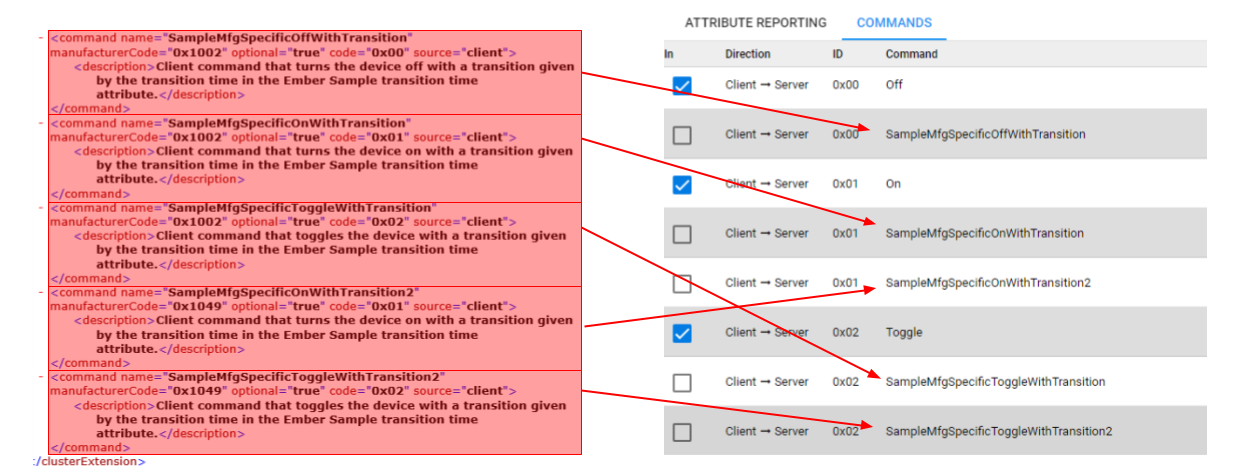
The On/Off cluster is a standard cluster which defined in Zigbee Cluster Library, it has some commands like On/Off/Toggle and so on.
After install the custom xml to Simplicity Studio we will see the specific commands in On/Off cluster.
Below is an example to introduce how to add custom manufacturer specific commands in standard Zigbee On/Off cluster.