


Secure NCP#
Secure NCP secures communication between the NCP Host and target by encrypting the commands, events, and any data transmitted between the target and the host.
Target Side#
To enable this feature on the target side, install the NCP Security Interface component.
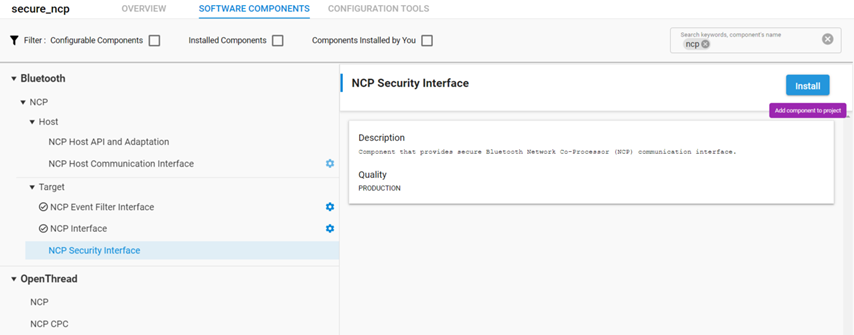
By default, the NCP target boots without using this encryption. It will be requested by the Host part, and after the security is increased, only encrypted messages are sent and accepted by the target.
Host Side#
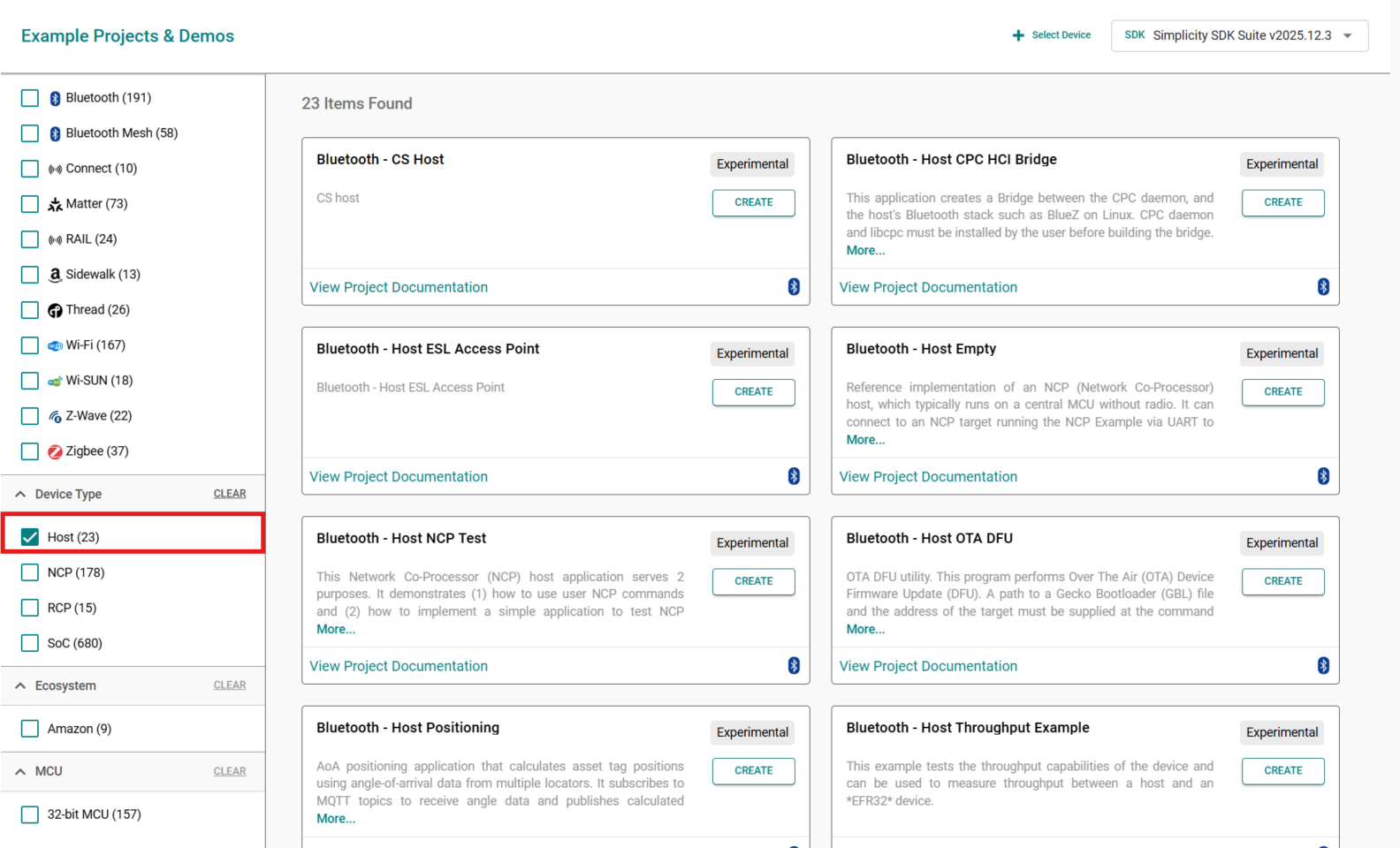
Create a new Bluetooth - Host Empty project in Simplicity Studio 6
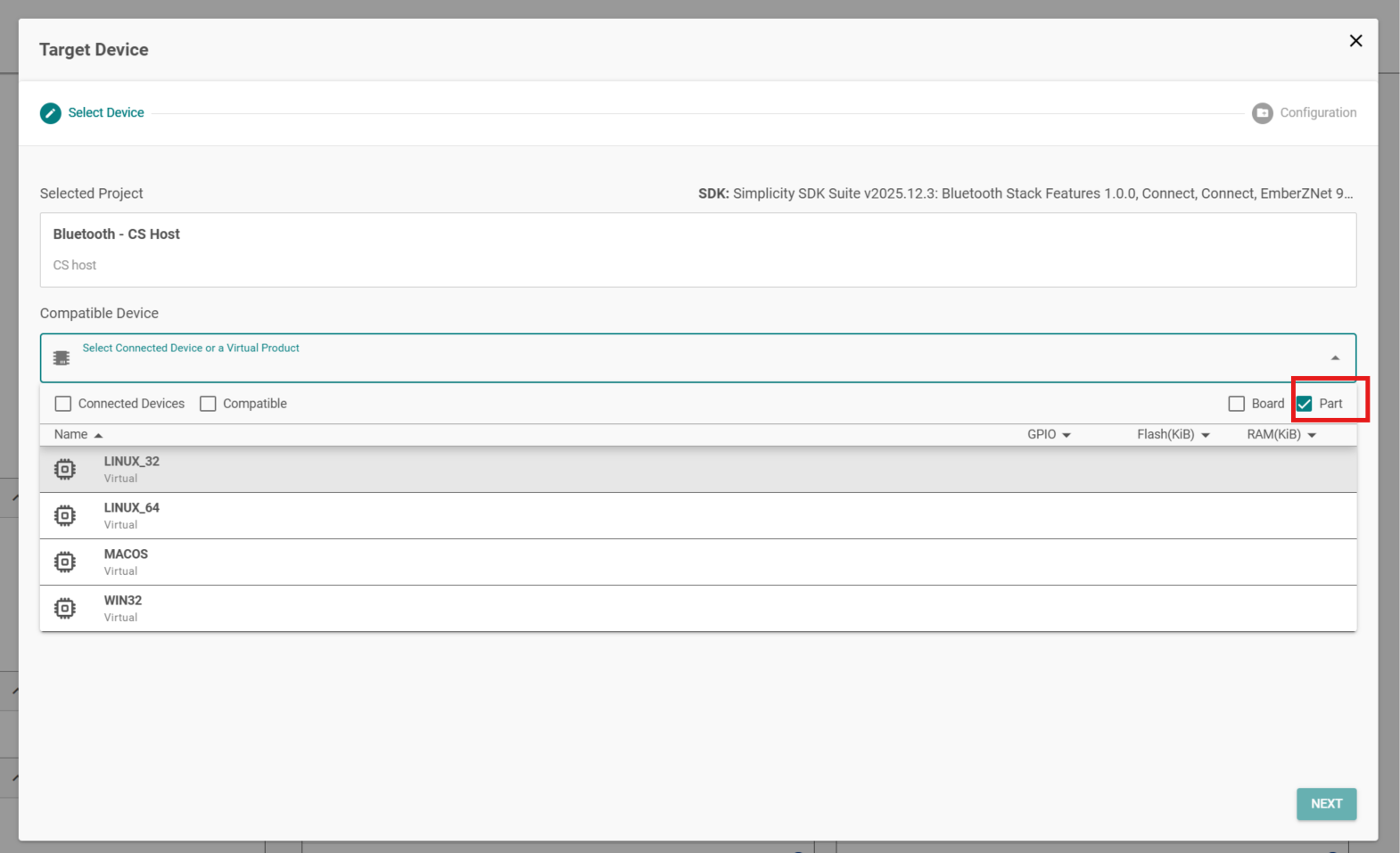
At the Target Device select the option Part and the desired OS
Add
Secure NCP communication layer for host projectscomponent to the projectSecure mode requires the openssl package to be installed. It can be installed to the MSYS2 environment if necessary with:
pacman -S mingw-w64-x86_64-opensslBuild the project in MSYS2 MinGW 64-bit
make -f bt_host_empty.MakefileThe build output is created in a new build/debug/ folder. After the project is built, the encryption can be enabled by calling the .exe file with the command line parameter
-s:
.\bt_host_empty.exe -s$ ./build/debug/bt_host_empty.exe -u COM<*> -s
[D] Timer function intialized
[I] NCP host initialised.
[I] Press Crtl+C to quit
[I] Rebooting NCP target (0)...
[I] Start encryption using OpenSSL 3.0
[I] Communication encrypted
[I] Bluetooth stack booted: v11.0.1+0e13429e
[I] Bluetooth public device address: 04:87:27:E7:07:5D
[I] Started advertising.Running the executable file without the -s parameter starts a standard NCP Host application without encryption.