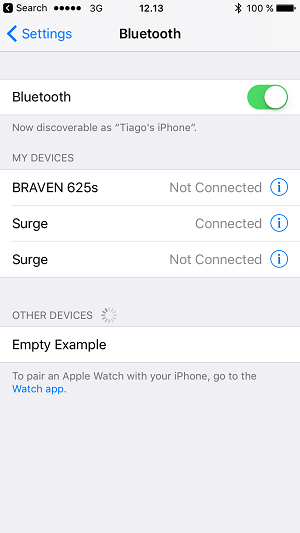
Seeing BLE Devices on the iOS Bluetooth Settings Page#
According to Apple support, BLE devices cannot be seen on the Bluetooth Settings page. Only Bluetooth 2.1/3.0 devices, such as keyboards and headsets, are listed (source). For BLE devices, use the device's own app or another third-party app that uses CoreBluetooth.
However, iOS appears to list BLE devices when they advertise certain adopted services, such as the Heart Rate service. By advertising this service, your device may become visible on the Bluetooth Settings page. To test this behavior, follow these steps:
1. Create an soc-empty project.
2. Add the Heart Rate service in the Visual GATT Editor.
3. Select Advertise, and then click Generate.
4. Build and flash the project.Disclaimer: No information source was found to verify that iOS lists BLE devices when certain adopted services are advertised.