


About Example Applications and Demos#
Because starting application development from scratch is difficult, the Silicon Labs OpenThread SDK comes with a number of built-in example applications and demos covering the most frequent use cases and are preconfigured code designed to illustrate common application functions. Silicon Labs strongly recommends starting development from one of the example applications.
Like everything in Simplicity Studio, the examples and the demos shown on the EXAMPLE PROJECTS & DEMOS tab are filtered based on the part you have connected or selected.
Demos#
Demos are prebuilt firmware images that are ready to download to a compatible device. The quickest way to find if a demo is available for your part is by adding the part or board information in the My Products view and then navigating to the EXAMPLE PROJECTS & DEMOS tab in the Launcher Perspective. Turn off the Example Projects filter. The Solution Examples filter is provided for future use.
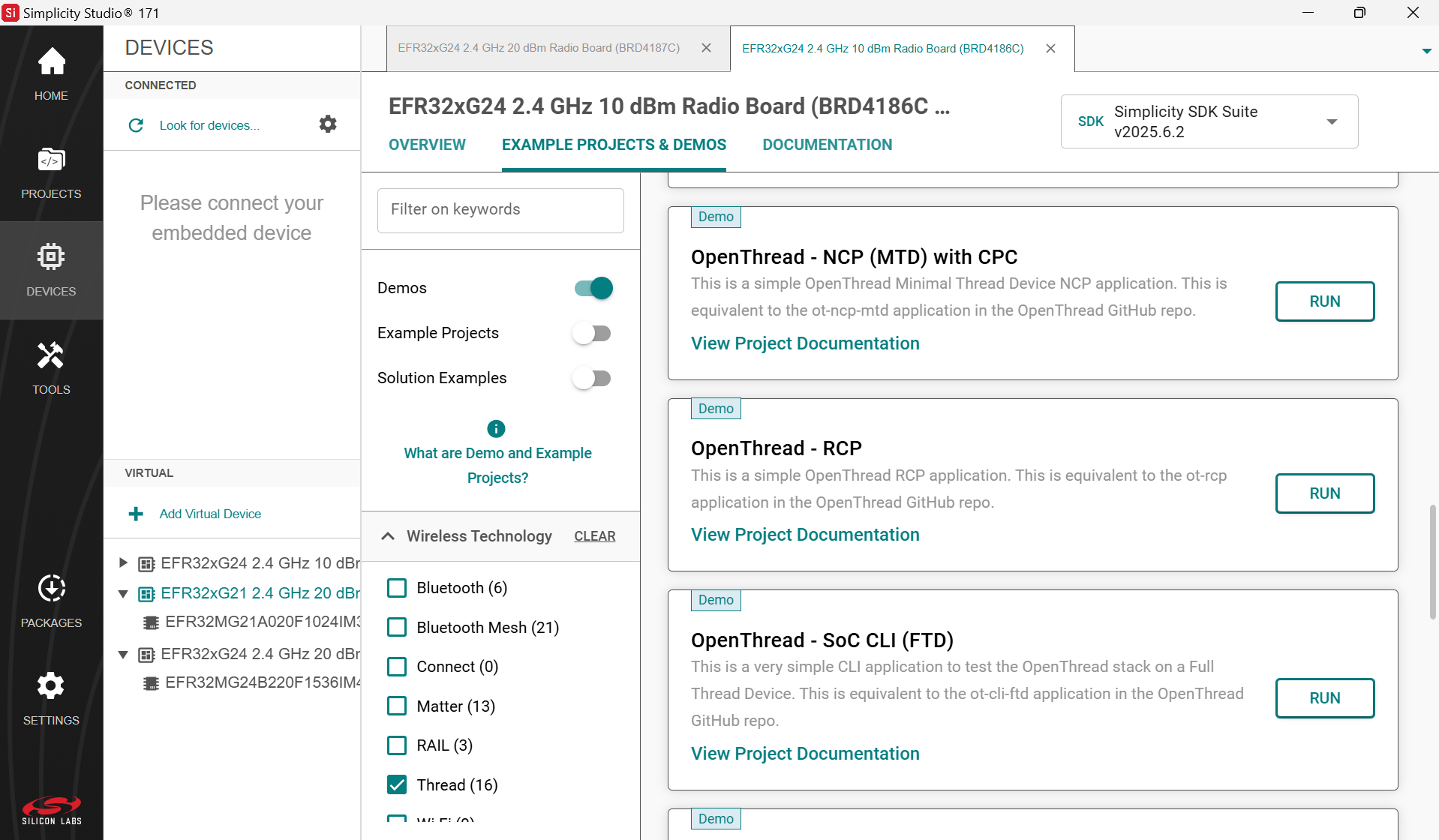
A set of prebuilt demo applications are provided with the OpenThread SDK.
Software Examples#
Since typically you will finish by flashing a compiled application image to a device, connect a device to your computer and select it in the Debug Adapters view. In the EXAMPLE PROJECTS & DEMOS tab on the Launcher perspective, filter the example projects based on the ‘Thread’ technology type and turn off Demos.
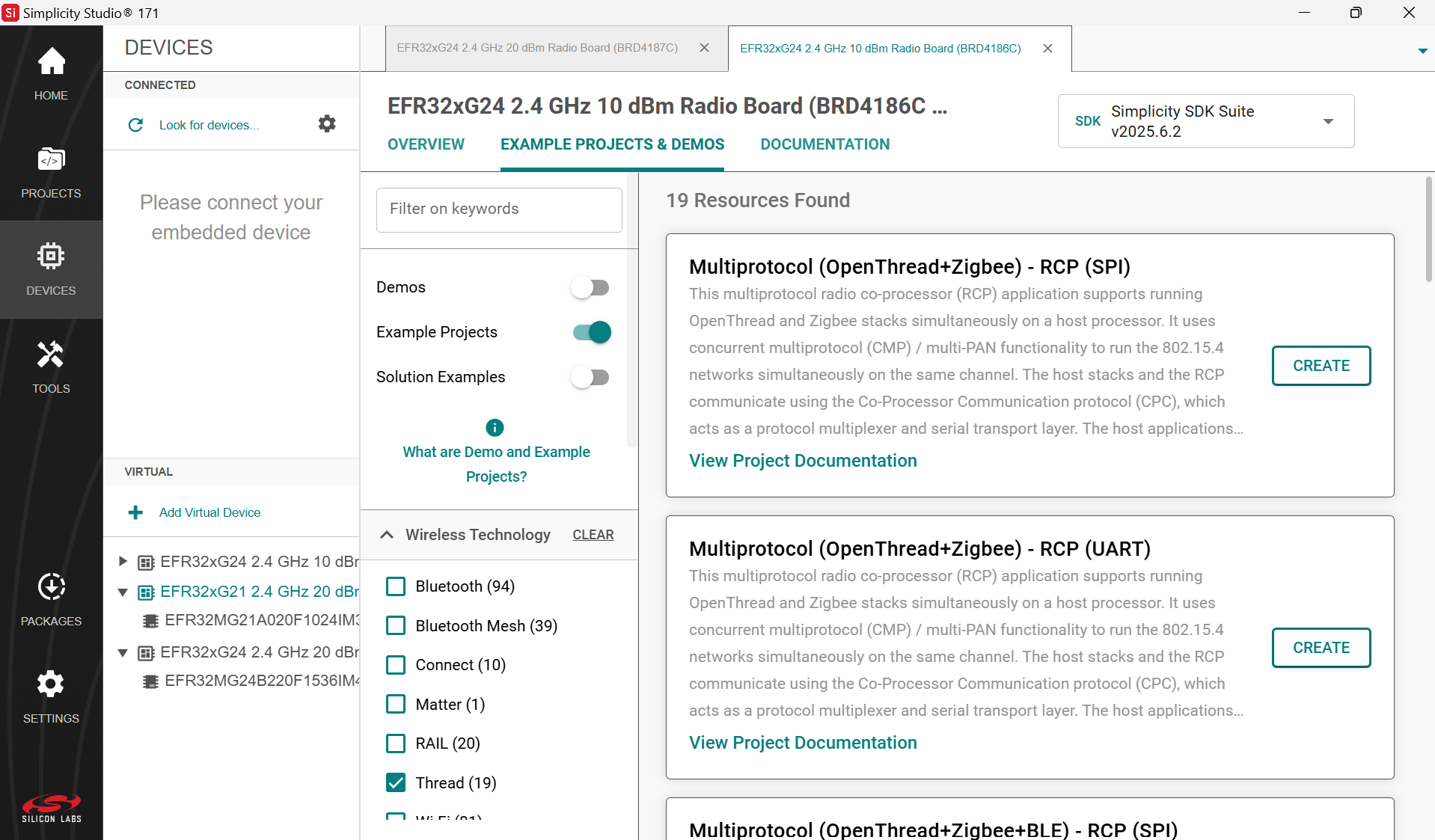
Most of the example applications provided with the Silicon Labs OpenThread SDK come in two variants, Full Thread Device (FTD) and Minimal Thread Device (MTD), and are geared towards System-on-Chip (SoC), Radio Co-Processor (RCP), and Network Co-Processor (NCP) application models.
In general, the example applications are simple and illustrate the following functionality:
Testing with a CLI
Radio Co-Processor (RCP) and Network Co-Processor (NCP)
Sleepy device
Dynamic multiprotocol
Multi-PAN RCP
Multi-PAN RCP and CPC over SPI/UART
OpenThread – SoC CLI (FTD): A CLI application equivalent to the ot-cli-ftd application in the OpenThread GitHub repo to test the OpenThread stack on a Full Thread Device (FTD) for SoC designs. This application can be used to test the OpenThread stack against the Thread Test Harness for interoperability testing.
OpenThread – SoC CLI (MTD): A CLI application equivalent to the ot-cli-mtd application in the OpenThread GitHub repo to test the OpenThread stack on a Minimal Thread Device (MTD) for SoC designs.
OpenThread – RCP: An OpenThread Radio Co-Processor application equivalent to the ot-rcp application in the OpenThread GitHub repo. While the application layer and the OpenThread core is on the host processor, this application only runs the minimal OpenThread controller on the 802.15.4 SoC. This RCP software example must be used with a compatible OpenThread Border Router. This can be built from the same Silicon Labs OpenThread SDK or deployed from a docker image. For more details, refer to Using the Silicon Labs Co-processors with the OpenThread Border Router.
OpenThread – NCP: An OpenThread Network Co-Processor application equivalent to the ot-ncp (ot-ncp-ftd/otncp-mtd) applications in the OpenThread GitHub repo. Unlike RCP, NCP runs the full OpenThread stack on the co-processor, with the application layer on the host processor. The host communicates with the NCP using the Spinel protocol over UART or SPI. NCP can also be used with OpenThread Border Router. For more details, refer to Using the Silicon Labs Co-processors with the OpenThread Border Router.
OpenThread – SoC Sleepy Demo (FTD): An application to start and form a Thread network on a Full Thread Device (FTD) for the sleepy-demo. This application is used in conjunction with the OpenThread – SoC Sleepy Demo (MTD) app.
OpenThread – SoC Sleepy Demo (MTD): An application to demonstrate Sleepy End Device (SED) behavior on a Minimal Thread Device (MTD) that attaches to a Thread network started by a node running the OpenThread – SoC Sleepy Demo (FTD) app. This application demonstrates power manager feature support and deep sleep (EM2) mode for EFR32.
OpenThread – SoC Synchronized Sleepy Demo (SSED): An application to demonstrate Synchronized Sleepy End Device (SSED) behavior using Coordinated Sampled Listening (CSL) that attaches to a Thread network started by a node running the OpenThread – SoC Sleepy Demo (FTD) app. This application demonstrates power manager feature support and deep sleep (EM2) mode for EFR32.
OpenThread BLE DMP – SoC Free RTOS: An application to test Dynamic Multiprotocol (DMP) with OpenThread and Bluetooth running on FreeRTOS. For more details about this application, refer to Dynamic Multiprotocol Development with Bluetooth and OpenThread in GSDK v3.x.
OpenThread (MultiPan) – RCP (UART): A multipan 802.15.4 RCP (Radio Co-Processor) application. In this application, access to 802.15.4 is provided using SPINEL carried over the CPC (Co-Processor Communication) protocol using a UART connection.
OpenThread (MultiPan) – RCP (SPI): A multipan 802.15.4 RCP (Radio Co-Processor) application. In this application, access to 802.15.4 is provided using SPINEL carried over the CPC (Co-Processor Communication) protocol using a SPI connection.
OpenThread (MultiPan/BLE) – RCP (UART): A multiprotocol and multipan RCP (Radio Co-Processor) application. This application runs multipan 802.15.4 and the Bluetooth Link Layer using DMP (Dynamic MultiProtocol). Access to 802.15.4 is provided using the SPINEL protocol, and access to Bluetooth is provided using the standard Bluetooth HCI (Host Controller Interface) protocol. Both are carried over the CPC (Co-Processor Communication) protocol using a UART connection.
OpenThread (MultiPan/BLE) – RCP (SPI): A multiprotocol and multipan RCP (Radio Co-Processor) application. This application runs multipan 802.15.4 and the Bluetooth Link Layer using DMP (Dynamic MultiProtocol). Access to 802.15.4 is provided using the SPINEL protocol, and access to Bluetooth is provided using the standard Bluetooth HCI (Host Controller Interface) protocol. Both are carried over the CPC (Co-Processor Communication) protocol using a SPI connection.
For more details about multi-PAN RCP support, refer to Running Zigbee, OpenThread, and Bluetooth Concurrently on a Linux Host with a Multiprotocol RCP.