


Appendix C: Decreasing the firmware’s size#
In case you run out of application flash memory, there are two recommended options to gain space by disabling certain application features:
Disabling the Command Line Interface component: recommended when the CLI functionality is not needed.
Removing the OTA bootloader slot: recommended when debugging the application, as a temporary measure.
Disabling the Command Line Interface component#
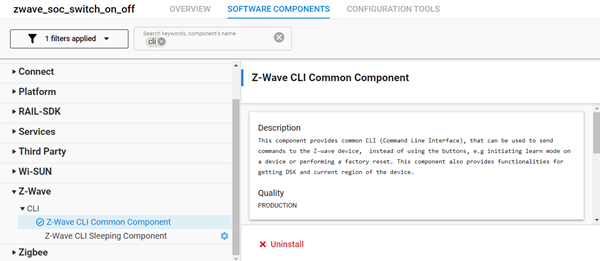
Uninstall the Z-Wave CLI Common Component from your project.
This will save about 25 kilobytes of space.
Removing the OTA Bootloader Slot#
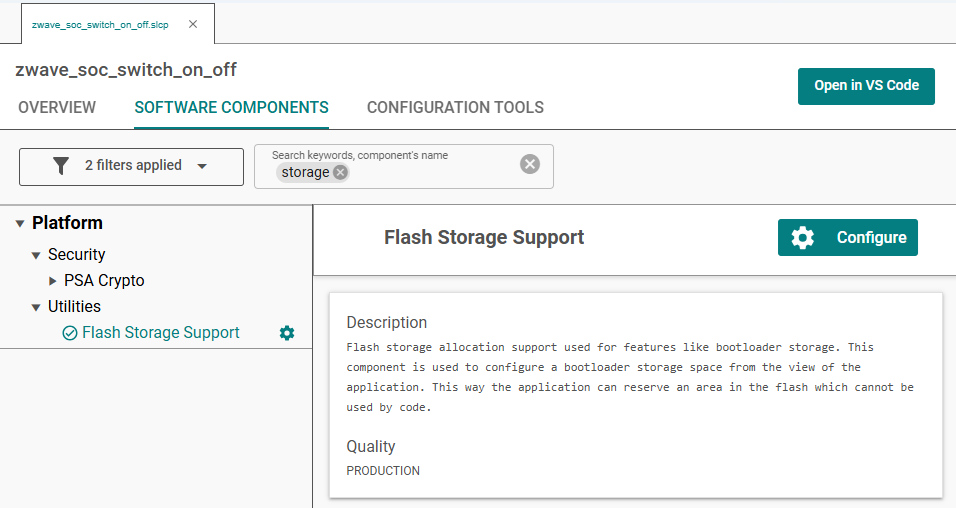
Find the Flash Storage Support component and click Configure. You will find two configuration values for bootloader storage size: one for release mode and one for debug mode. The debug mode configuration is applied when the Z-Wave Debug component is installed. Set the appropriate configuration value to 0.
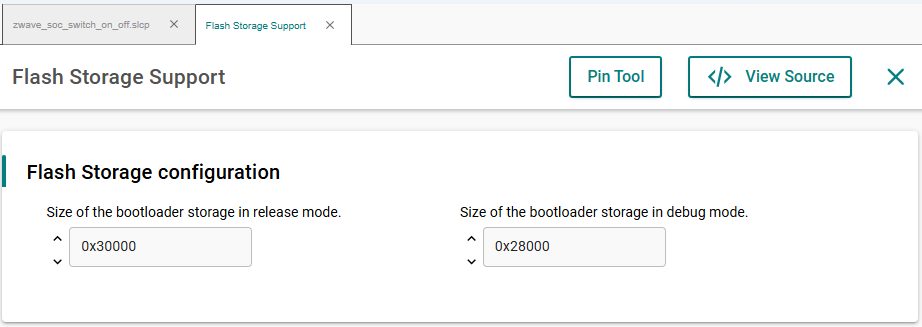
This way, about 200 KB of space can be gained.
Note: After this modification, updating the application via OTA will not be possible.