


Product Overview#
Before following the procedures in this guide you must have:
Purchased your EFR32MG Mesh Networking Kit (see https://www.silabs.com/wireless/zigbee).
Downloaded the required software components, as described below. A card included in your development hardware kit contains a link to a Getting Started page, which will direct you to links for the Silicon Labs software products.
Note on Product History#
Zigbee EmberZNet SDK v8 is our latest Zigbee stack introduced along with our newest embedded software platform, the Simplicity Software Development Kit (SDK). It is designed specifically for our Series 2 and Series 3 devices. The Simplicity SDK is a significant advancement in IoT development, providing our customers with a cohesive development environment for wireless innovation. It enables wireless developers to utilize advanced features and capabilities with the most recent Silicon Labs IoT devices. See https://github.com/SiliconLabsSoftware/sisdk-release for more information.
This document is based on Zigbee EmberZNet SDK v7, which contains a number of changes compared to SDK v6.x. Many of these changes are due to an underlying framework redesign that results in an improved developer experience within Simplicity Studio 5 (SSv5). Projects are now built on a component architecture instead of AppBuilder. Simplicity Studio 5 includes project configuration tools that provide an enhanced level of software component discoverability, configurability, and dependency management. These include a Project Configurator, a Component Editor, and a Zigbee Cluster Configurator. See AN1301: Transitioning from Zigbee EmberZNet SDK 6.x to SDK 7.x for more information about the differences between SDK 6.x and SDK 7.x.
SDKs beginning with version 6.8 are only compatible with Simplicity Studio 5 (SSv5). Among many other improvements, SSv5 introduced the Simplicity Studio 5 User’s Guide, available online at https://docs.silabs.com/ and through SSv5’s help menu. Standard information, such as how to download SSv5 and the Zigbee EmberZNet SDK, and descriptions of SSv5 features and functions, are provided in that guide, and are not repeated here.
Software#
See the stack release notes for version restrictions and compatibility constraints for the stack and other software. Your Zigbee EmberZNet stack may be delivered as part of one of two SDKs:
Zigbee EmberZNet v8 and above is included in the Simplicity SDK.
Zigbee EmberZNet v7 is included in the Gecko SDK (GSDK).
This guide applies to both SDKs but will primarily reference the Gecko SDK. However, all steps are equally relevant for the Simplicity SDK.
To develop Zigbee EmberZNet applications, you will need the following.
Simplicity Studio 5 (SSv5): Simplicity Studio is the core development environment designed to support the Silicon Labs IoT portfolio of system-on-chips (SoCs) and modules. It provides access to target device-specific web and SDK resources; software and hardware configuration tools; an integrated development environment (IDE); and advanced, value-add tools for network analysis and code-correlated energy profiling. When you install Simplicity Studio it will walk you through installing Gecko SDK, the suite of Silicon Labs SDKs, including the Zigbee EmberZNet SDK. Alternatively, Gecko SDK, including Zigbee EmberZNet, may be installed manually by downloading or cloning the latest from GitHub. See https://github.com/SiliconLabs/gecko_sdk for more information.
The Zigbee EmberZNet stack, an advanced implementation of a Zigbee stack, installed as part of the Gecko SDK. The stack API is documented in an online API reference at https://docs.silabs.com/. The stack is delivered as a collection of libraries that you can link to your applications. A description of each library is provided in the development environment. The release notes contain details on the folders installed along with their contents.
Simplicity Commander, installed along with Simplicity Studio. A GUI with limited functionality can be accessed through Simplicity Studio’s Tools menu. Most functions are accessible through a CLI invoked by opening a command prompt in the Simplicity Commander directory (\SiliconLabs\SimplicityStudio\developer\adapter_packs\commander). See UG162: Simplicity Commander Reference Guide for more information.
Compiler toolchain (see the SDK release notes for compatible versions):
GCC (The GNU Compiler Collection) is provided with Simplicity Studio. GCC is used in this document. However, you must use IAR to compile projects for a part with less than 512 kB, such as the EFR32xG1
Note: Application images created with GCC are larger than those created with IAR. If you use GCC to compile the example applications in this SDK, you must use a part with at least 512 kB of flash.
IAR Embedded Workbench for ARM (IAR-EWARM).
Note: Download the compatible version from the Silicon Labs Support Portal, as described in section Using IAR as a Compiler. Refer to the “QuickStart Installation Information” section of the IAR installer for additional information about the installation process and how to configure your license. Once IAR-EWARM is installed, the next time Simplicity Studio starts it will automatically detect and configure the IDE to use IAR-EWARM.
While Simplicity Studio and Simplicity Commander can be run on a Mac OS or Linux machine, these instructions assume you are working with a Microsoft Windows-based PC. If you are using a non-Windows system, IAR-EWARM must be run via WINE or some other form of emulator or virtual machine.
Support#
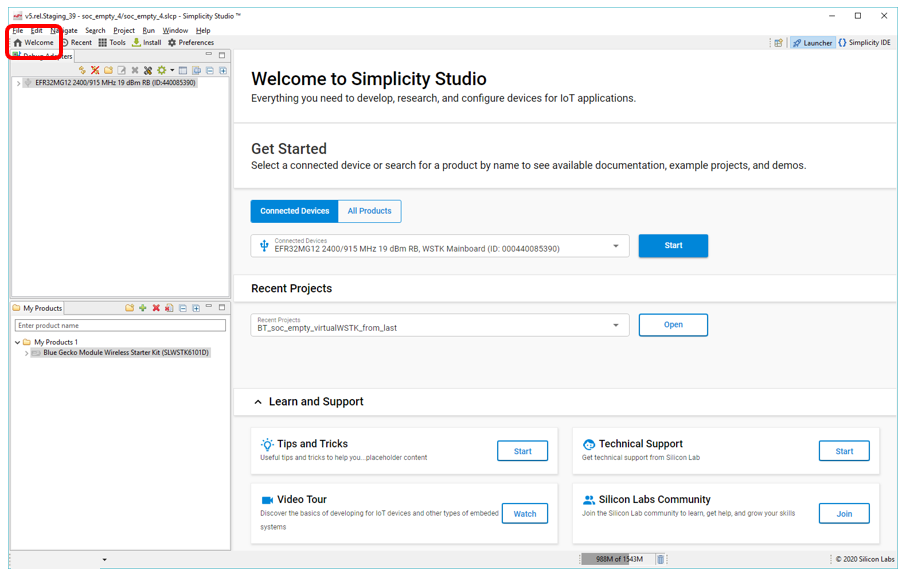
You can access the Silicon Labs support portal at https://www.silabs.com/support through Simplicity Studio. Use the support portal to contact Customer Support for any questions you might have during the development process. Access is through the Welcome view under Learn and Support. Note that you can return to the Welcome view at any time through the Welcome button on the toolbar.
Documentation#
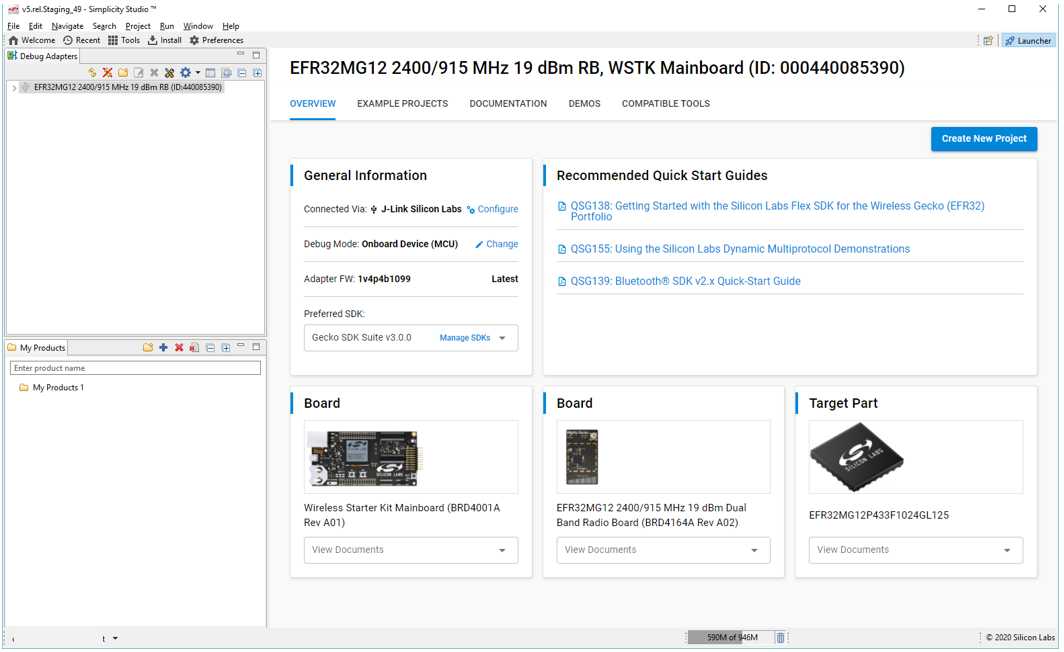
Documentation is accessed through Simplicity Studio. Simplicity Studio filters documentation based on the connected or selected part. Hardware-specific documentation can be accessed through links on the part OVERVIEW tab.
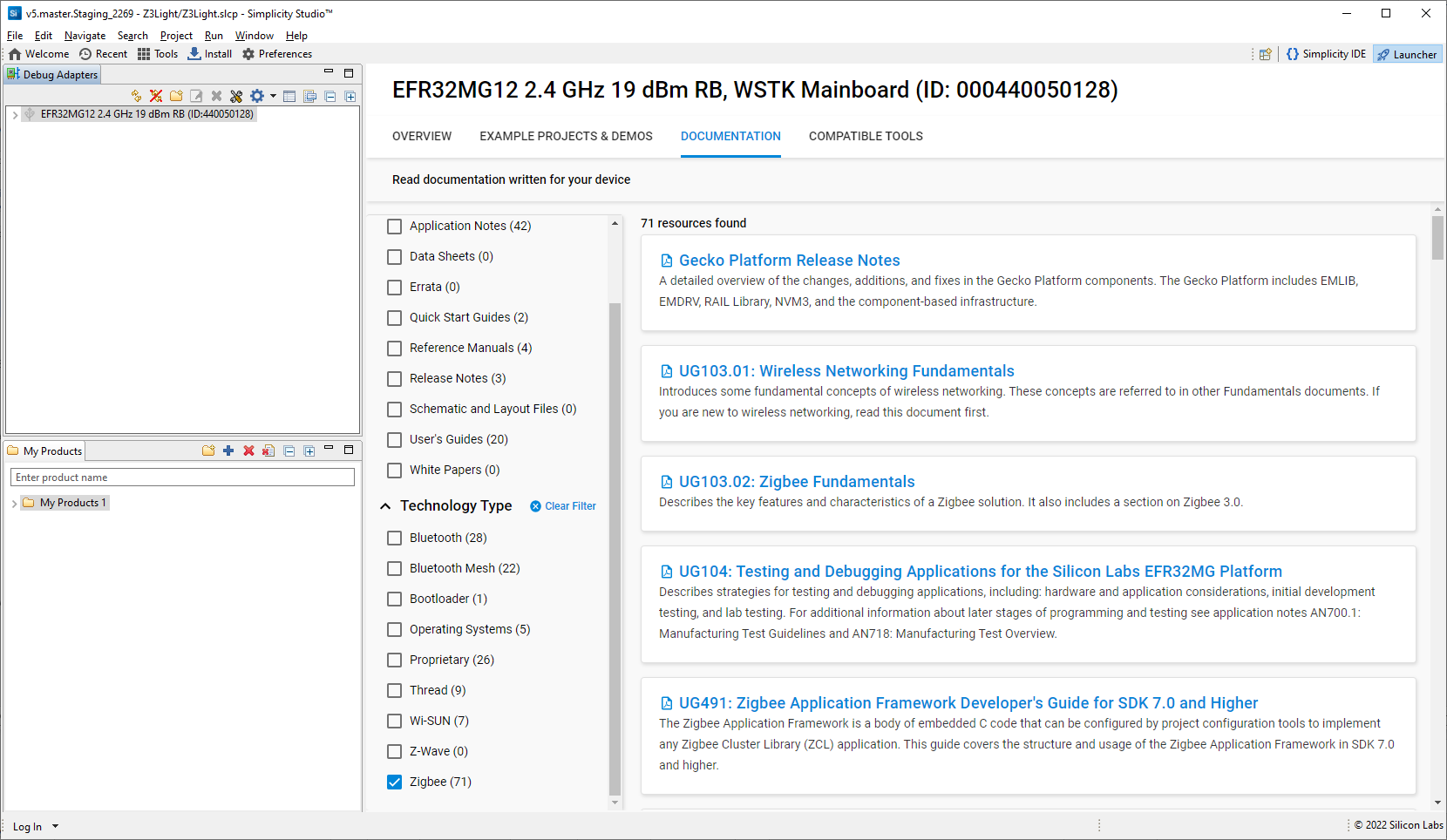
SDK documentation and other references are available through the DOCUMENTATION tab. Filter with the Zigbee Technology Type checkbox to see documentation most closely related to the Zigbee EmberZNet SDK.
Gecko Platform#
The Gecko Platform is a set of drivers and other lower-layer features that interact directly with Silicon Labs chips and modules. Gecko Platform components include EMLIB, EMDRV, RAIL Library, NVM3, and mbed TLS. Application developers using Zigbee EmberZNet components, the PIN tool, or APIs may not need to interact directly with the Gecko Platform, as the code does that for you. For more information about Gecko Platform, see the Gecko Platform release notes (on the DOCUMENTATION tab, filter by Resource Type: Release Notes).
Using IAR as a Compiler#
If you plan to use IAR as your compiler (required for dynamic multiprotocol and Micrium OS examples), check the compatible IAR version in the SDK release notes. To install IAR-EWARM:
Go to the Customer Support portal as described in Support.
If you are not already signed in, sign in.
Click the Software Releases tab. In the View list select Latest EmberZNet Software. Click Go. In the results is a link to the appropriate IAR-EWARM version.
Download the IAR package. This is a large package - download time depends on connection speed but can take 1 hour or more.
Install IAR.
In the IAR License Wizard, click Register with IAR Systems to get an evaluation license.
Complete the registration and IAR will provide an evaluation license.