Battery-less Asset Tagging Demo#
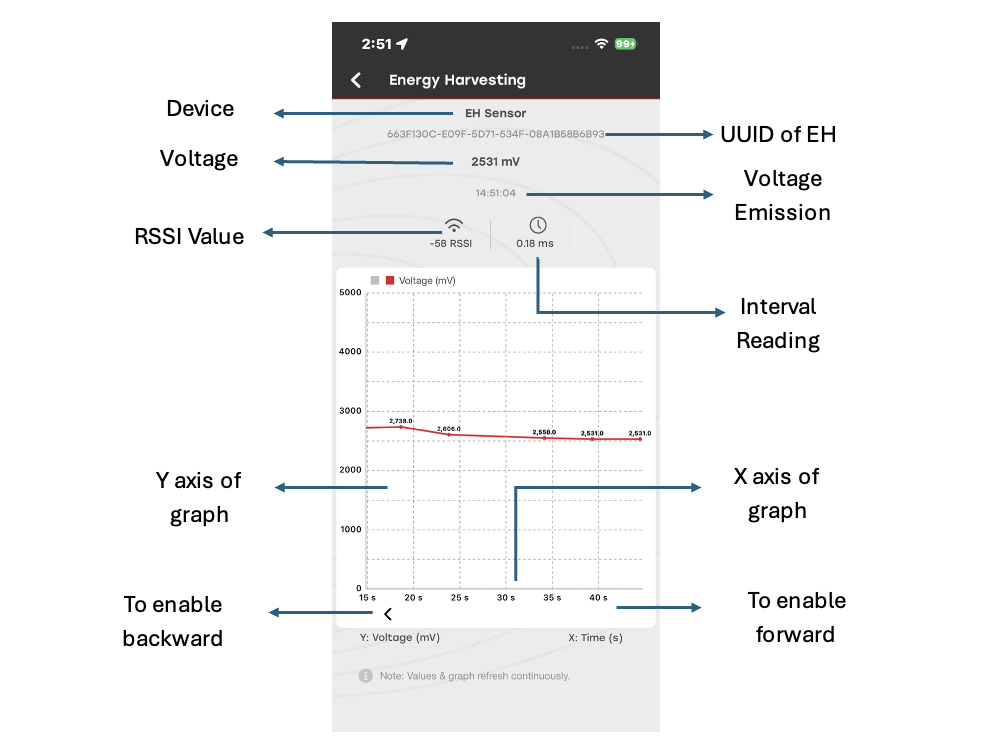
The Battery-less Asset Tagging demo demonstrates an asset tracking system based on energy harvesting. The hardware does not require an external power source. Instead, it generates power using a connected shield equipped with an Indoor Photovoltaic Cell and a capacitor for energy storage.
The device transmits BLE advertising packets that contain the following information:
Capacitor voltage in millivolts (mV)
Received Signal Strength Indicator (RSSI)
Transmission timestamp
The Simplicity Connect mobile app, available for Android and iOS, scans for and captures these advertising packets. The app displays the voltage data on a voltage-versus-time graph, allowing you to monitor energy harvesting performance and capacitor charge levels over time.
Hardware Setup#
For instructions on setting up the hardware, see Bluetooth - SoC Energy Harvesting Sensor.
Supported Boards#
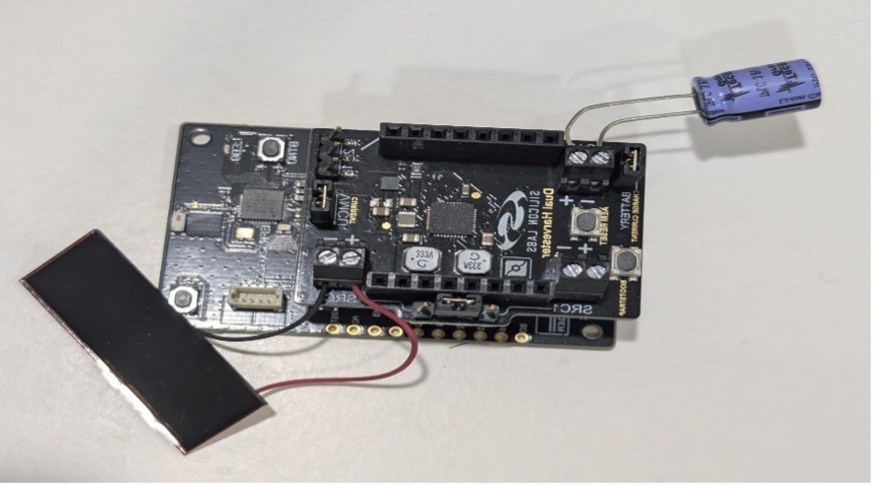
The following image shows the BRD2710A and BRD8201A (Dual Harvester Shield) with a capacitor and an Indoor Photovoltaic Cell:
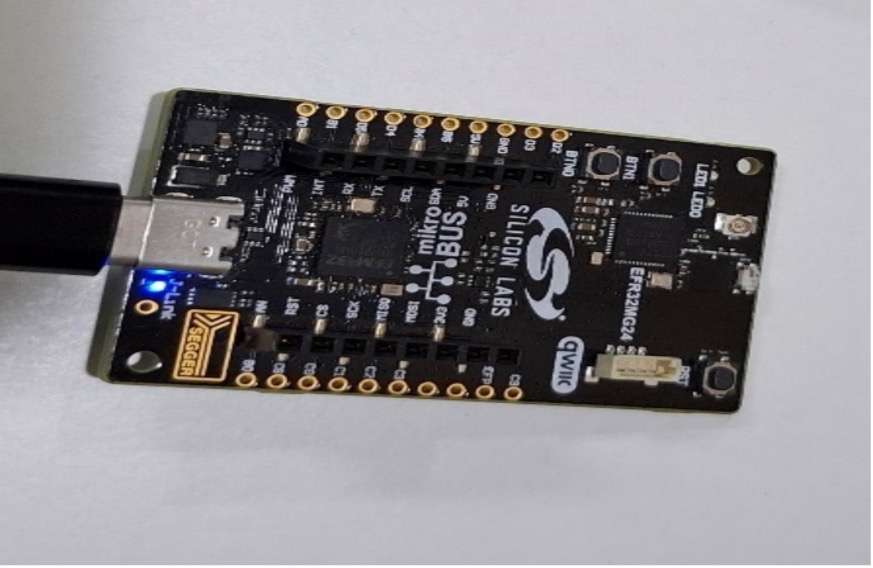
The BRD2703A board acts as an observer and must be connected to a Windows or Mac system to monitor voltage data through UART logs:
App Setup and Use#
Run the Demo#
Connect the required hardware as described in Bluetooth - SoC Energy Harvesting Sensor.
Open Simplicity Studio, and search for the Bluetooth - SoC Energy Harvesting Sensor project.
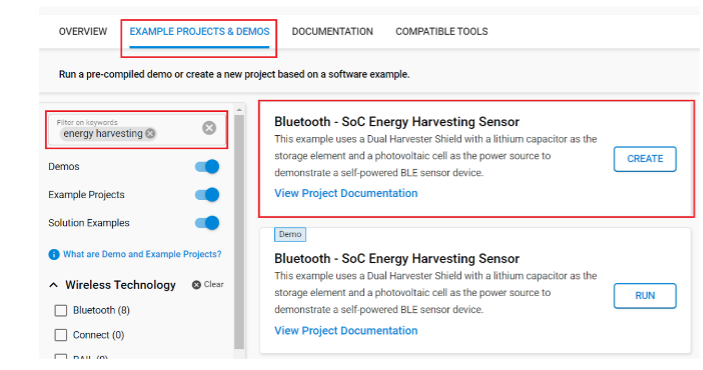
Create and build the project, and then flash it to the target device.
Open the Simplicity Connect mobile app on an Android or iOS device.
Go to the Demo tab, and then select Energy Harvesting.
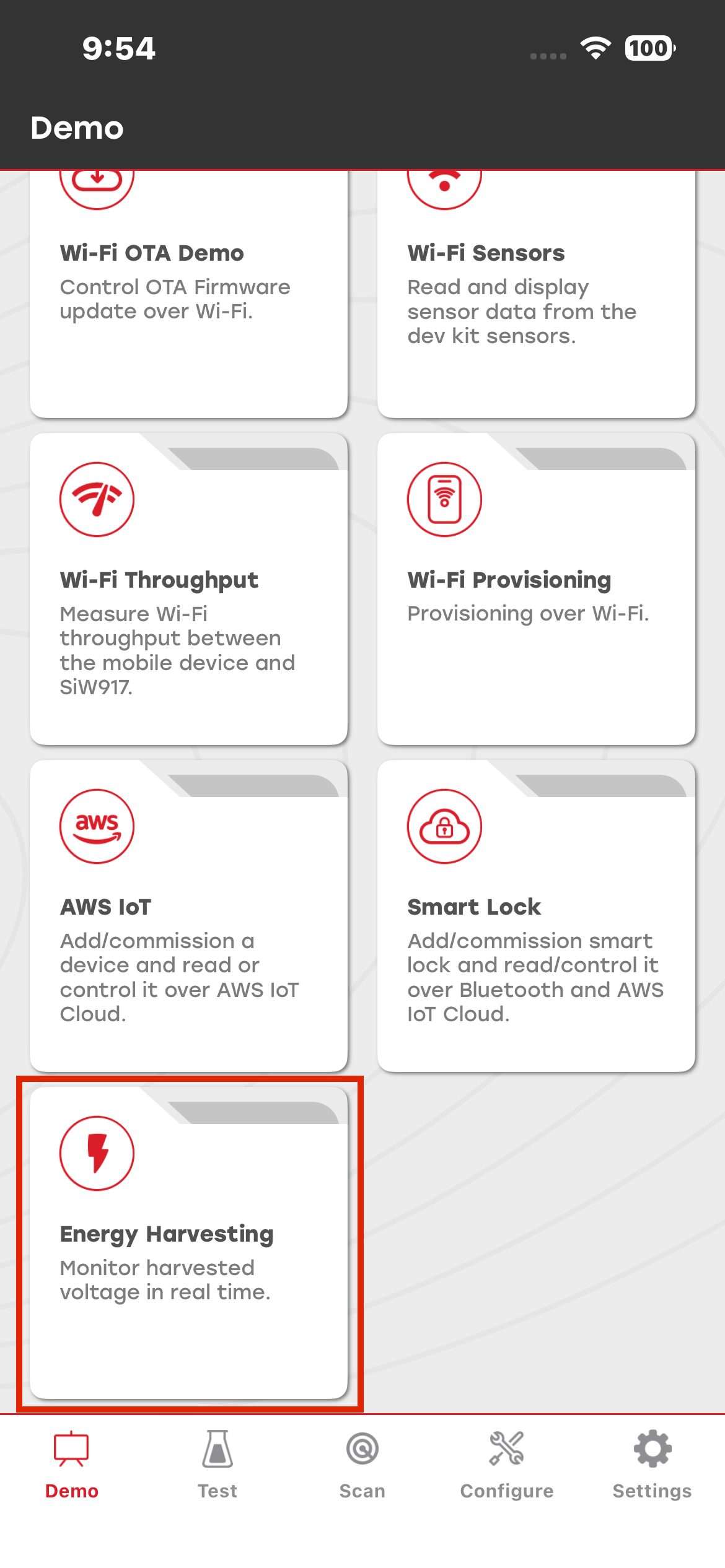
The app starts scanning for BLE advertising packets.
When the app detects a valid advertising packet, the Energy Harvesting screen displays the received voltage data in mV over time.