


Install the Z-Wave SDK#
Simplicity Studio is a free Integrated Development Environment and a collection of value-add tools provided by Silicon Labs. Developers can use Simplicity Studio to develop, debug, and analyze their Z-Wave and other Silicon Labs SDK applications. Its main goal is to reduce development time so that you can focus on your application.
Before proceeding, it is recommended that you create an account for silabs.com. Register at https://community.silabs.com/SL_CommunitiesSelfReg.
Connect your Hardware#
Make sure you have set up and connected the hardware as described in The Z-Wave Development Kits.
Install Simplicity Studio#
Download the latest version of Simplicity Studio from https://www.silabs.com/software-and-tools/simplicity-studio.
When the download is complete, run the Simplicity Studio installer.
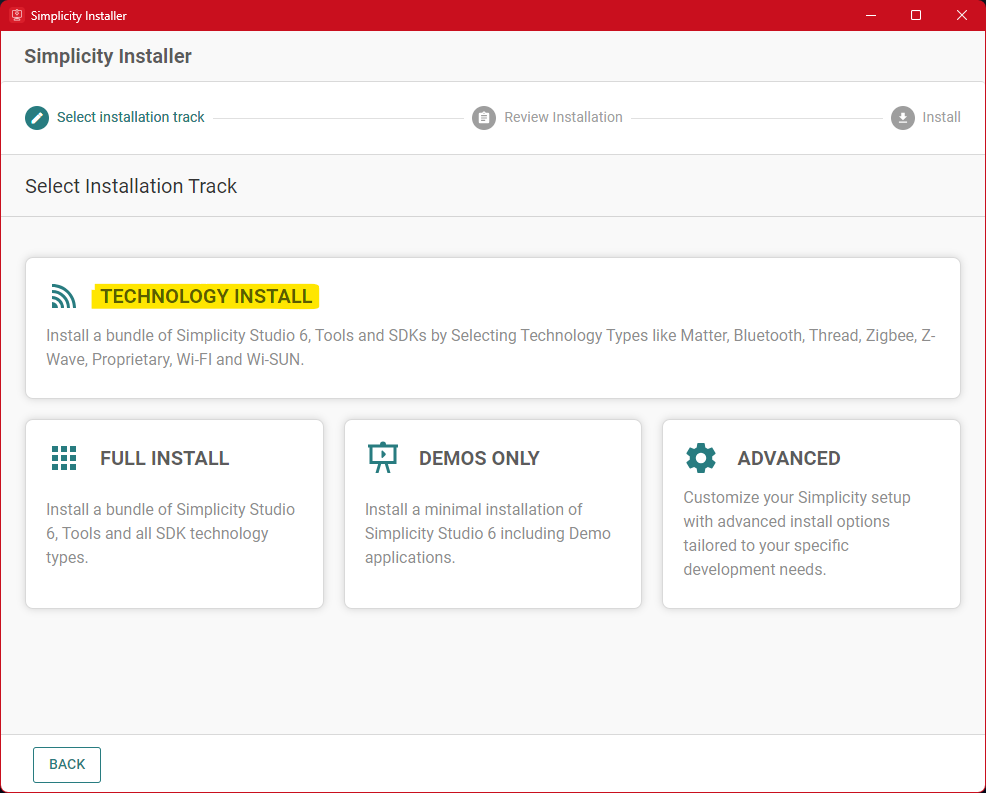
The installation wizard will offer multiple installation tracks. Select Technology Install.
On the Technology Type selection screen, make sure Z-Wave is selected and click Next.
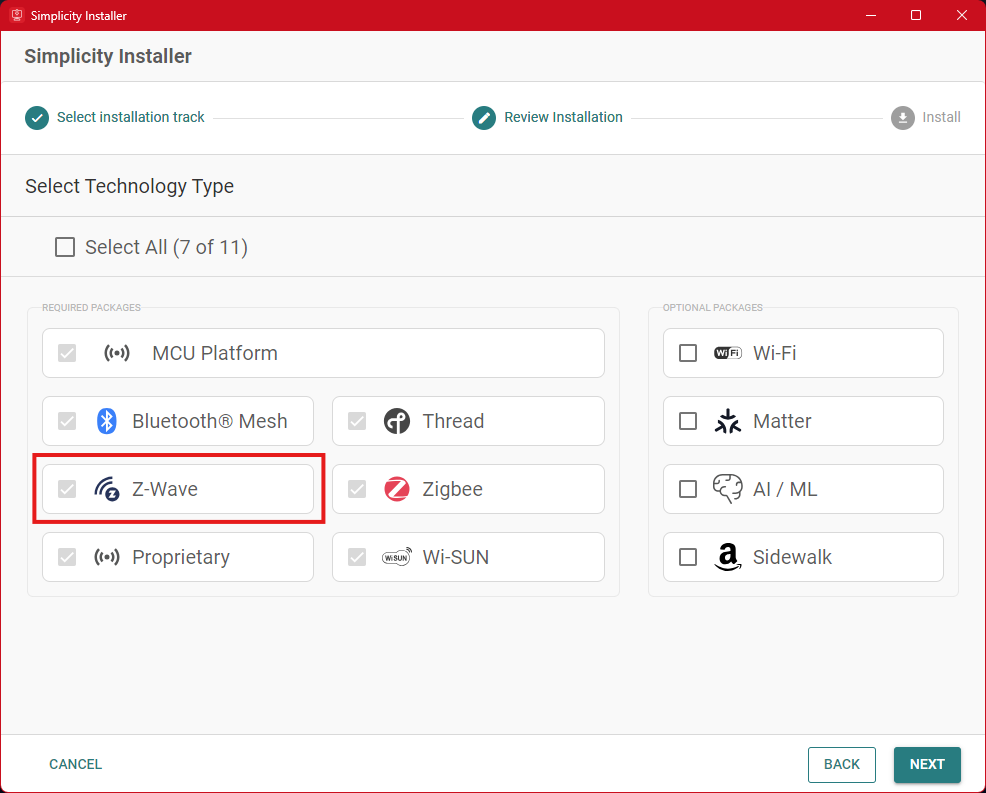
The installer will list the packages to install. It is recommended to proceed with the default selection, but you can choose to customize the installation at this point. Accept the terms of the agreement by ticking the checkbox and click Install.
When the installation finishes, click Launch Studio.
Updating Adapter Firmware#
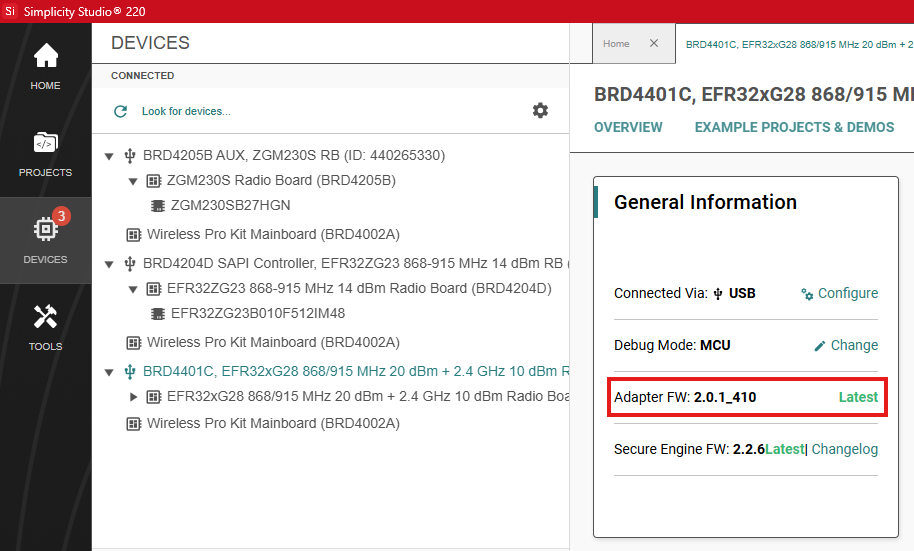
The final step before proceeding is to update the device firmware. Navigate to the Devices page using the left sidebar.
Select a device in the Connected view. On the Overview tab, in the General Information section, check the Adapter FW version. If a new version is available, update the firmware.
Note: It is recommended that you unplug the radio board from the mainboard while updating the adapter firmware.
Simplicity Studio is now fully configured and ready to use.
Visit the Simplicity Studio 6 User's Guide for detailed documentation on Simplicity Studio.