Importing Custom Wrapped Keys Example for Series 3 devices#
To import custom wrapped keys into CPMS, four fields are required: key value (to be wrapped), address, auth, and metadata.
After the key field values are available, refer to Additional Custom Keys section for more information on how to enter the custom key fields on the CPMS portal.
The following examples emulate the CPMS custom key provisioning process. Additonally, the examples will also show how to get the metadata value for an asymmetric and a symmetric key.
Example: Importing Custom Wrapped Asymmetric Keys#
Part 1: Preparing Custom Wrapped Keys for CPMS
The following steps demonstrate how to generate the wrapped key and required metadata for CPMS:
In Simplicity Studio v6, navigate to the 'Devices', select the Device OPN (for example, SIMG301M104LIL).
Click on EXAMPLE PROJECTS AND DEMOS, and search for SE Manager.
Create a project from the Platform Security - SoC SE Manager Digital Signature (ECDSA and EdDSA) example.

Open the created project in VS code to start editing the code.

In the app_se_manager_signature.c file, define a persistent address to store the wrapped asymmetric key.

In the create_wrap_asymmetric_key function, update the wrapped key descriptor to the following:
//Set up a key descriptor pointing to a wrapped key buffer asymmetric_key_desc.type = key_type; asymmetric_key_desc.flags = SL_SE_KEY_FLAG_ASYMMETRIC_BUFFER_HAS_PRIVATE_KEY //| SL_SE_KEY_FLAG_ASYMMETRIC_BUFFER_HAS_PUBLIC_KEY | SL_SE_KEY_FLAG_ASYMMMETRIC_SIGNING_ONLY | SL_SE_KEY_FLAG_ALLOW_ANY_ACCESS; // SL_SE_KEY_FLAG_NON_EXPORTABLE; asymmetric_key_desc.storage.method = SL_SE_KEY_STORAGE_EXTERNAL_WRAPPED; // Set pointer to a RAM buffer to support key generation asymmetric_key_desc.storage.location.buffer.pointer = asymmetric_key_buf; asymmetric_key_desc.storage.location.buffer.size = sizeof(asymmetric_key_buf);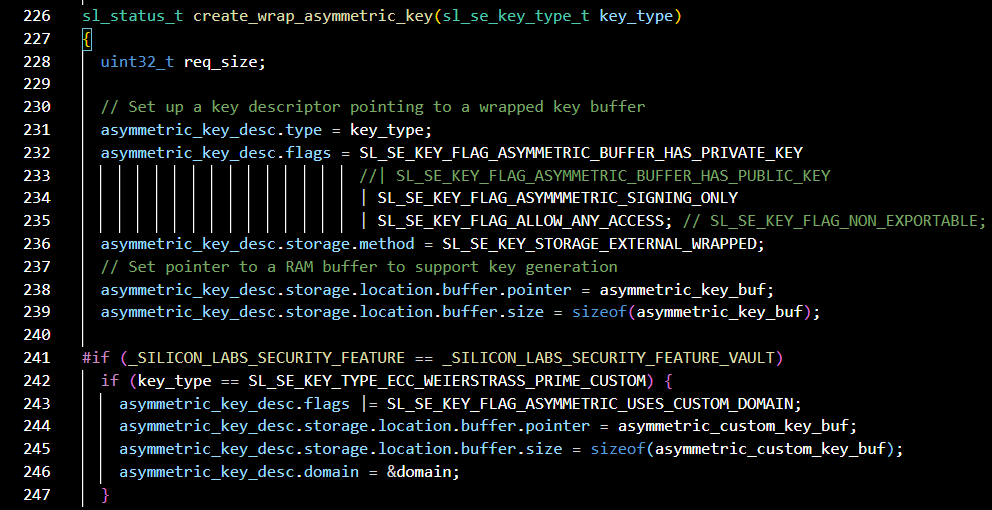
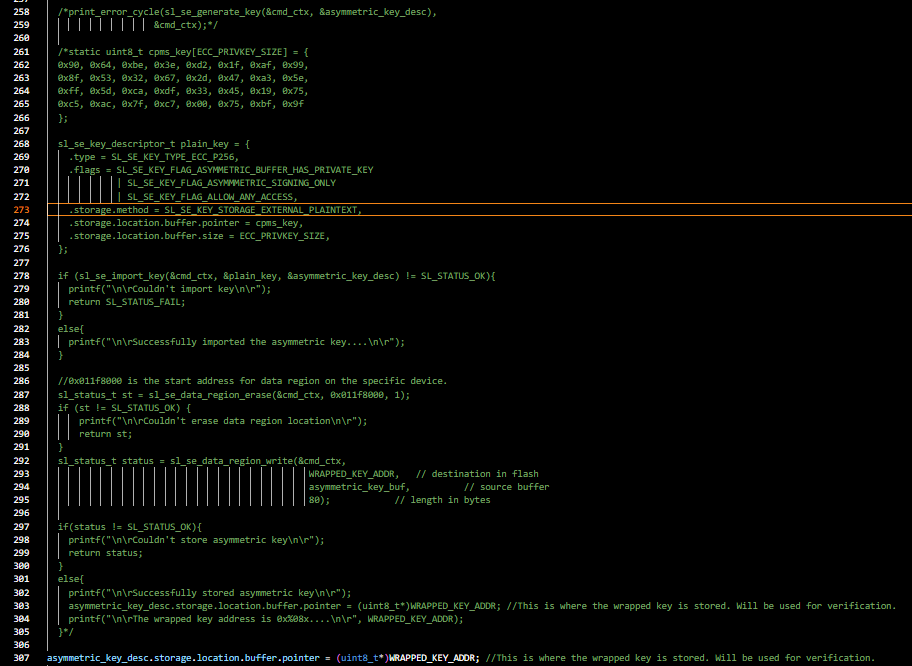
In the app_se_manager_signature.c file, in the create_wrap_asymmetric_key function, add the plaintext key to be wrapped and stored in the flash. Since a custom key is being provided, replace sl_se_generate_key with sl_se_import_key as shown below.
static uint8_t cpms_key[ECC_PRIVKEY_SIZE] = { 0x90, 0x64, 0xbe, 0x3e, 0xd2, 0x1f, 0xaf, 0x99, 0x8f, 0x53, 0x32, 0x67, 0x2d, 0x47, 0xa3, 0x5e, 0xff, 0x5d, 0xca, 0xdf, 0x33, 0x45, 0x19, 0x75, 0xc5, 0xac, 0x7f, 0xc7, 0x00, 0x75, 0xbf, 0x9f }; sl_se_key_descriptor_t plain_key = { .type = SL_SE_KEY_TYPE_ECC_P256, .flags = SL_SE_KEY_FLAG_ASYMMETRIC_BUFFER_HAS_PRIVATE_KEY | SL_SE_KEY_FLAG_ASYMMMETRIC_SIGNING_ONLY | SL_SE_KEY_FLAG_ALLOW_ANY_ACCESS, .storage.method = SL_SE_KEY_STORAGE_EXTERNAL_PLAINTEXT, .storage.location.buffer.pointer = cpms_key, .storage.location.buffer.size = ECC_PRIVKEY_SIZE, }; if (sl_se_import_key(&cmd_ctx, &plain_key, &asymmetric_key_desc) != SL_STATUS_OK){ printf("\n\rCouldn't import key\n\r"); return SL_STATUS_FAIL; } else{ printf("\n\rSuccessfully imported the asymmetric key....\n\r"); }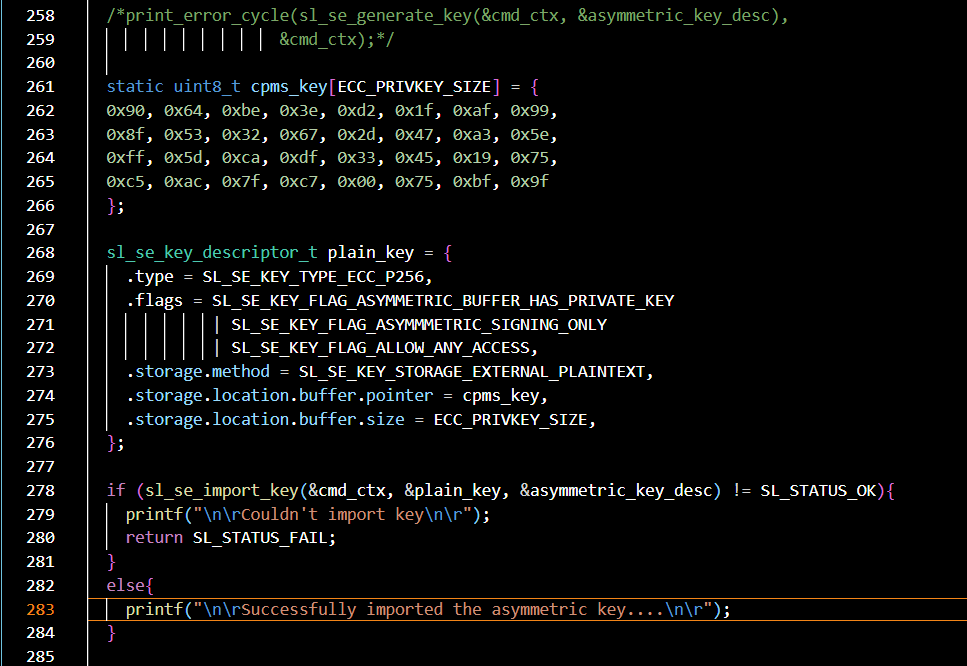
In the create_wrap_asymmetric_key function, add the following code to store the key in the data region and change the wrapped key pointer to the address in data region.
//0x011f8000 is the start address for data region on the specific device. sl_status_t st = sl_se_data_region_erase(&cmd_ctx, 0x011f8000, 1); if (st != SL_STATUS_OK) { printf("\n\rCouldn't erase data region location\n\r"); return st; } sl_status_t status = sl_se_data_region_write(&cmd_ctx, WRAPPED_KEY_ADDR, // destination in flash asymmetric_key_buf, // source buffer 80); // length in bytes if(status != SL_STATUS_OK){ printf("\n\rCouldn't store asymmetric key\n\r"); return status; } else{ printf("\n\rSuccessfully stored asymmetric key\n\r"); asymmetric_key_desc.storage.location.buffer.pointer = (uint8_t*)WRAPPED_KEY_ADDR; //This is where the wrapped key is stored. Will be used for verification. printf("\n\rThe wrapped key address is 0x%08x....\n\r", WRAPPED_KEY_ADDR); }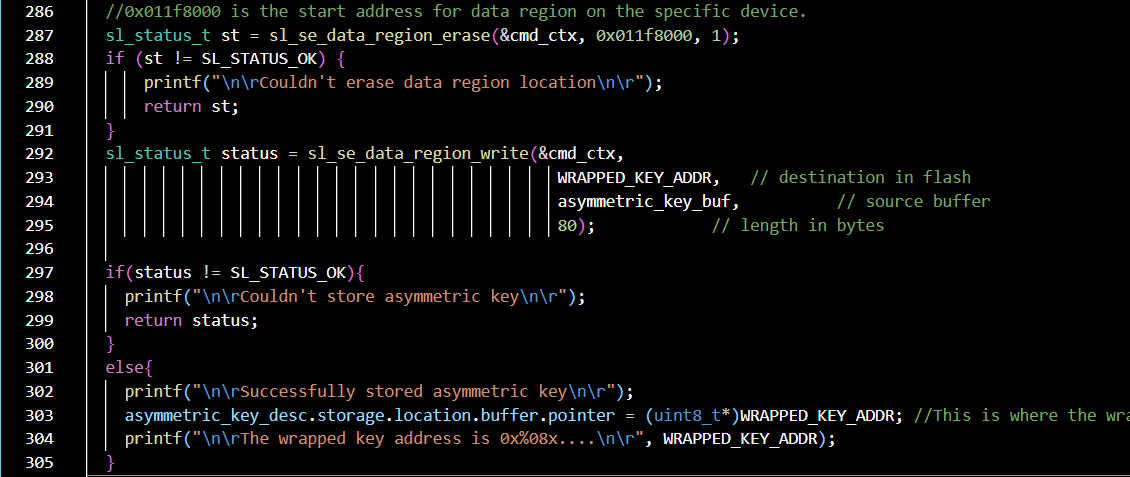
In the create_wrap_asymmetric_key function, add the following code to print the keyspec. This keyspec is entered on the CPMS portal when entering custom keys to wrapped and stored on the device.
unsigned int keyspec; if (sli_se_key_to_keyspec(&asymmetric_key_desc, &keyspec) != SL_STATUS_OK){ printf("\n\rCouldn't get key spec....\n\r"); return SL_STATUS_FAIL; } else{ printf("\n\rKeyspec: 0x%08x\n\r", keyspec); return SL_STATUS_OK; }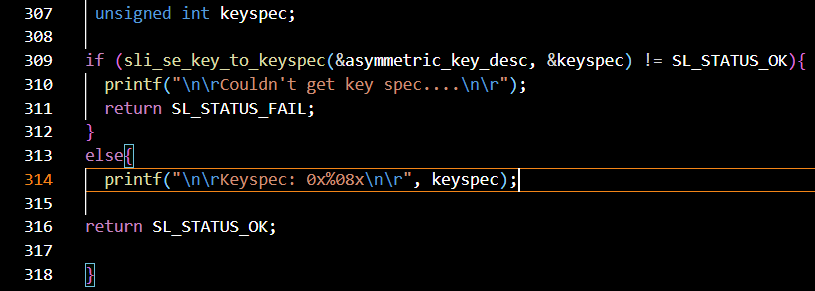
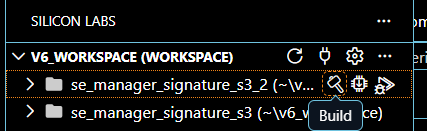
Build the project.
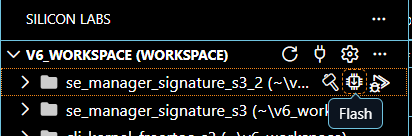
Flash the project to the target device.
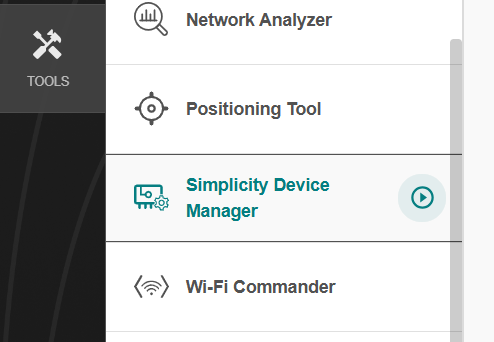
Open Simplicity Studio. From the Tools tab open Simplicity Device Manager.
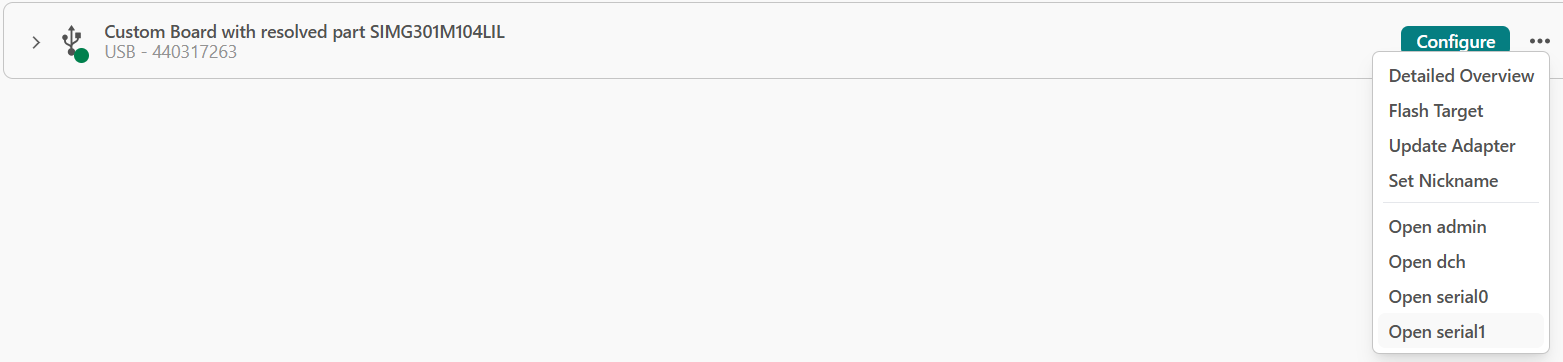
In the Simplicity Device Manager tool, in Devices tab, open 'serial1' for your device.
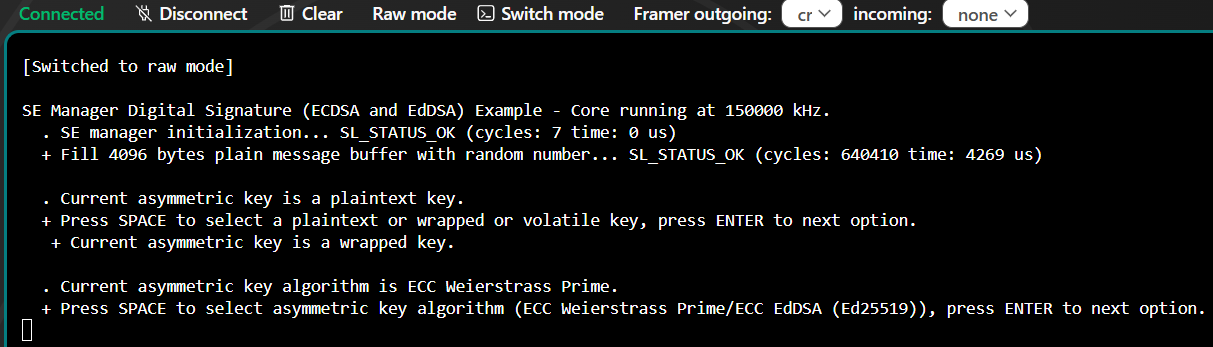
Reset the device. The program will first ask which type of key you want to use: plaintext, wrapped, or volatile. Type a space, and then press Enter to select the second option, wrapped.
In the serial terminal, now press SPACE to select ECC 256 bytes key, then press ENTER.
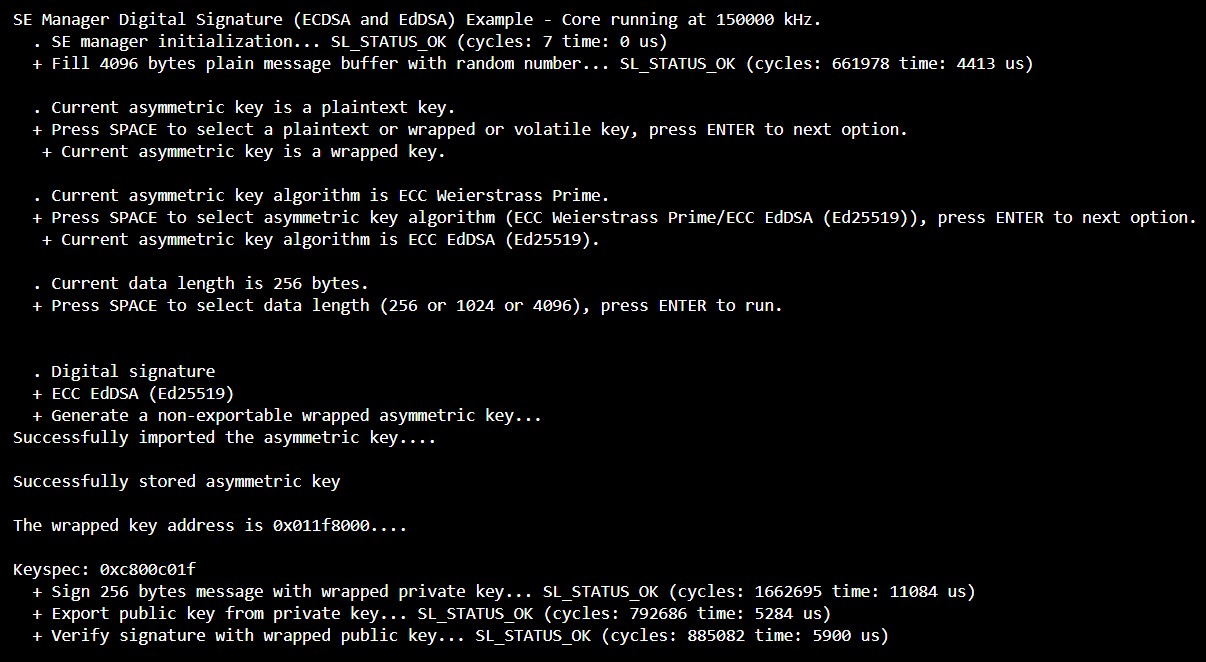
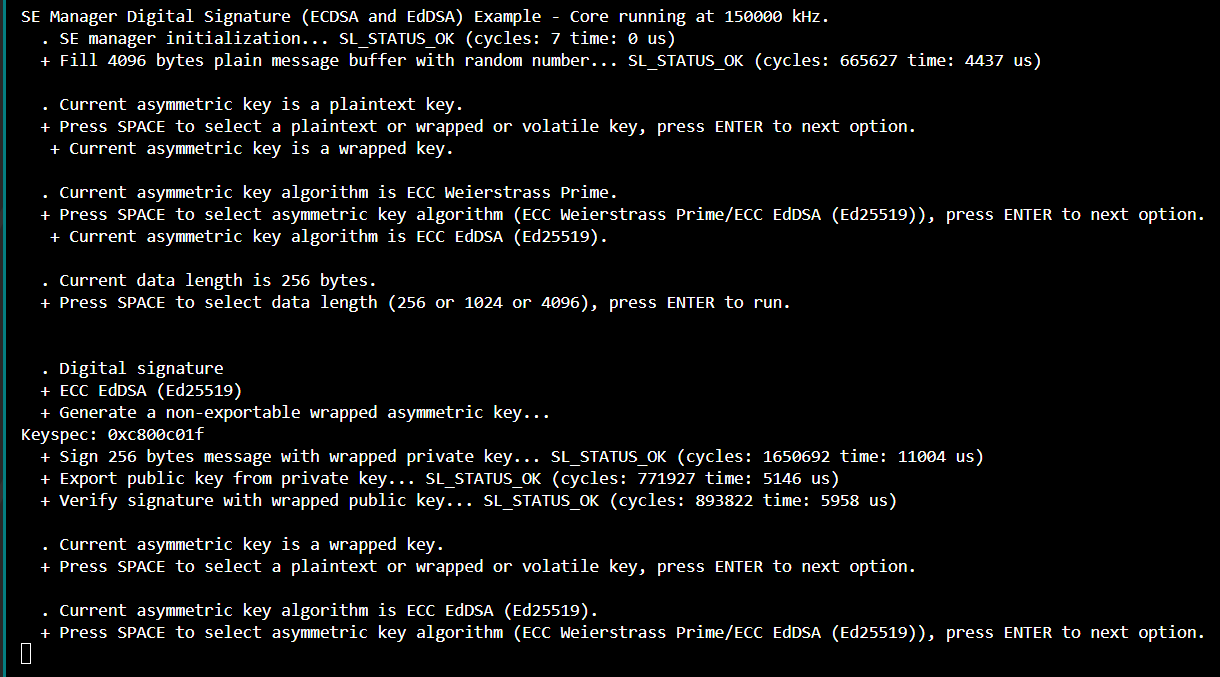
The serial terminal output above, shows the flash address where the wrapped key is stored, the keyspec (metadata entered in the CPMS portal) and the successful verification of the wrapped key.
Part 2: Using the Wrapped Key in the Application
The following steps show how the wrapped key can be used in the application without the plaintext key:
The key is now wrapped and stored in flash. To verify that the key stored in the flash is correct, comment out application code that wraps and stores the plaintext key and point the storage location of the key descriptor to the external memory address. Rebuild the program and check that they is verified successfully.
Example: Importing Custom Wrapped Symmetric Keys#
Part 1: Preparing Custom Wrapped Keys for CPMS
The following steps demonstrate how to generate the wrapped key and required metadata for CPMS:
In Simplicity Studio v6, navigate to the 'Devices', select the Device OPN (for example, SIMG301M104LIL).
Click on EXAMPLE PROJECTS AND DEMOS, and search for SE Manager.
Create a project from the Platform Security - SoC SE Manager Block Cipher example.

Open the created project in VS code to start editing the code.

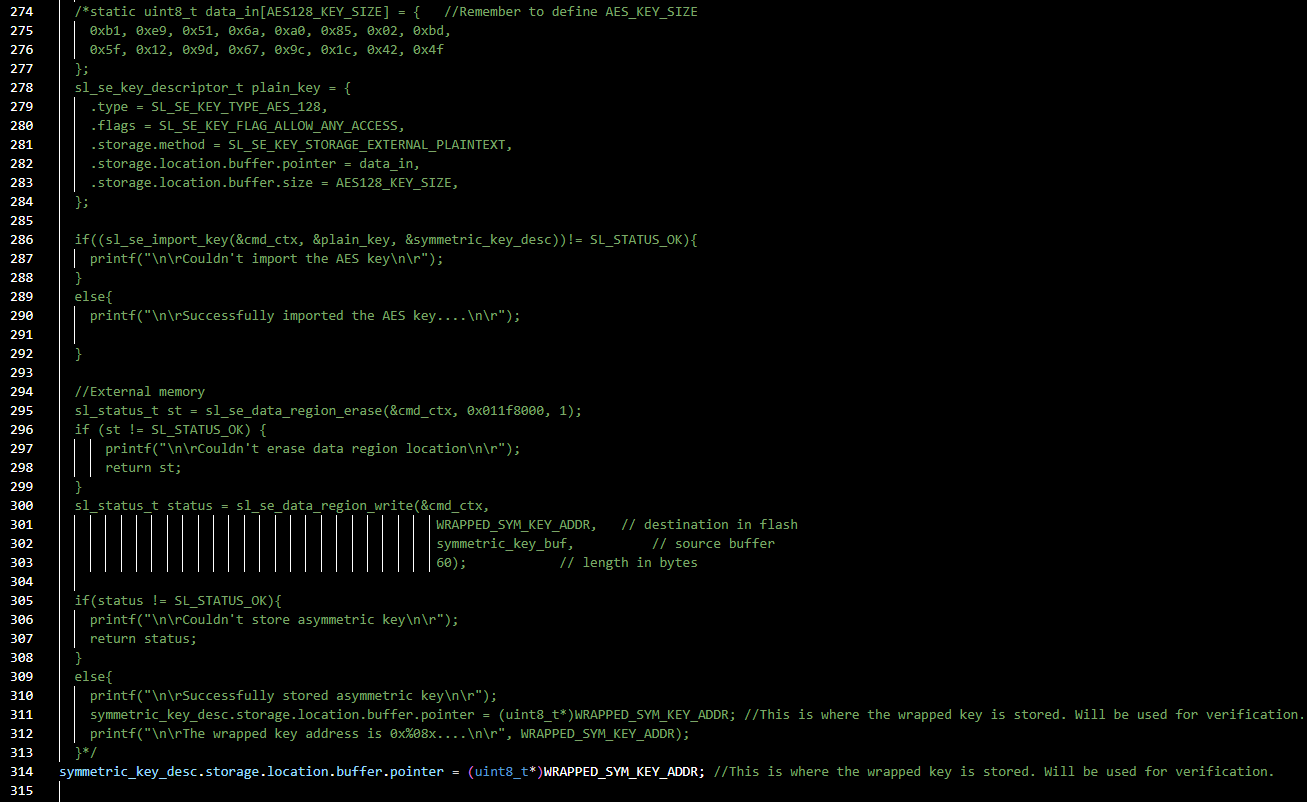
In the app_se_manager_signature.c file, define key size and a persistent address to store the wrapped aes/ symmetric key.

In the create_wrap_symmetric_key function, update the wrapped key descriptor to the following:
//Set up a key descriptor pointing to a wrapped key buffer symmetric_key_desc.type = key_type; symmetric_key_desc.flags = SL_SE_KEY_FLAG_ALLOW_ANY_ACCESS; //Commented out for CPMS: SL_SE_KEY_FLAG_NON_EXPORTABLE; symmetric_key_desc.storage.method = SL_SE_KEY_STORAGE_EXTERNAL_WRAPPED; symmetric_key_desc.storage.location.buffer.pointer = symmetric_key_buf; symmetric_key_desc.storage.location.buffer.size = sizeof(symmetric_key_buf);
In the app_se_manager_signature.c file, in the create_wrap_symmetric_key function, add the plaintext key to be wrapped and stored in the flash. Since a custom key is being provided, replace sl_se_generate_key with sl_se_import_key as shown below.
static uint8_t data_in[AES128_KEY_SIZE] = { //Remember to define AES_KEY_SIZE 0xb1, 0xe9, 0x51, 0x6a, 0xa0, 0x85, 0x02, 0xbd, 0x5f, 0x12, 0x9d, 0x67, 0x9c, 0x1c, 0x42, 0x4f }; sl_se_key_descriptor_t plain_key = { .type = SL_SE_KEY_TYPE_AES_128, .flags = SL_SE_KEY_FLAG_ALLOW_ANY_ACCESS, .storage.method = SL_SE_KEY_STORAGE_EXTERNAL_PLAINTEXT, .storage.location.buffer.pointer = data_in, .storage.location.buffer.size = AES128_KEY_SIZE, }; if((sl_se_import_key(&cmd_ctx, &plain_key, &symmetric_key_desc))!= SL_STATUS_OK){ printf("\n\rCouldn't import the AES key\n\r"); } else{ printf("\n\rSuccessfully imported the AES key....\n\r"); }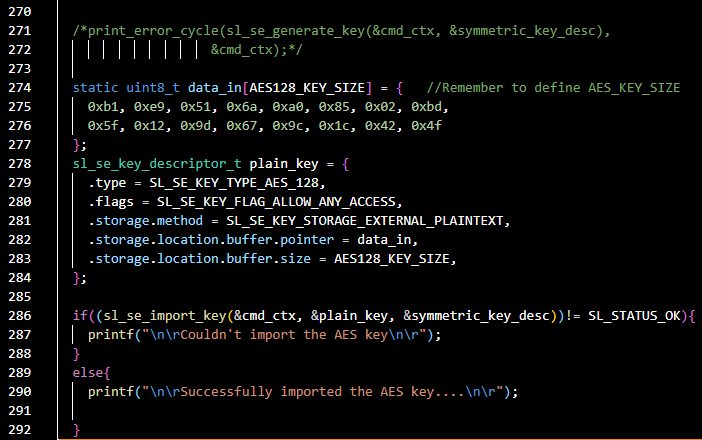
In the create_wrap_symmetric_key function, add the following code to store the key in the data region and change the wrapped key pointer to the address in data region.
//0x011f8000 is the start address for data region on the specific device. sl_status_t st = sl_se_data_region_erase(&cmd_ctx, 0x011f8000, 1); if (st != SL_STATUS_OK) { printf("\n\rCouldn't erase data region location\n\r"); return st; } sl_status_t status = sl_se_data_region_write(&cmd_ctx, WRAPPED_SYM_KEY_ADDR, // destination in flash symmetric_key_buf, // source buffer 60); // length in bytes if(status != SL_STATUS_OK){ printf("\n\rCouldn't store asymmetric key\n\r"); return status; } else{ printf("\n\rSuccessfully stored asymmetric key\n\r"); symmetric_key_desc.storage.location.buffer.pointer = (uint8_t*)WRAPPED_SYM_KEY_ADDR; //This is where the wrapped key is stored. Will be used for verification. printf("\n\rThe wrapped key address is 0x%08x....\n\r", WRAPPED_SYM_KEY_ADDR); }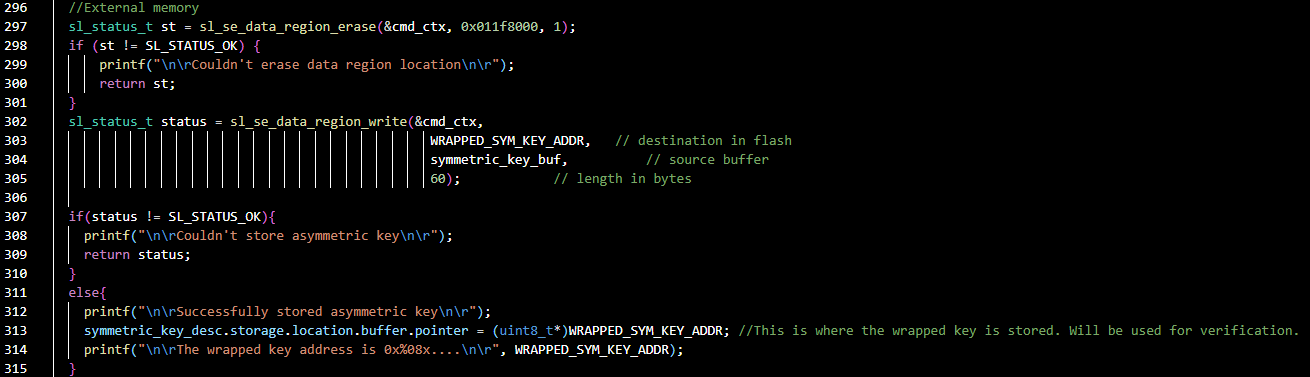
In the create_wrap_symmetric_key function, add the following code to print the keyspec. This keyspec is entered on the CPMS portal when entering custom keys to wrapped and stored on the device.
unsigned int keyspec; if (sli_se_key_to_keyspec(&symmetric_key_desc, &keyspec) != SL_STATUS_OK){ printf("\n\rCouldn't get key spec....\n\r"); return SL_STATUS_FAIL; } else{ printf("\n\rKeyspec: 0x%08x\n\r", keyspec); return SL_STATUS_OK; }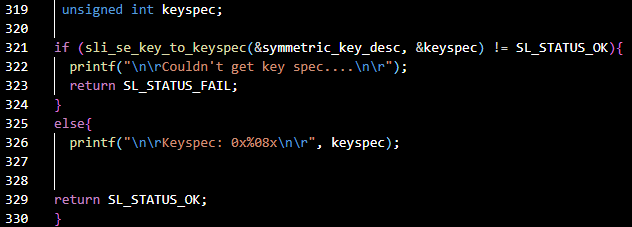
Build the project.
Flash the project to the target device.

Open Simplicity Studio. From the Tools tab open Simplicity Device Manager.
In the Simplicity Device Manager tool, in Devices tab, open 'serial1' for your device.
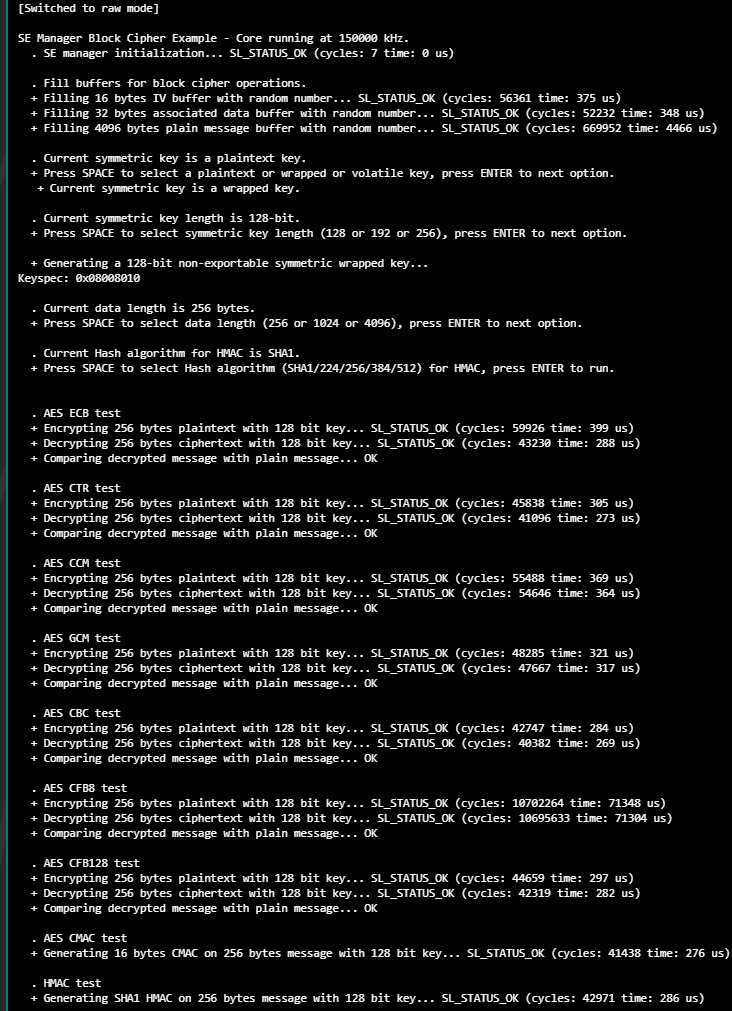
Reset the device. The program will first ask which type of key you want to use: plaintext, wrapped, or volatile. Type a space, and then press Enter to select the second option, wrapped.
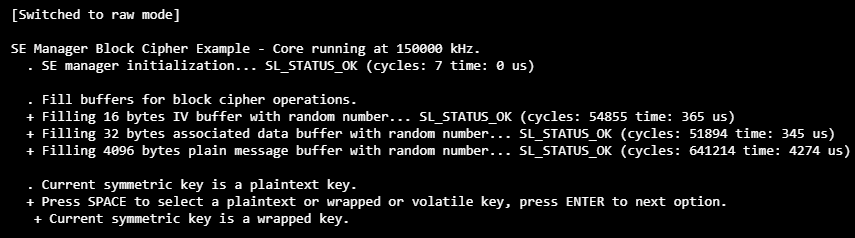
In the serial terminal, now press SPACE to select 128-bit AES key length, then press ENTER.
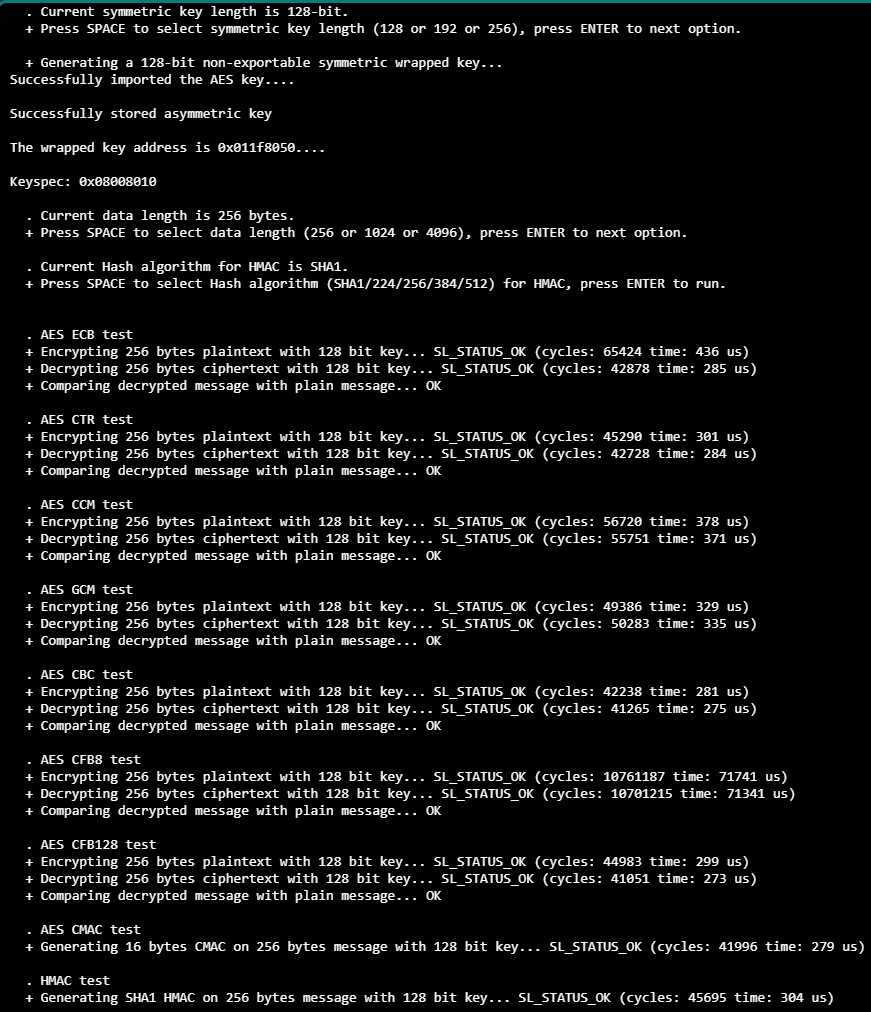
The serial terminal output above, shows the flash address where the wrapped key is stored, the keyspec (metadata entered in the CPMS portal), the successful verification of the wrapped key, and successful MAC generation.
Part 2: Using the Wrapped Key in the Application
The following steps show how the wrapped key can be used in the application without the plaintext key:
The key is now wrapped and stored in flash. To verify that the key stored in the flash is correct, comment out application code that wraps and stores the plaintext key and point the storage location of the key descriptor to the external memory address. Rebuild the program and check that they is verified successfully.