AXiP Configuration#
Authenticated eXecute in Place (AXiP) is a Series 3 feature that protects executable code stored in QSPI flash to ensure integrity, confidentiality, and authenticity. At a high level, AXiP is implemented by the Secure Engine (SE) and EXTMEM subsystems. These components perform encryption and authentication during programming and automatically verify code during execution without requiring application firmware to manage cryptographic keys.
Flash Configuration | Key Used |
|---|---|
Plaintext | None |
EXiP (Encrypted eXecute in Place) | EXiP key |
AXiP (Authenticated eXecute in Place) | AXiP key |
Note: AXiP and EXiP keys are PUF-derived keys. These keys cannot be modified during the CPMS provisioning process.
How AXiP Works#
AXiP uses AES-GCM authenticated encryption. If authentication fails during execution, the device faults. This behavior prevents the execution of modified code.
For SixG301 (xG301) devices with in-package flash, AXiP is enabled by default for two code regions (typically a bootloader region and an application region). The default region sizes depend on the flash size and can be inspected using Simplicity Commander.
Series 3 devices support up to eight code regions. Each region can be configured for AXiP, EXiP, or plaintext protection.
For more information about AXiP, see Series 3 AXiP.
AXiP Using CPMS#
Users with specific application requirements can customize code region configurations. This includes adding new code regions (up to eight), adjusting code region sizes, and selecting the protection type, such as AXiP, EXiP, or plaintext.
After configuring code regions and programming firmware, the code region must be closed to prevent further configuration changes or writes. Closing a region updates the Secure Engine MTP (consuming an OTP bit), and reopening it requires erasing the region.
In CPMS, code regions are automatically closed when a firmware image is uploaded in the Flash Programming section. Code regions can remain open only when firmware images are not uploaded as part of the CPMS provisioning process.
Note: Programming AXiP or EXiP regions programs the entire region, including unused space, which is padded with
0xFF. Before selecting an AXiP region size, evaluate the current firmware size, expected future updates (such as bug fixes and security patches), and programming costs.
Customize Code Region Configurations#
In the Authenticated eXecute in Place (AXiP) section, Region 0 and Region 1 are displayed with their default configurations. These regions can also be customized as part of the CPMS provisioning process.
As shown in the following figure, you can customize the CPMS label, Memory Block Size, Protection Mode, and Code Region Close options based on your requirements.
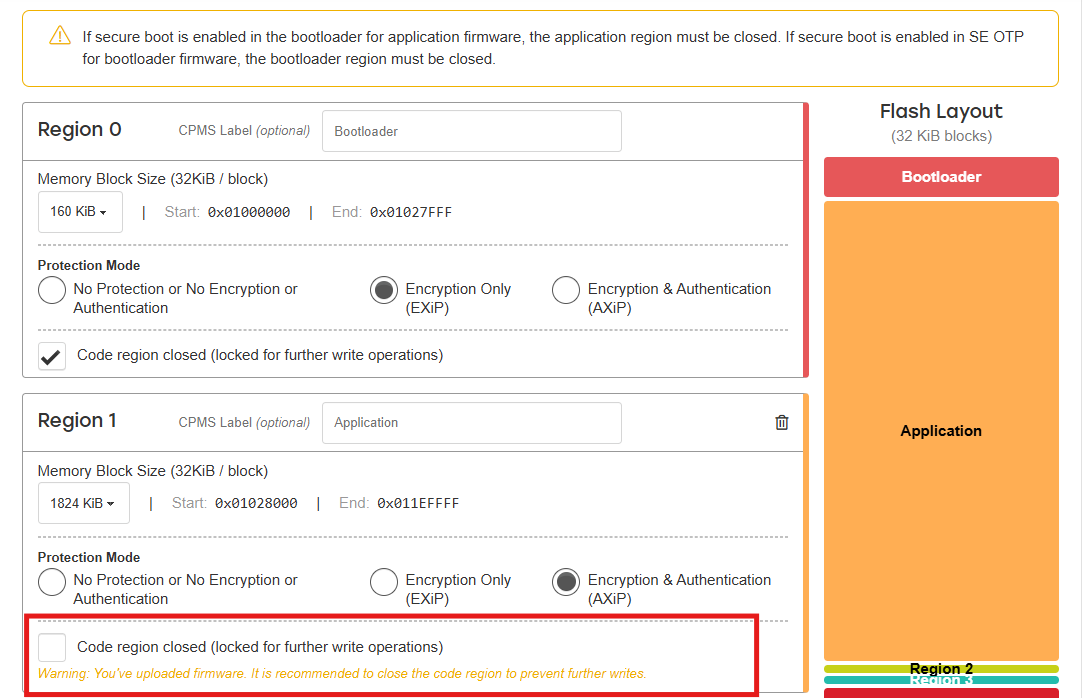
Note: Regardless of the selected option, the corresponding code regions must be closed if a firmware image is uploaded in the Flash Programming section.
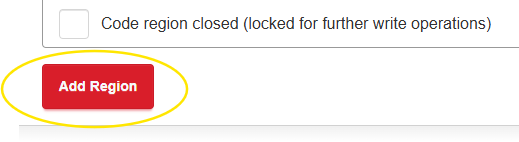
To add and customize additional regions, click Add Region.
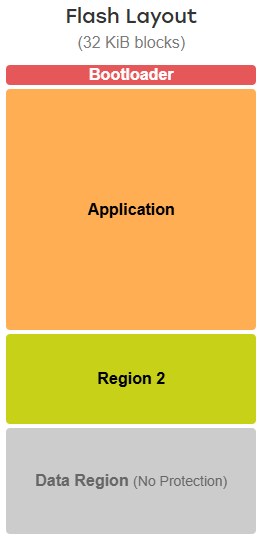
The CPMS Console UI provides a Flash Layout view to assist with code region size planning. Use this view as a reference when defining code region sizes to help avoid memory overruns and ensure correct configuration.
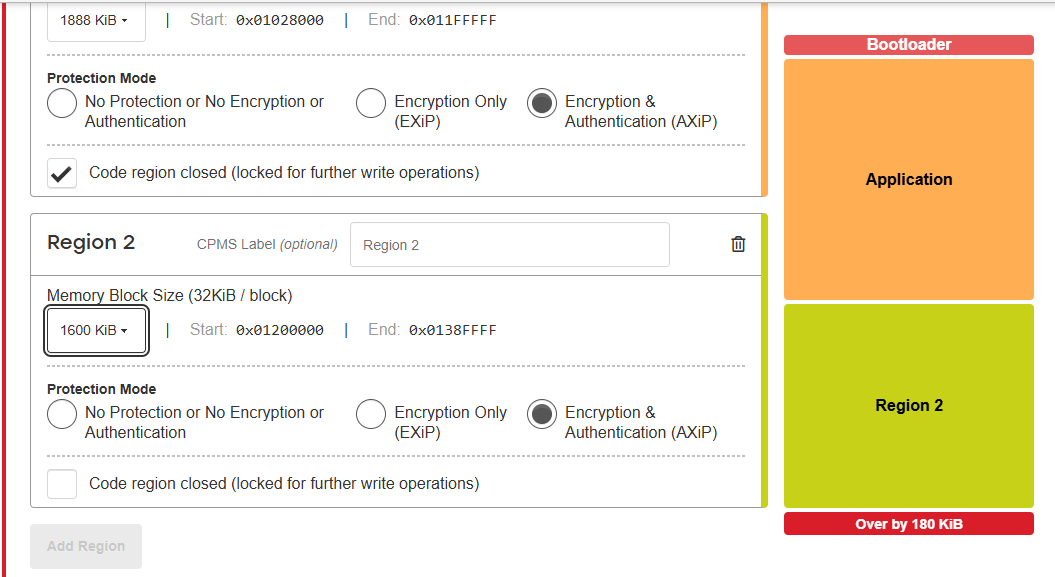
The Flash Layout view displays a warning if the configured region size exceeds the available memory, as shown in the following figure.