


Manufacturing Procedure with Device Security#
The following table shows the sequence of steps for manufacturing the SiWx917 NCP devices with security:
| Step | Description | Command (Syntax) |
|---|---|---|
| 1 |
Backup the default NWP MBR contents. Note: This precaution allows you to revert to the original MBR in case you encounter issues while making changes to the MBR. |
|
| 2 | Security Key Programming | Follow the steps mentioned in the Security Key Programming section. After this step, the security level will be enabled in the MBR or eFuse as per the security field configurations made. |
| 3 | Configure the boot configurations in NWP MBR or eFuse (optional) |
|
| 4 | Provision the updated boot configuration in NWP MBR or eFuse (OTP) (Optional) |
MBR:
Note: In place of eFuse:
|
| 5 | Configure the eFuse-only configurations in eFuse (OTP) (optional) |
|
| 6 | Write the eFuse configurations to eFuse (OTP) |
commander manufacturing write efuse --data <updatedbootconfigurationsfilename.json> -d <full opn> [--skipload] [--noprompt] [--dryrun] --serialinterface --skipinit
|
| 7 | Secure NWP firmware | Follow the steps mentioned in the Add Security to NWP firmware section. |
| 8 | Load the secure SiWx917 connectivity firmware | Refer to the Load SiWx917 Connectivity Firmware section. |
| 9 | Set MAC Address (Optional) | Refer to the Setting MAC address section. |
| 10 | RF (Frequency and Gain Offset) Calibration (Not required for) | Follow the steps mentioned in Performing RF Calibration section. |
Sample Manufacturing Commands Flow for SiWN917M100LGTBA#
Reset the host MCU.
Backup the default NWP MBR contents. Give the following command to read the MBR in .bin and .json formats.
.json format:
commander manufacturing read tambr --out default_nwp_mbr.json -d SiWN917M100LGTBA --serialinterface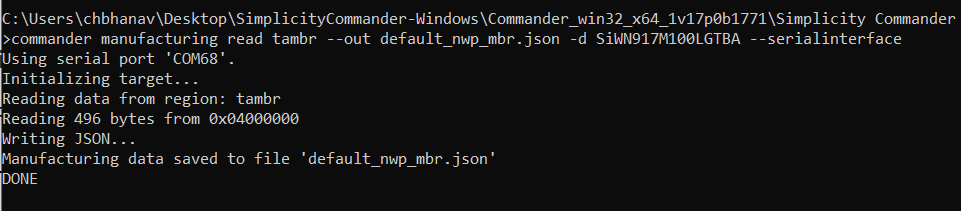
.bin format:
commander manufacturing read tambr --out default_nwp_mbr.bin -d SiWN917M100LGTBA –serialinterface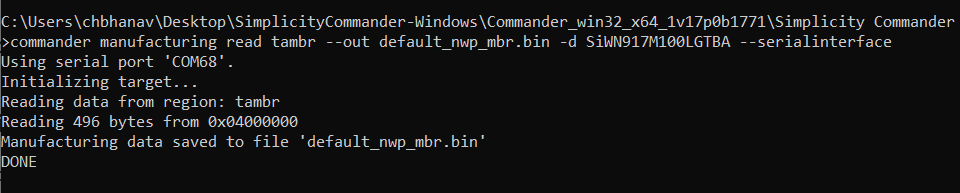
Note: The MBR in
.jsonformat provides readable MBR fields, making it easier to understand and interpret the data. On the other hand, the .bin format is required when provisioning the updated MBR. This is why it is necessary to read the MBR in both formats.Follow the steps mentioned in Security Key Programming section to generate keys for SiWx917 device.
Create a new file, say updated_mbr_fields.json file. Update boot configurations and save them in the file. For example:
{ "efuse_data": { "enable_autobaud_detection": 0, "ta_anti_roll_back": 0, "ta_digital_signature_validation": 0, "ta_encrypt_firmware": 0, "ta_otp_lock_r1": 0, } }Provision the updated boot settings in MBR.
commander manufacturing provision --mbr default --data updated_mbr_fields.json -d SiWN917M100LGTBA –serialinterfaceCreate a new file, say updated_efuse_fields.json file. Update eFuse-only (OTP) and boot configurations and save them in the file. For example:
{ "bootloader_config": { "safe_upgrade_frm_host": 0, "ta_anti_roll_back": 0, "ta_digital_signature_validation": 0, "ta_secure_boot_enable": 0 }, "otp_lock_1": { "debug_port_opened": 0, "section_lock_128_255": 1 }, "otp_lock_2": { "section_lock_256_767": 1 }, "otp_lock_3": { "section_lock_768_1023": 1 }, }Provide the updated boot/efuse-only settings in eFuse (OTP).
commander manufacturing write efuse --data updated_efuse_fields.json -d SiWN917M100LGTBA [--skipload] [--noprompt] [--dryrun] --serialinterface --skipinitOptional – Check whether the updated configurations are reflected in MBR or eFuse. Read MBR or eFuse in .json format.
MBR:
commander manufacturing read tambr --out updated_nwp_mbr.json -d SiWN917M100LGTBA –serialinterface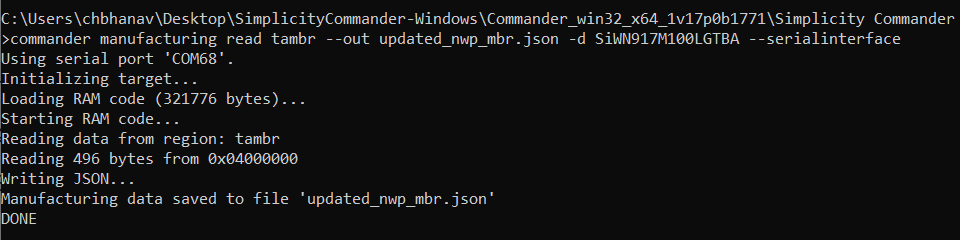
eFuse:
commander manufacturing read efuse --out updated_nwp_efuse.json -d SiWN917M100LGTBA –serialinterface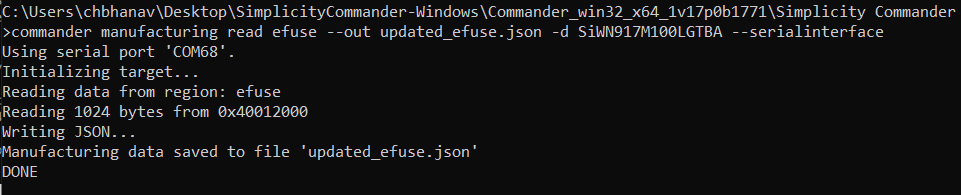
Secure the SiWx917 connectivity firmware following the steps mentioned in Add Security to NWP firmware section.
Load the SiWx917 Connectivity Firmware Image as mentioned in Load SiWx917 Connectivity Firmware section.
Optional - Update the WLAN and BLE MAC addresses in the eFuse or eFusecopy following the steps mentioned in Setting MAC address section.
Perform RF Calibration following steps mentioned in section Performing RF Calibration.